滑块逆向-51滑块逆向

什么是滑块逆向

滑块是用于区分正常流量和机器人,OCR只用于识别文字,而不能解决滑块

用selenium当然也可以模拟滑块滑动,但是滑块实际上也是一种网络请求,因此滑动也可以理解为一种网络请求,原理是js的动作捕捉

当用户按下鼠标的时候,实际上触发了mouse down的js事件,弹起鼠标的时候触发了mouse up的事件

鼠标拖动的时候会有x和y的坐标系,x和y以及时间会形成一个动作序列,动作序列会发送到后台,后端对动作序列进行校验,来判断这个序列是不是真人

破解滑块的第一步是把图片弄到,一般后端返回的是切片乱序的图片,第二步需要进行还原,而且还原逻辑在js前端肯定有,可以python还原或者扣js还原,最后再识别图片的缺口,计算出要滑动多少的距离,得到动作序列,把动作序列加密之后才能发送到后端
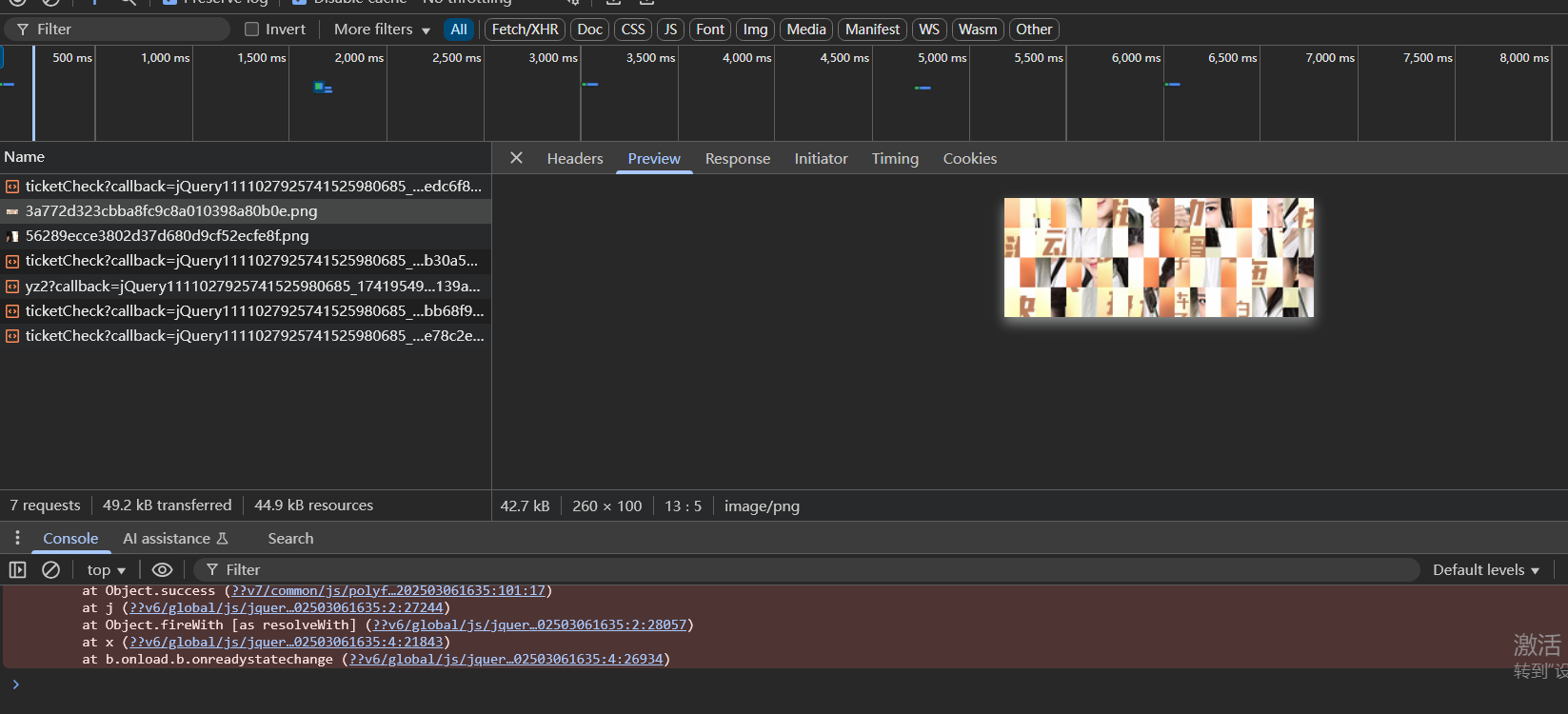
滑块图片的获取

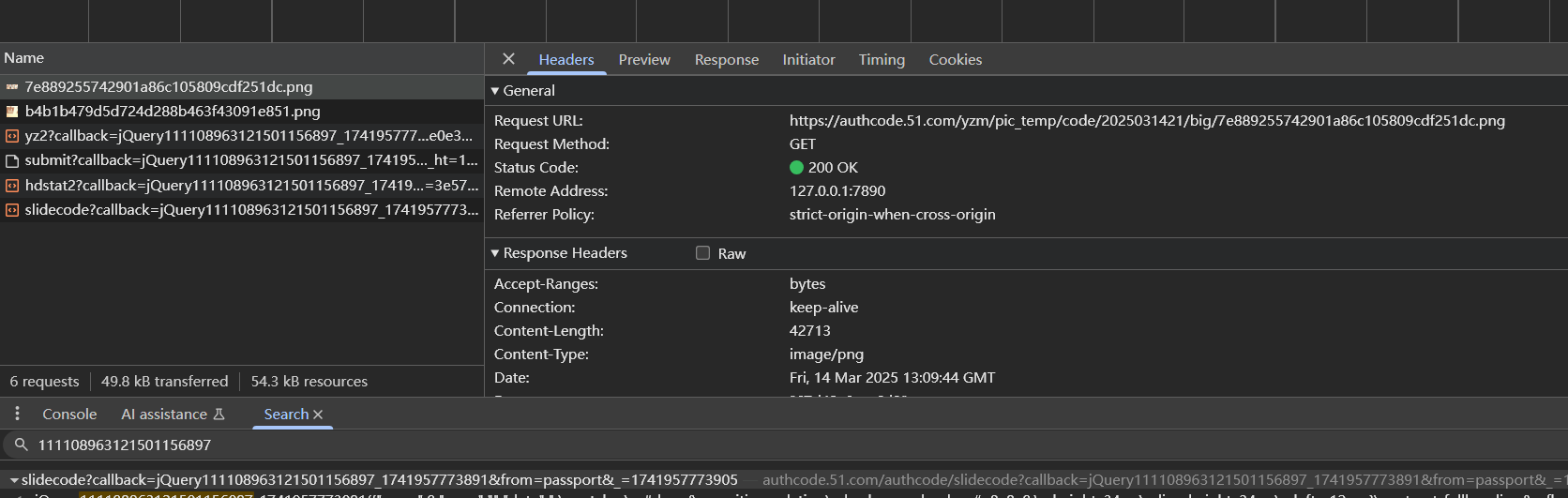
对于51滑块,可以看数据包,可以看到是请求https://authcode.51.com/yzm/pic_temp/code/2025031421/big/7e889255742901a86c105809cdf251dc.png这个url来获取图片的
这个url怎么来的呢?继续看前面的数据包,全局搜索png的文件名也行,可以看到这个url实际上是请求https://authcode.51.com/authcode/slidecode?callback=jQuery111108963121501156897_1741957773891&from=passport&_=1741957773910这个url来的
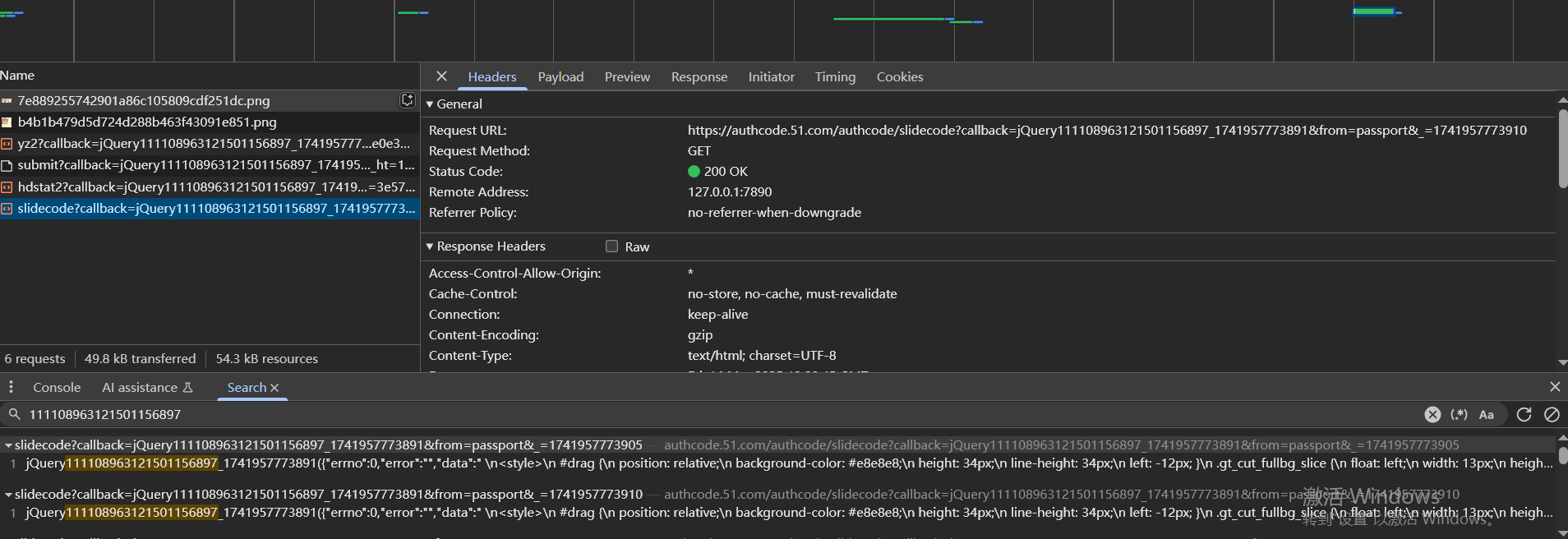
然后去尝试这些参数是不是都需要,最后发现浏览器直接访问https://authcode.51.com/authcode/slidecode也可以获取到图片url,url在网页源码里,而且每次访问的时候返回的图片url都不一样

1
2
3
4
5
6
7
8
9
10
11
12
13
14
15
16
17
18
19
20
21
#https://www.51.com/
import requests
import re

big_img_re=re.compile('background-image: url(.*?);',re.S|re.I)

def get_img():
url='https://authcode.51.com/authcode/slidecode'
headers={
'User-Agent': 'Mozilla/5.0 (Windows NT 10.0; Win64; x64) AppleWebKit/537.36 (KHTML, like Gecko) Chrome/111.0.0.0 Safari/537.36 Edg/111.0.1661.44'
}
html=requests.get(url,headers=headers)
imgs=big_img_re.findall(html.text)
if imgs:
big_img='https:'+imgs[0].replace('("','').replace('")','')
print('big img->',big_img)
else:
print('匹配img失败!')

if __name__ == '__main__':
get_img()

滑块图片混淆还原思路

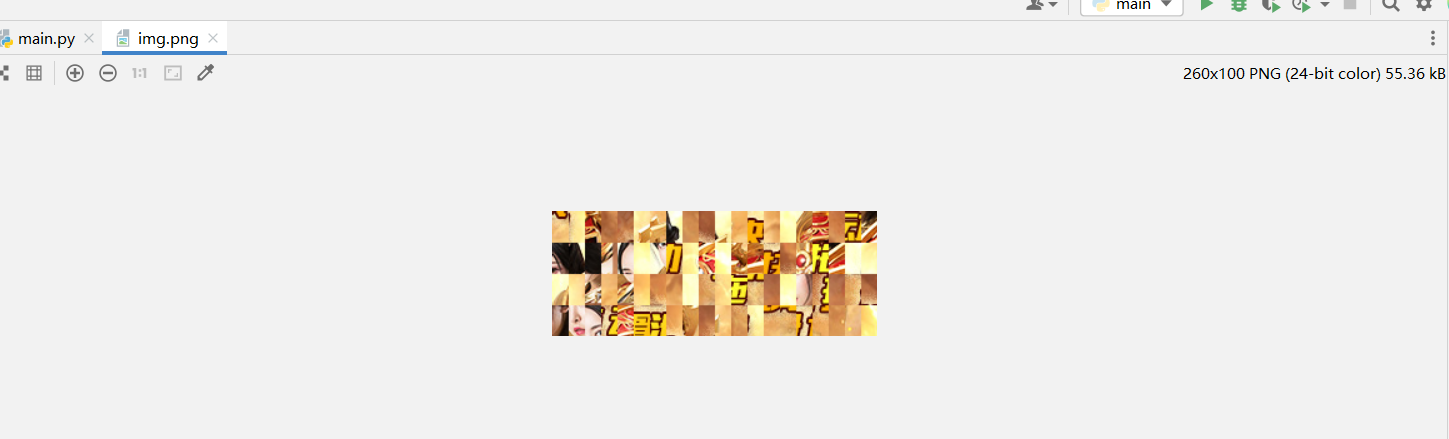
把混淆的图片保存到本地,后续可以通过js或者python进行还原

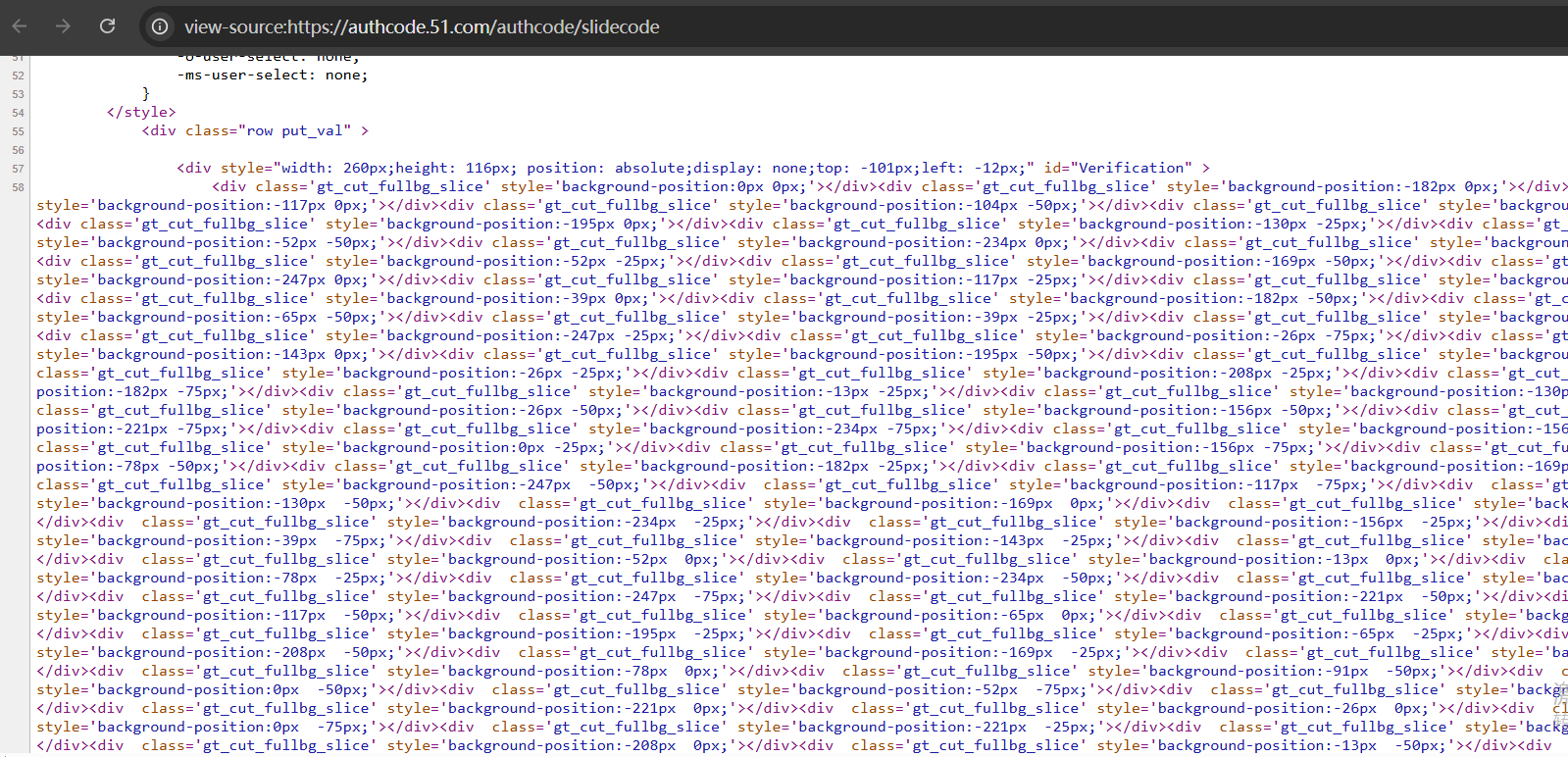
还原是在哪里?首先肯定不在请求里面,还原逻辑一般在前端js里,也可能在返回的数据包里包含有还原切片的坐标,对于51滑块,就是后者这种情况,可以看下访问图片url的网页的源码,这里面就带有坐标
如下是还原之后的完整的图片的元素,可以看到里面也有坐标信息
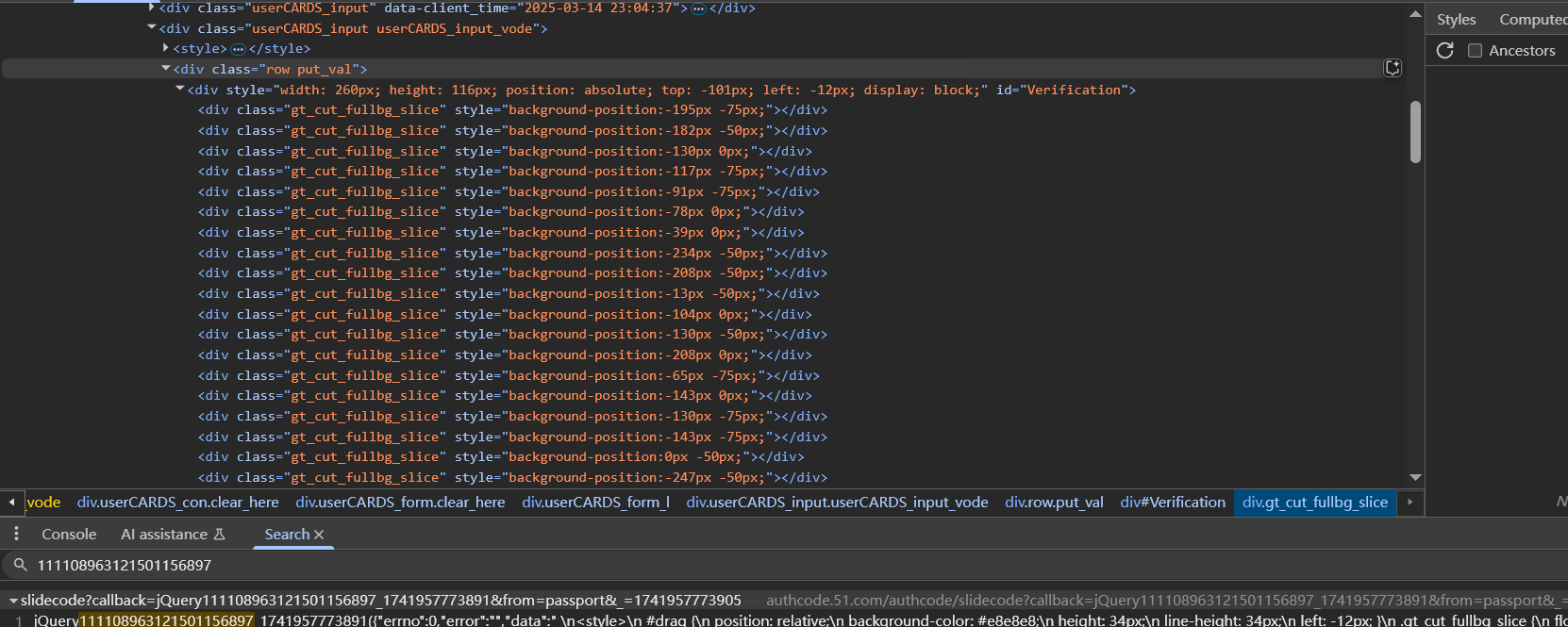
两者的坐标的关系是什么呢?比如这是访问https://authcode.51.com/authcode/slidecode之后返回的切片的坐标

1
<div class="gt_cut_fullbg_slice" style="background-position:-182px -25px;"></div>

并且这个div在第一行,代表着正确图片的第一行第一个的切片对应的是未混淆的图片中的-195px -75px位置的切片

注意坐标不需要负号,而且对于切片大小,比如图片是260*100的大小,根据切片个数,很容易算出每个切片的坐标
1
2
3
4
5
6
7
8
9
10
11
12
13
14
15
16
17
18
19
20
21
22
23
24
25
26
27
28
29
30
31
32
33
34
35
36
37
38
39
40
41
42
43
44
45
46
47
48
49
50
51
52
53
54
55
56
57
58
59
60
61
62
63
64
#https://www.51.com/
import requests
import re
from PIL import Image

big_img_re=re.compile('background-image: url(.*?);',re.S|re.I)
pos_re=re.compile("class='gt_cut_fullbg_slice' style='background-position:(.*?)px (.*?)px",re.S|re.I)

def save_img(url):
img=requests.get(url).content
with open('img.png','wb')as f:
f.write(img)
print('混淆img保存完毕')

def get_img():
url='https://authcode.51.com/authcode/slidecode'
headers={
'User-Agent': 'Mozilla/5.0 (Windows NT 10.0; Win64; x64) AppleWebKit/537.36 (KHTML, like Gecko) Chrome/111.0.0.0 Safari/537.36 Edg/111.0.1661.44'
}
html=requests.get(url,headers=headers)

imgs=big_img_re.findall(html.text)
if imgs:
big_img='https:'+imgs[0].replace('("','').replace('")','')
print('big img->',big_img)
else:
print('匹配img失败!')
save_img(big_img)

#获取坐标x y
positions=pos_re.findall(html.text)
positions=[[abs(int(pos[0].replace(' ',''))),
abs(int(pos[1].replace(' ','')))]
for pos in positions]
print(positions,len(positions))

my_img=Image.open('./img.png')
crop_list=[]
# crop方法是截取切片,四个参数分别是x和y的起始坐标和结束坐标
for p in positions:
if p[1]==0:
crop_list.append(my_img.crop((p[0],0,p[0]+13,25)))
if p[1]==25:
crop_list.append(my_img.crop((p[0],25,p[0]+13,50)))
if p[1]==50:
crop_list.append(my_img.crop((p[0],50,p[0]+13,75)))
if p[1]==75:
crop_list.append(my_img.crop((p[0],75,p[0]+13,100)))

new_img=Image.new('RGB',(260,100))
x_offset=0
y_offset=0
for crop in crop_list:
if x_offset==260:
x_offset=0
y_offset+=25
new_img.paste(crop,(x_offset,y_offset))
x_offset+=13

new_img.save('./img2.png')


if __name__ == '__main__':
get_img()

滑块模拟发包

抓包看滑块滑动的时候的发包请求,如下

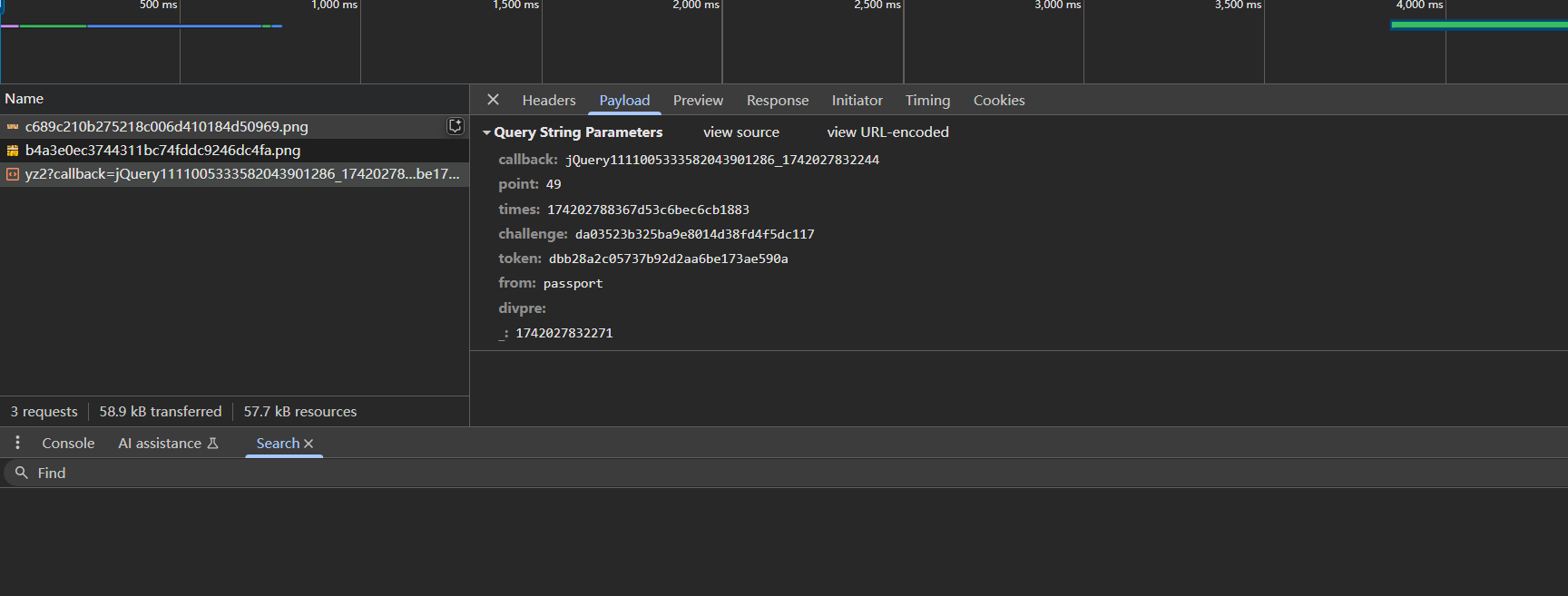
这里callback参数其实可以删掉,主要是pointstimeschallengetoken四个参数

全局搜索challenge,发现challenge的值是来自https://authcode.51.com/authcode/slidecode的响应的,`times`也一样

还剩下tokentoken搜到了这里,很像,但是实际上这里不是,因为只有token参数,没有别的参数值,发包的时候不太可能把参数隔得很远去发包的
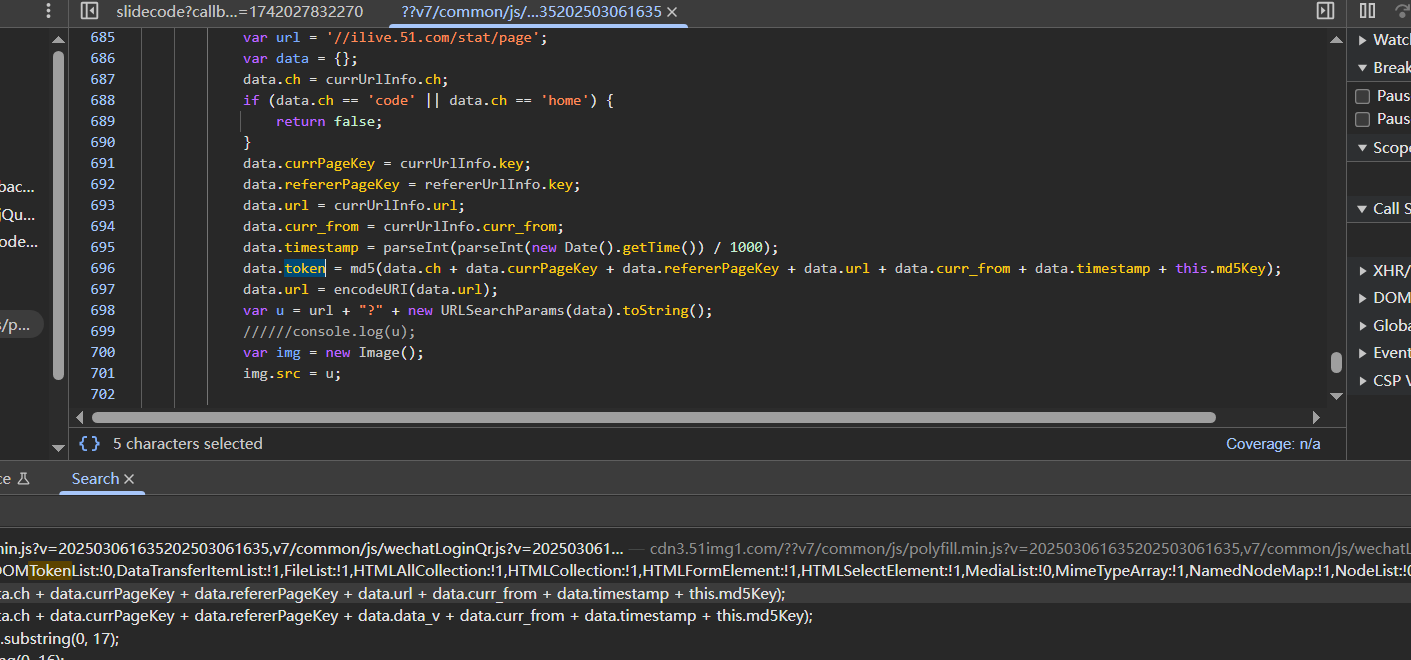
可以继续搜或者找堆栈,最终定位到如下函数
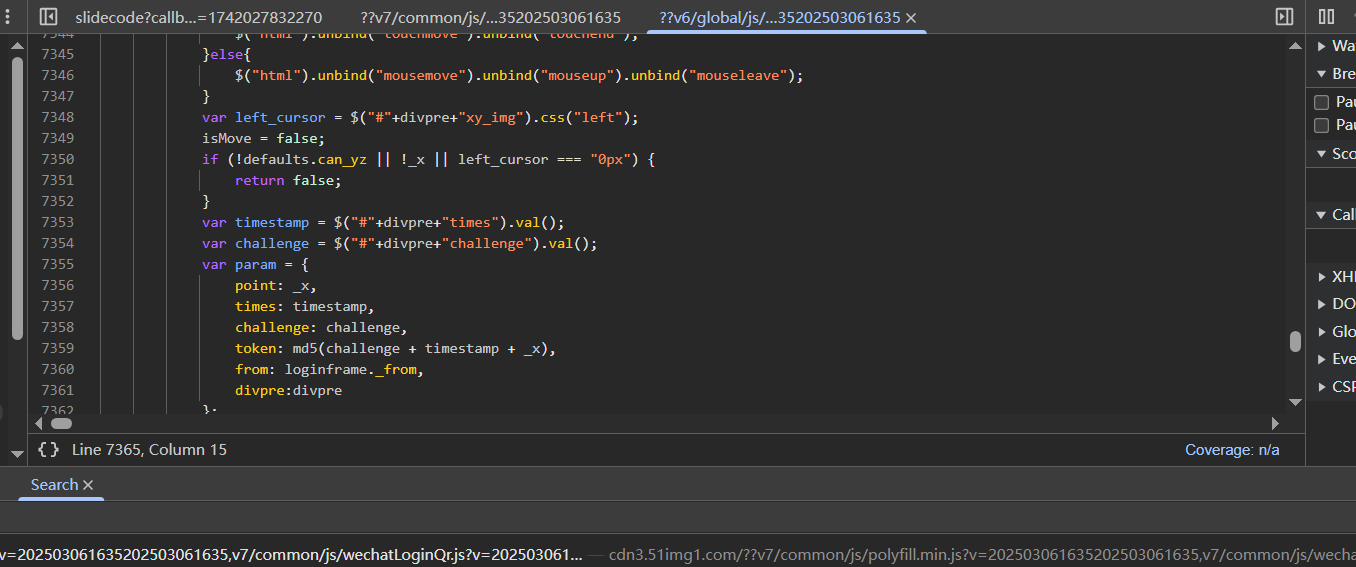
1
2
3
4
5
6
7
8
var param = {
point: _x,
times: timestamp,
challenge: challenge,
token: md5(challenge + timestamp + _x),
from: loginframe._from,
divpre:divpre
};

point就是滑动的距离

1
2
3
4
5
6
7
8
9
10
11
12
13
14
15
16
17
18
19
20
21
22
23
24
25
26
27
28
29
30
31
32
33
34
35
36
37
38
39
40
41
42
43
44
45
46
47
48
49
50
51
52
53
54
55
56
57
58
59
60
61
62
63
64
65
66
67
68
69
70
71
72
73
74
75
76
77
78
79
80
81
82
83
84
85
86
87
88
89
90
91
92
93
94
95
#https://www.51.com/
import requests
import re
from PIL import Image
import time
from hashlib import md5

big_img_re=re.compile('background-image: url(.*?);',re.S|re.I)
pos_re=re.compile("class='gt_cut_fullbg_slice' style='background-position:(.*?)px (.*?)px",re.S|re.I)
challenge_re=re.compile('id="challenge" value="(.*?)">',re.S|re.I)
times_re=re.compile('id="times" value="(.*?)">',re.S|re.I)

def get_time():
return str(int(time.time()*1000))

def save_img(url):
img=requests.get(url).content
with open('img.png','wb')as f:
f.write(img)
print('混淆img保存完毕')

def get_img():
url='https://authcode.51.com/authcode/slidecode'
headers={
'User-Agent': 'Mozilla/5.0 (Windows NT 10.0; Win64; x64) AppleWebKit/537.36 (KHTML, like Gecko) Chrome/111.0.0.0 Safari/537.36 Edg/111.0.1661.44'
}
html=requests.get(url,headers=headers)

imgs=big_img_re.findall(html.text)
if imgs:
big_img='https:'+imgs[0].replace('("','').replace('")','')
print('big img->',big_img)
else:
print('匹配img失败!')
save_img(big_img)

#获取坐标x y
positions=pos_re.findall(html.text)
positions=[[abs(int(pos[0].replace(' ',''))),
abs(int(pos[1].replace(' ','')))]
for pos in positions]
print(positions,len(positions))

#获取必要参数
challenge=challenge_re.findall(html.text)[0]
times=times_re.findall(html.text)[0]
print('challenge:',challenge)
print('times:',times)

my_img=Image.open('./img.png')
crop_list=[]

for p in positions:
if p[1]==0:
crop_list.append(my_img.crop((p[0],0,p[0]+13,25)))
if p[1]==25:
crop_list.append(my_img.crop((p[0],25,p[0]+13,505)))
if p[1]==50:
crop_list.append(my_img.crop((p[0],50,p[0]+13,75)))
if p[1]==75:
crop_list.append(my_img.crop((p[0],75,p[0]+13,100)))

new_img=Image.new('RGB',(260,100))
x_offset=0
y_offset=0
for crop in crop_list:
if x_offset==260:
x_offset=0
y_offset+=25
new_img.paste(crop,(x_offset,y_offset))
x_offset+=13

new_img.save('./img2.png')

#识别过程 图像识别
#这里省略,point先写一个值
point=14

params={
#'callback': f'jQuery111105988221727827756_{get_time()}',
'point': point,
'times': times,
'challenge': challenge,
'token': md5((str(challenge)+str(times)+str(point)).encode()).hexdigest(),#md5(challenge + timestamp + _x)
'from': 'www',
'divpre': '',
'_': get_time()
}
url='https://authcode.51.com/authcode/yz2'
html=requests.get(url,params=params,headers=headers)
print(html.json())


if __name__ == '__main__':
get_img()