首先还是清除cookie,刷新网页,找调用栈,定位到疑似函数
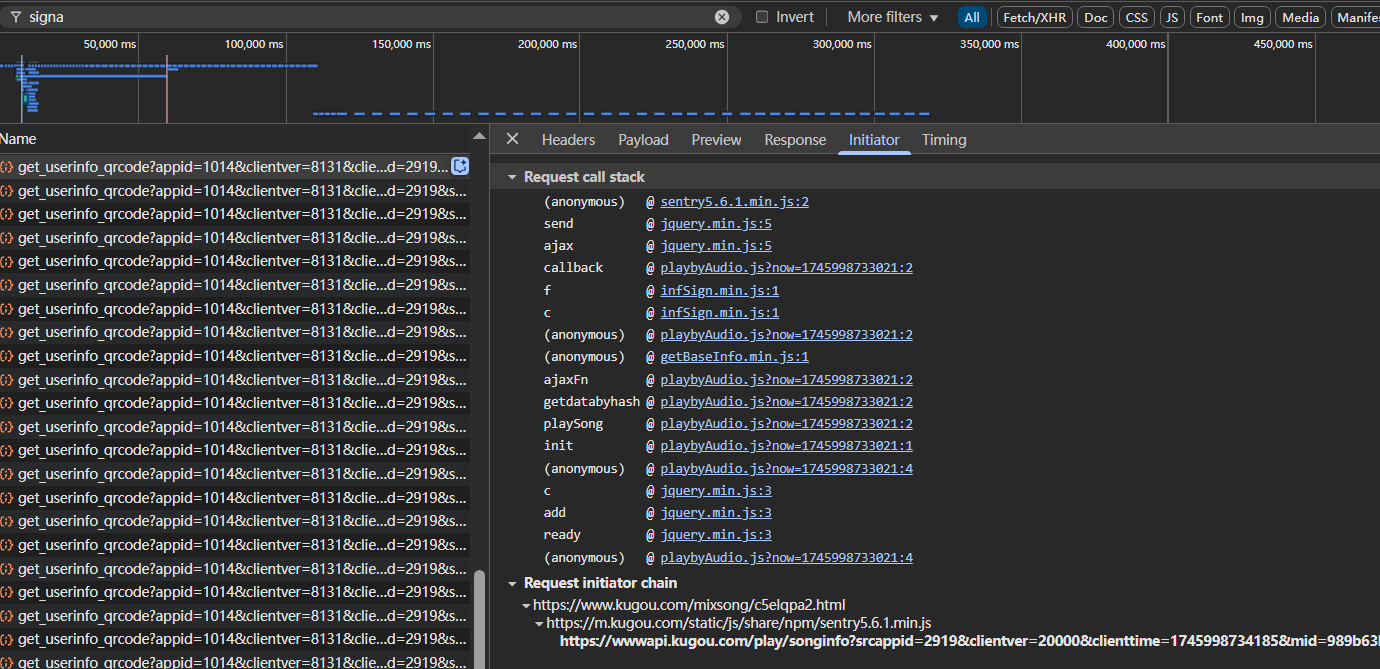
找到f函数,进入
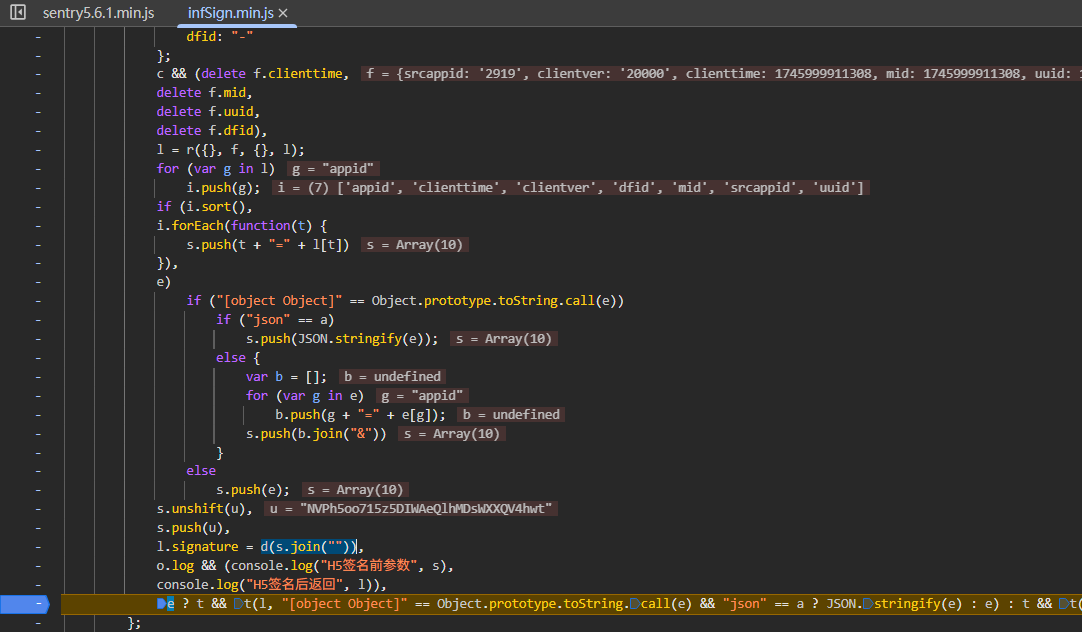
打上断点之后运行,断下来,加密就在l.signature = d(s.join(""))处,很好验证,运行之后看请求记录就行了
s里面有一些字段,这里不去细看了,这里主要看的是怎么去做webpack的快速处理,进入d函数,是在一个webpack代码里
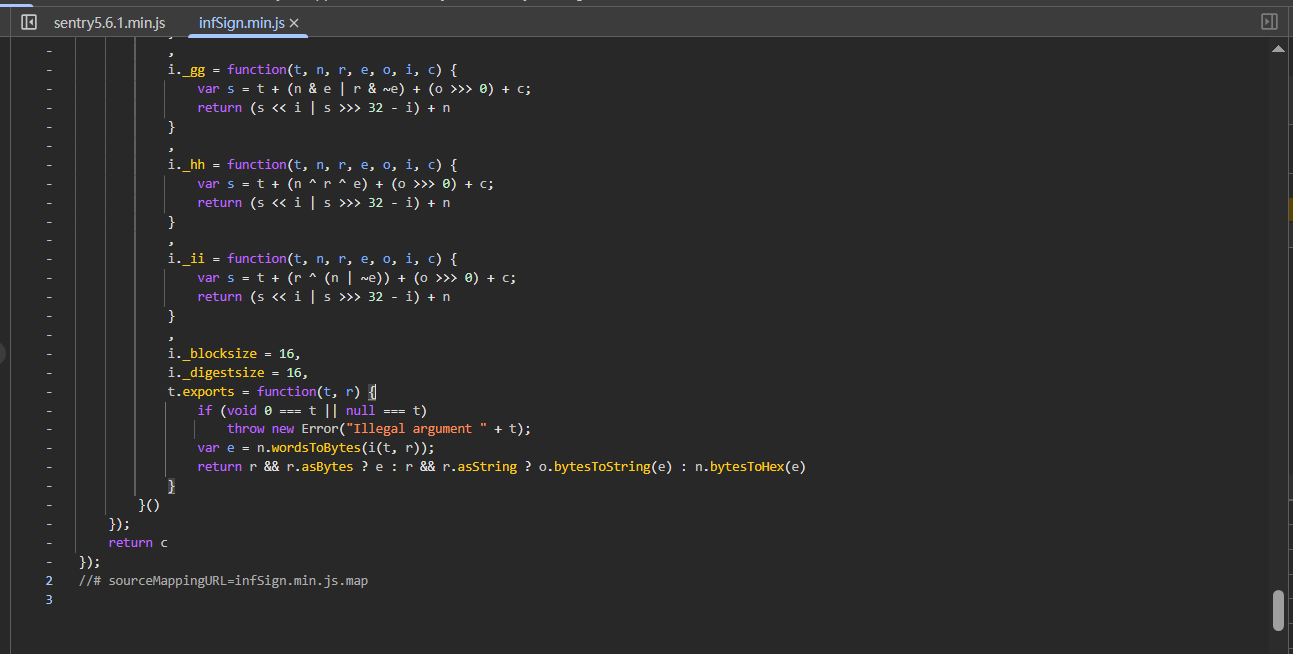
把整体代码拷贝下来,简单补一下window和navigator
1
2
3
4
5
6
7
8
9
10
11
12
13
14
15
16
17
18
19
20
21
| window = global;
navigator = {
userAgent:"python"
}
!function(t, n) {
"object" == typeof exports && "undefined" != typeof module ? module.exports = n() : "function" == typeof define && define.amd ? define(n) : (t = t || self,
t.infSign = n())
}(this, function() {
"use strict";
function t(t, n, r) {
return n in t ? Object.defineProperty(t, n, {
value: r,
enumerable: !0,
configurable: !0,
writable: !0
}) : t[n] = r,
t
}
...
});
|
简单修改一下,这里t是传入的this,this就是window,n是函数,最终把n函数赋值给t的infSign属性
1
2
3
4
5
6
7
8
9
10
11
12
13
14
15
16
17
18
19
20
21
22
| window = global;
navigator = {
userAgent:"python"
}
!function(t, n) {
t.infSign = n()
}(window, function() {
"use strict";
function t(t, n, r) {
return n in t ? Object.defineProperty(t, n, {
value: r,
enumerable: !0,
configurable: !0,
writable: !0
}) : t[n] = r,
t
}
...
});
console.log(window.infSign)
|
输出[Function: c],也就是最终这里infSign是下面一堆各种函数里的c函数,找到c函数,然后手动调用,参数的传递可以在浏览器里打断点,看浏览器传什么,复制下来进行测试,浏览器稍微打断点找一下就能找到传参调用的地方
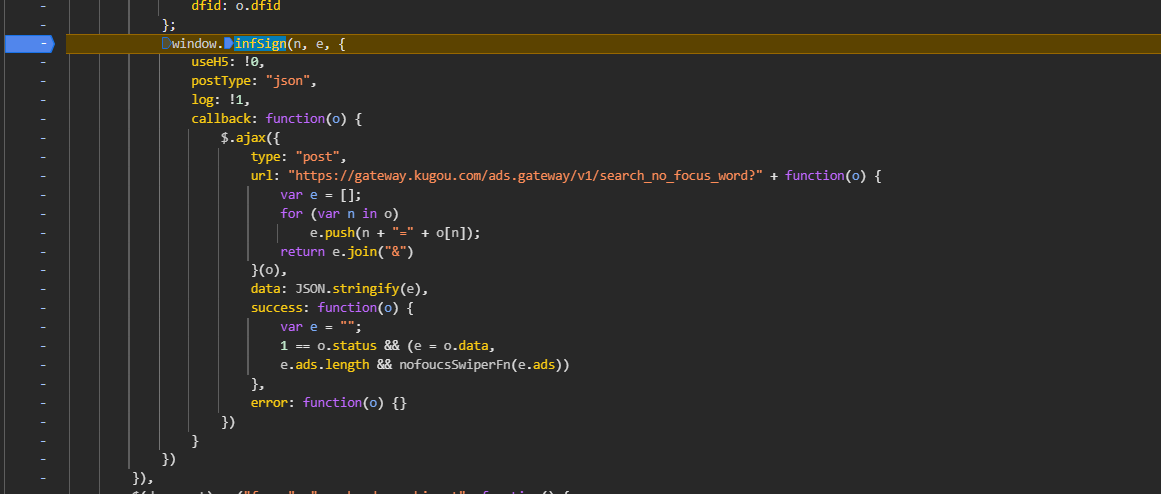
后面就是直接传参测试了
1
2
3
4
5
6
7
8
9
10
11
12
13
14
15
16
17
18
19
| function get_sin() {
let n={
"appid": 1014,
"clientver": 1000,
"clienttime": 1702547799,
"mid": "f25c6a5442ebf1f64a901f5ae411f940",
"dfid": "1Jci8o2IZWoE2Jrfk73CetXi"
};
let o={
"userid": 0,
"plat": 103,
"m_type": 0,
"vip_type": 0,
"own_ads": {}
}
let res=window.infSign(n,o, {})
console.log(res);
}
get_sin()
|