分析过程 首先尝试根据函数调用堆栈定位到发送请求的函数,但是失败了,往上回溯找不到加密参数的位置
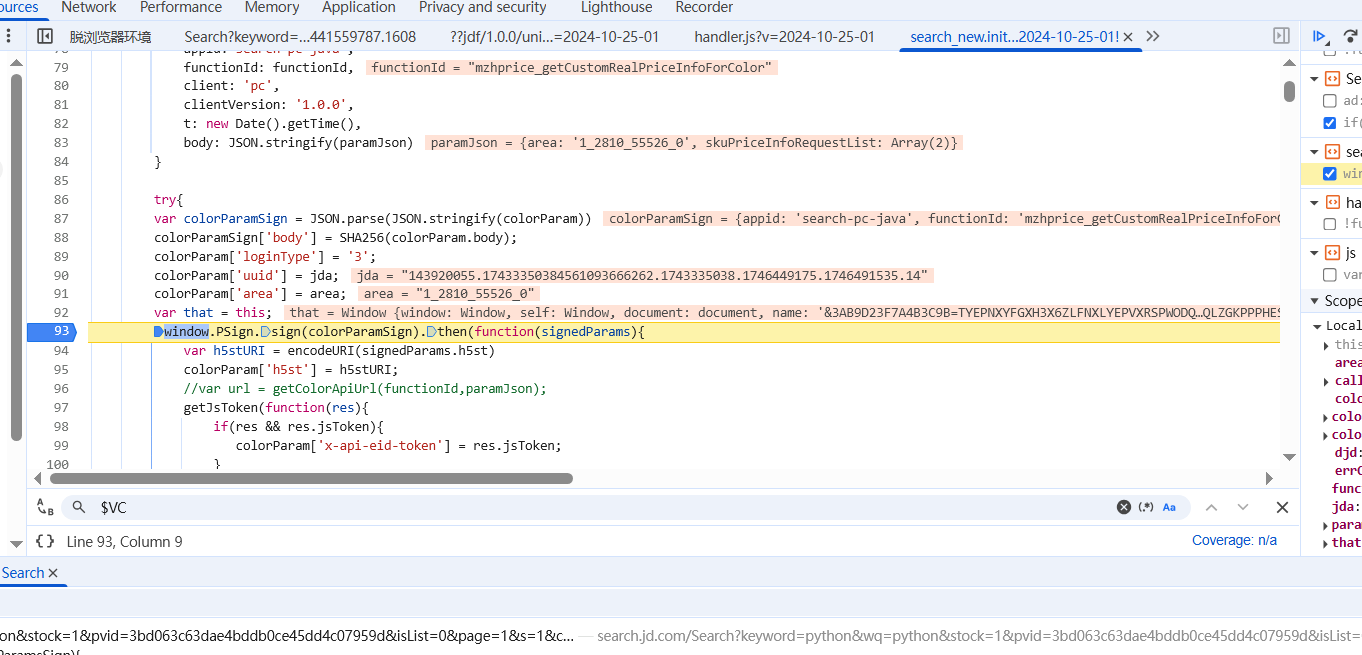
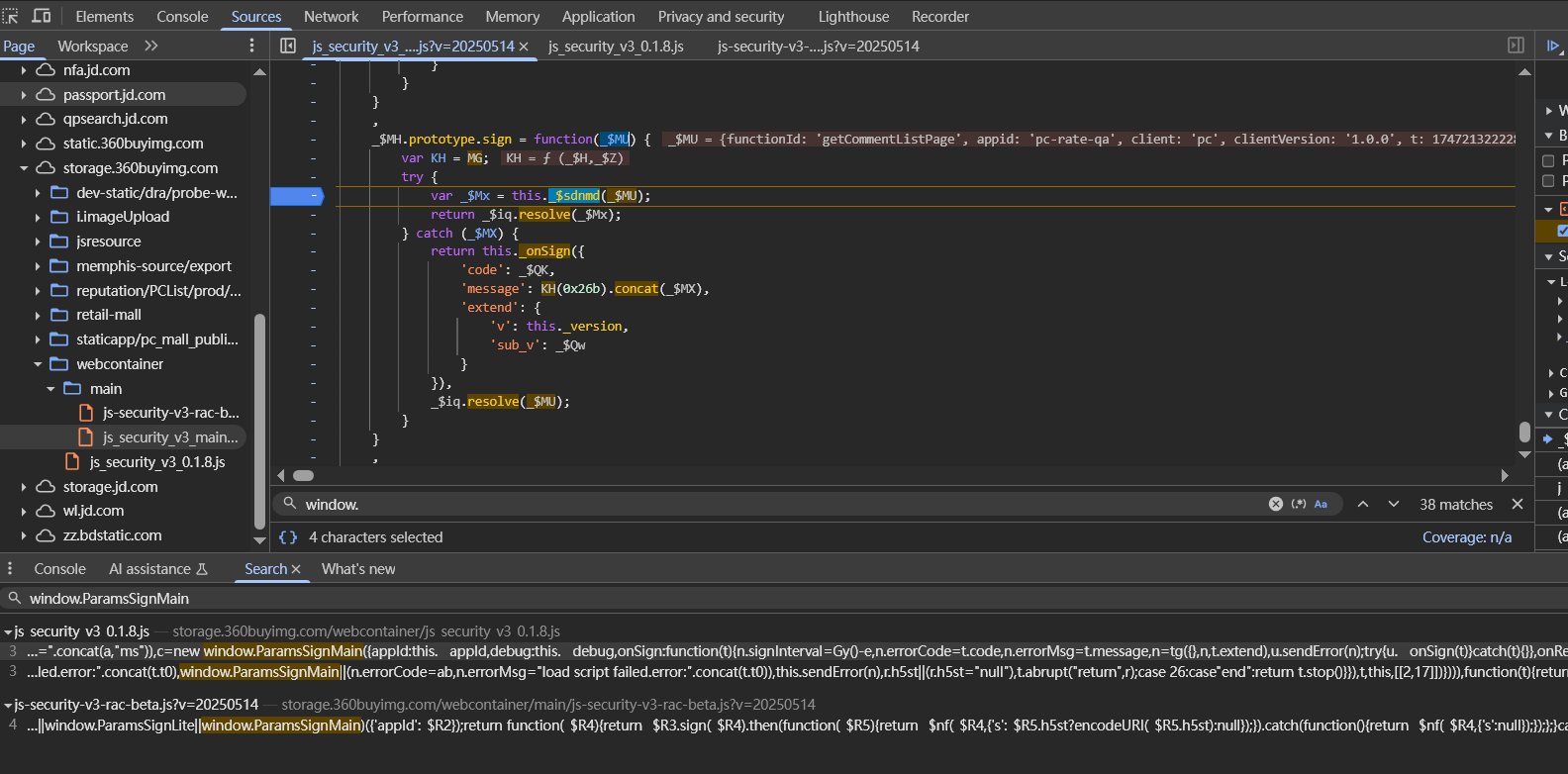
全局搜索h5st字符串,找到如下函数,猜测这里就是h5st字段生成的地方
1
2
3
window .PSign .sign (colorParamSign).then (function (signedParams ){\ var h5stURI = encodeURI (signedParams.h5st ) ...
打下断点,跟函数
字段值如下
1 h5st=20250504202618580%3Bidiz9xpwzjh0jpp1%3Bf06cc%3Btk03wa5e41bff18nmGjvyIveP3rEVlMk31VQEz5lDra3ZFG40f-5pG8yXkN2cf0dIFEcpypmwoETXYTNV9-sQjMrbPZ5%3B2d4a0f77008b3ace8125976bebb48cbc%3B5.1%3B1746361577580%3Bt6HsMqrS_FoiGFIQ3tnQ1GXUKJImOGLm_VImOuMsCWrm0mMTLhImOuMsCmciKZYi1qrg5mYV9OLV9abi3urg9iLiMZbW1arh7urh1msm0msSo94VMZ4RMusmk_MmLZbhIlLh5Wbg5ioV_Ori9SLW2irV6uri8eoi3KriMdLmOGLm7pIRAp4WMusmk_siOGLm6aHWMusmk_Mm82ciAaLRPZoTFV4X5OImOGLm4lsmOGujM68cUZJi8O7ZeBYZMuMgM64TK1YW8lsmOGujMm7iAJ4ZMuMgMWoSMusmk_cPOuMs8uMgMqbi5lImOusmOGuj1uMgMubi5lImOusmOGuj26sm0mMi9aHWMusmOuMsCmcV1uZTFlbdohKTLlsm0mcT-dITNlHmOusmOGuj_uMgMObRMlsmOusmk_siOGLm3aHWMusmOuMsCe7iOGLm4aHWMusmOuMsCurm0mch5lImOusmOGuj_uMgMebRMlsmOusmk_Mh7uMgMibRMlsmOusmk_Mm42ciAuLmOGLm9aHWMusmOuMsCurm0m8U3lsmOusmk_chOGLm79ImOusmOGuj_uMgM_ImOusmOGuj_uMgMe4RMusmOuMsztMgMeITJdnQJlsmOGujxtsmkmsi1qYh_SLWNlYh9SbhPdIUMuMgMmrSMusmOuMsztMgMunSMusmk_Mm6WrQOCrh42YUXt8g_2si9usZgt8S3xoVAJ4ZMuMgMqYR7lsmOG_Q%3B75737cfab33731064d877d6c1bb429ed&x-api-eid-token=jdd03TYEPNXYFGXH3X6ZLFNXLYEPVXRSPWODQE2IKRPNBRQLZGKPPPHES5HHLPC42GPF3IWH4SJUFJLBEPDUNAWD5I53FZEAAAAMWTNBNCJQAAAAADDQXHJPZY35FTIX
根据函数代码可知
1
2
3
4
5
6
7
8
9
10
11
12
13
14
15
16
17
18
19
20
21
22
23
var getColorDataSignAjax = function (functionId,paramJson,callback,errCallback ){ var colorApi = SEARCH .colorApiDomain && SEARCH .colorApiDomain .length >0 ? SEARCH .colorApiDomain : "//api.m.jd.com" var jda = readCookie ('__jda' ) var djd = readCookie ('ipLoc-djd' ) var area = (djd!=null && djd.length >0 )?djd.split ('.' )[0 ].replace (new RegExp ("-" , 'g' ),'_' ):"" ; var colorParam = { appid :'search-pc-java' , functionId : functionId, client : 'pc' , clientVersion : '1.0.0' , t : new Date ().getTime (), body : JSON .stringify (paramJson) } try { var colorParamSign = JSON .parse (JSON .stringify (colorParam)) colorParamSign['body' ] = SHA256 (colorParam.body ); colorParam['loginType' ] = '3' ; colorParam['uuid' ] = jda; colorParam['area' ] = area; var that = this ; window .PSign .sign (colorParamSign).then (function (signedParams ){
这里的functionId是固定值"mzhprice_getCustomRealPriceInfoForColor",paramJson的值如下
1
2
{area: '1_2810_55526_0', skuPriceInfoRequestList: Array(2)} area: "1_2810_55526_0"
paramJson的area值往上跟函数堆栈,在window.PSign.sign(colorParamSign)这里下断点,可以找到paramJson的生成位置
1
2
3
4
var djd = readCookie ('ipLoc-djd' )var area = (djd!=null && djd.length >0 )?djd.split ('.' )[0 ].replace (new RegExp ("-" , 'g' ),'_' ):"" ;var param = {}param["area" ] = area;
所以生成h5st字段值的函数在这里window.PSign.sign(colorParamSign).then(function(signedParams)...,这段代码的意思当 sign() 这个Promise异步操作完成之后,把它的结果(resolved 值)作为参数 signedParams 传入这个 function 里继续处理
先扣部分代码,在本地实现
1
2
3
4
5
6
7
8
9
10
11
12
13
14
15
16
17
18
19
20
21
22
23
24
25
26
27
28
29
30
const Crypto = require ('crypto-js' )var paramJson = { "area" : "1_2810_55526_0" , "skuPriceInfoRequestList" : [ { "skuId" : "12786499" }, { "skuId" : "13068044" } ] } var colorParam = { appid :'search-pc-java' , functionId : 'mzhprice_getCustomRealPriceInfoForColor' , client : 'pc' , clientVersion : '1.0.0' , t : new Date ().getTime (), body : JSON .stringify (paramJson) } var colorParamSign = JSON .parse (JSON .stringify (colorParam));console .log (colorParam.body )colorParamSign['body' ] = Crypto .SHA256 (colorParam.body ).toString (); console .log (colorParamSign['body' ])colorParam['loginType' ] = '3' ; colorParam['uuid' ] = '143920055.17433350384561093666262.1743335038.1746449175.1746491535.14' ; colorParam['area' ] = '1_2810_55526_0' ; console .log (colorParamSign)
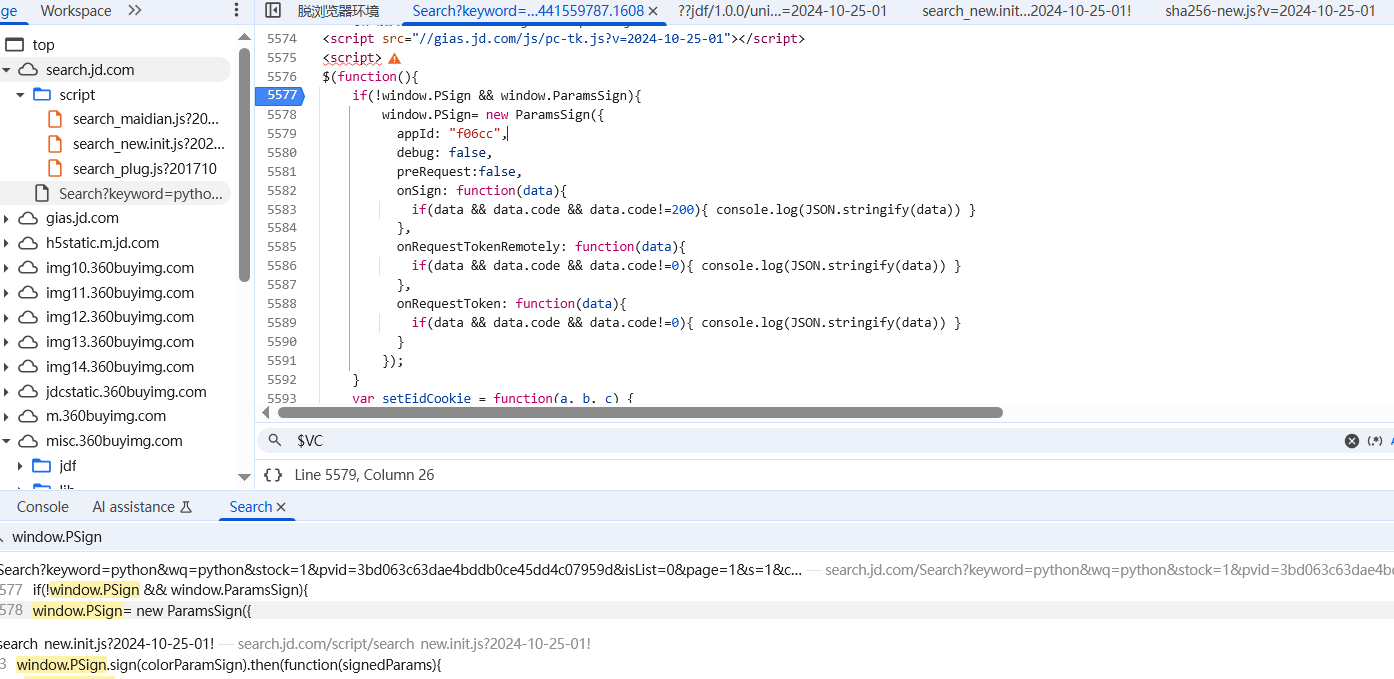
然后,根据window.PSign.sign(colorParamSign).then(function(signedParams)...可以知道,window.PSign肯定是在某个地方被赋值给全局window,现在要找到这个赋值的地方
现在可以初步进行下加密,看结果对不对的上
1
2
3
4
5
6
7
8
9
10
11
12
13
14
15
16
17
18
19
20
21
22
23
24
25
26
27
28
29
30
31
32
33
34
35
36
37
38
39
40
41
42
43
44
45
46
47
48
49
50
51
52
53
54
55
56
57
58
59
60
var CryptoJS = ...;window .SHA256 = function (s ) { return CryptoJS .SHA256 (s).toString (); }; window .ParamsSign = function ((function ( window .PSign = new ParamsSign ({ appId : "f06cc" , debug : false , preRequest : false , onSign : function (data ) { if (data && data.code && data.code != 200 ) { console .log (JSON .stringify (data)) } }, onRequestTokenRemotely : function (data ) { if (data && data.code && data.code != 0 ) { console .log (JSON .stringify (data)) } }, onRequestToken : function (data ) { if (data && data.code && data.code != 0 ) { console .log (JSON .stringify (data)) } } }); })(); let paramJson = { "area" : "1_2810_55526_0" , "skuPriceInfoRequestList" : [ { "skuId" : "12786499" }, { "skuId" : "13068044" } ] } let colorParam = { appid :'search-pc-java' , functionId : 'mzhprice_getCustomRealPriceInfoForColor' , client : 'pc' , clientVersion : '1.0.0' , t : 1746519673698 , body : JSON .stringify (paramJson) } let colorParamSign = JSON .parse (JSON .stringify (colorParam));colorParamSign['body' ] = SHA256 (colorParam.body ); colorParam['loginType' ] = '3' ; colorParam['uuid' ] = '143920055.17433350384561093666262.1743335038.1746491535.1746519652.15' ; colorParam['area' ] = '1_2810_55526_0' ; console .log (colorParamSign)window .PSign .sign (colorParamSign).then (function (signedParams ){ console .log (encodeURI (signedParams.h5st )); })
但是加密结果能运行,但是长度不对,是有环境没补好
分析日志
1 {obj|get:[Document_getElementsByTagName_head] -> prop:[0] -> result:[undefined]}
说明缺少head标签,应该在userVar.js中创建head标签,再后面就是常规的补环境了,这里没什么好赘述的
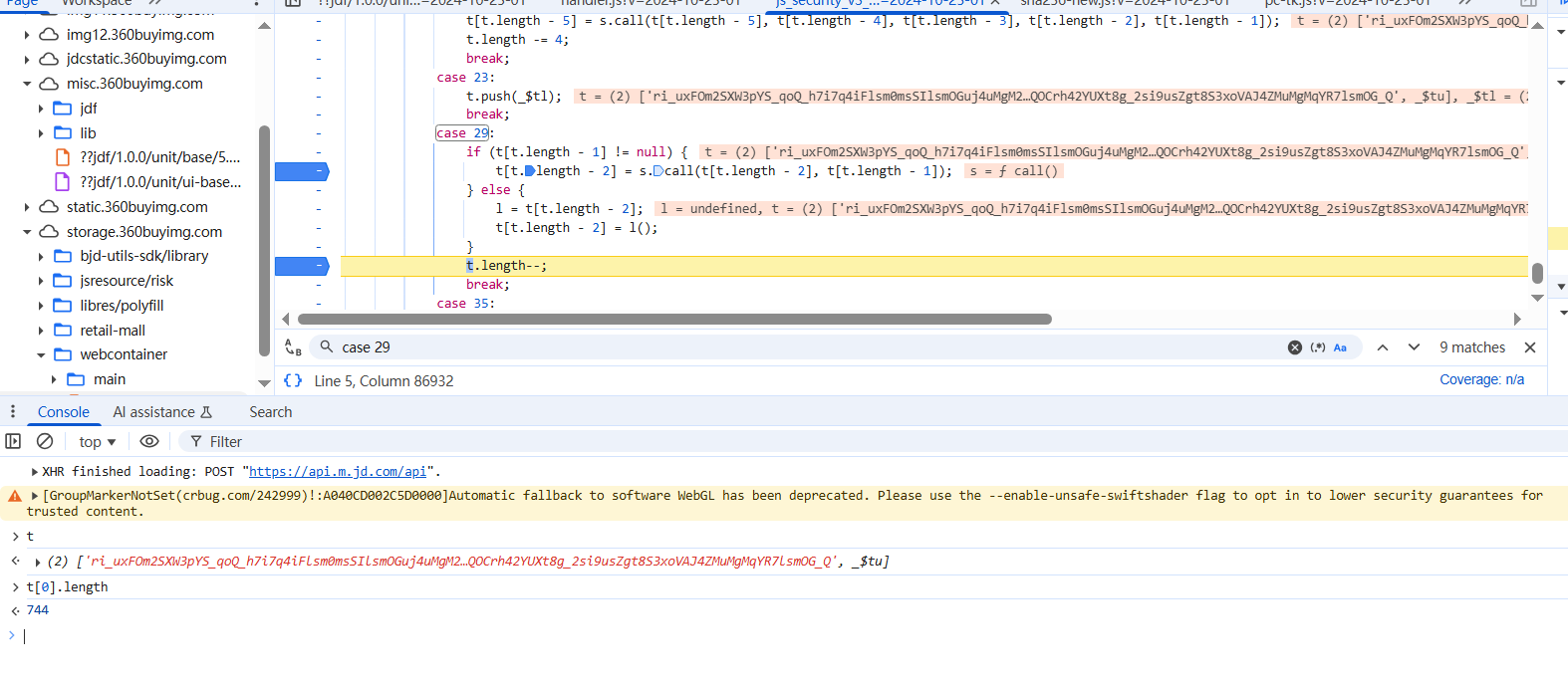
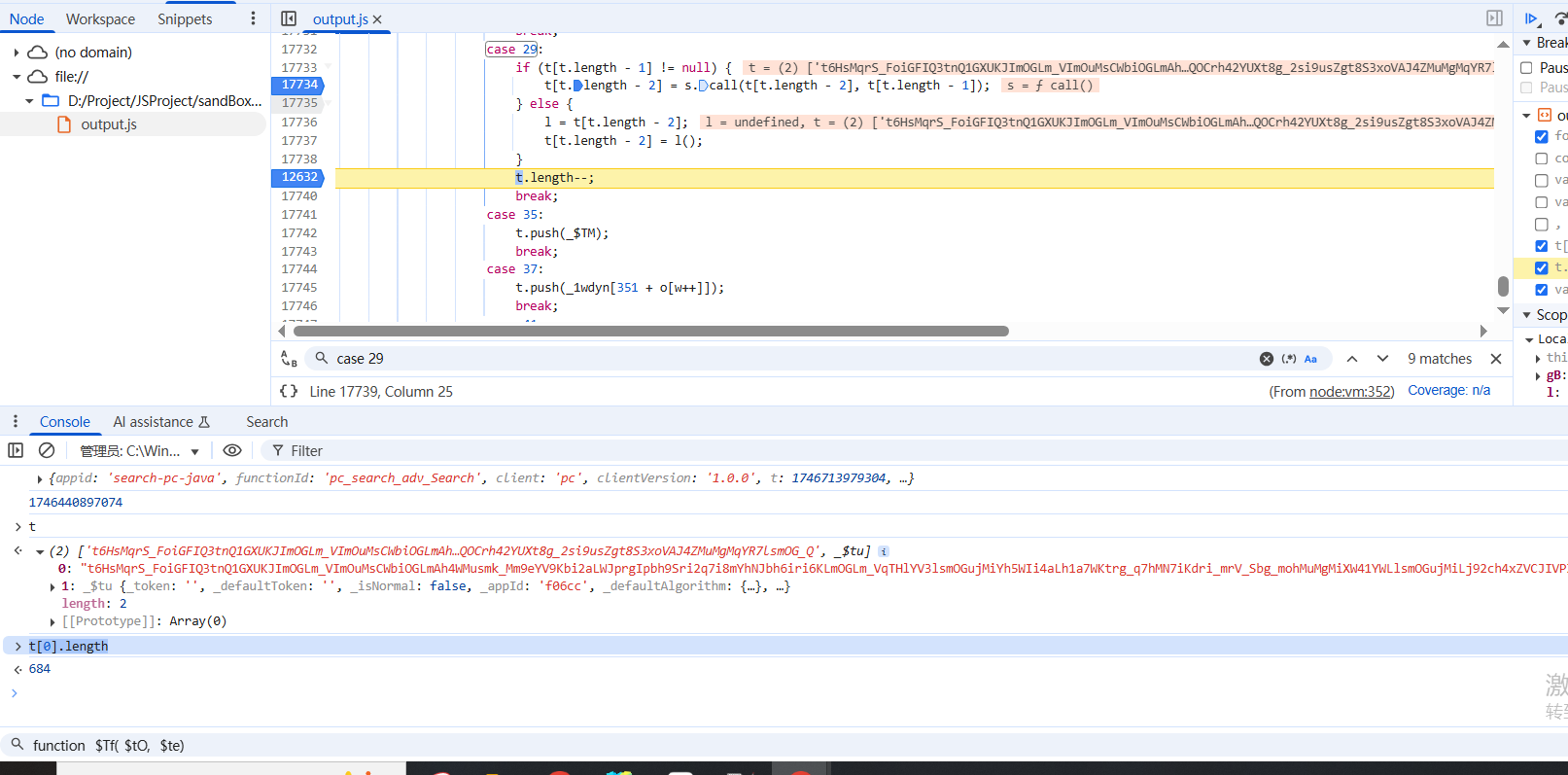
重点来了,本地跑的结果长度和网页生成的结果不一样,本地的短了,需要分析代码,首先就是加密函数sdnmd这里
1 2 3 4 5 6 7 8 9 10 11 12 13 14 15 16 17 18 19 20 21 22 23 24 25 26 27 28 29 30 31 32 33 34 35 36 37 38 39 40 41 42 43 44 45 46 47 48 49 50 51 52 53 54 55 56 57 58 59 60 _$tu.prototype _$sdnmd = function (_$tO ) { 'use strict' ; var s = _3ggyn; var o = _2o5yn; var gB, _$te, _$tl, _$tP, _$tf; var t = []; var w = 4963 ; var l, d; l37 : for (; ; ) { switch (o[w++]) { case 5 : t.push (_$tP); break ; case 7 : if (t.pop ()) ++w; else w += o[w]; break ; case 8 : _$tl = t[t.length - 1 ]; break ; case 11 : t.push (tV); break ; case 14 : _$tf = t[t.length - 1 ]; break ; case 16 : t.push (t[t.length - 1 ]); t[t.length - 2 ] = t[t.length - 2 ][_1wdyn[351 + o[w++]]]; break ; case 20 : t[t.length - 5 ] = s.call (t[t.length - 5 ], t[t.length - 4 ], t[t.length - 3 ], t[t.length - 2 ], t[t.length - 1 ]); t.length -= 4 ; break ; case 23 : t.push (_$tl); break ; case 29 : if (t[t.length - 1 ] != null ) { t[t.length - 2 ] = s.call (t[t.length - 2 ], t[t.length - 1 ]); } else { l = t[t.length - 2 ]; t[t.length - 2 ] = l (); } t.length --; break ; case 35 : t.push (_$TM); break ; case 37 : t.push (_1wdyn[351 + o[w++]]); break ; case 41 : } } }
我开始想的是,会不会是两个代码流程平坦化走的顺序不一样?由于流程太复杂,直接在控制台进行hook
1
2
3
4
5
6
7
8
o = new Proxy (o, { get (target, prop, receiver ) { if (!isNaN (prop)) { console .log ('case index (w++):' , prop); } return Reflect .get (target, prop, receiver); } });
上面的hook代码可以在o数组被访问时,打印索引,但是遗憾的是两个代码的索引值相同,也就是函数执行流程并没有区别,注意这里来打印的是o[w++]中m的值,由于case块是switch(o[w++]),所以case后面的还需要进行取值操作,比如打印出来w是999,case后面的值要计算o[999] = 111,所以case走的是111
然后就想,那一定是密钥不一样,简单单步跟一下发现在某个地方,网页代码和本地代码的值出现了区别,长度不一样
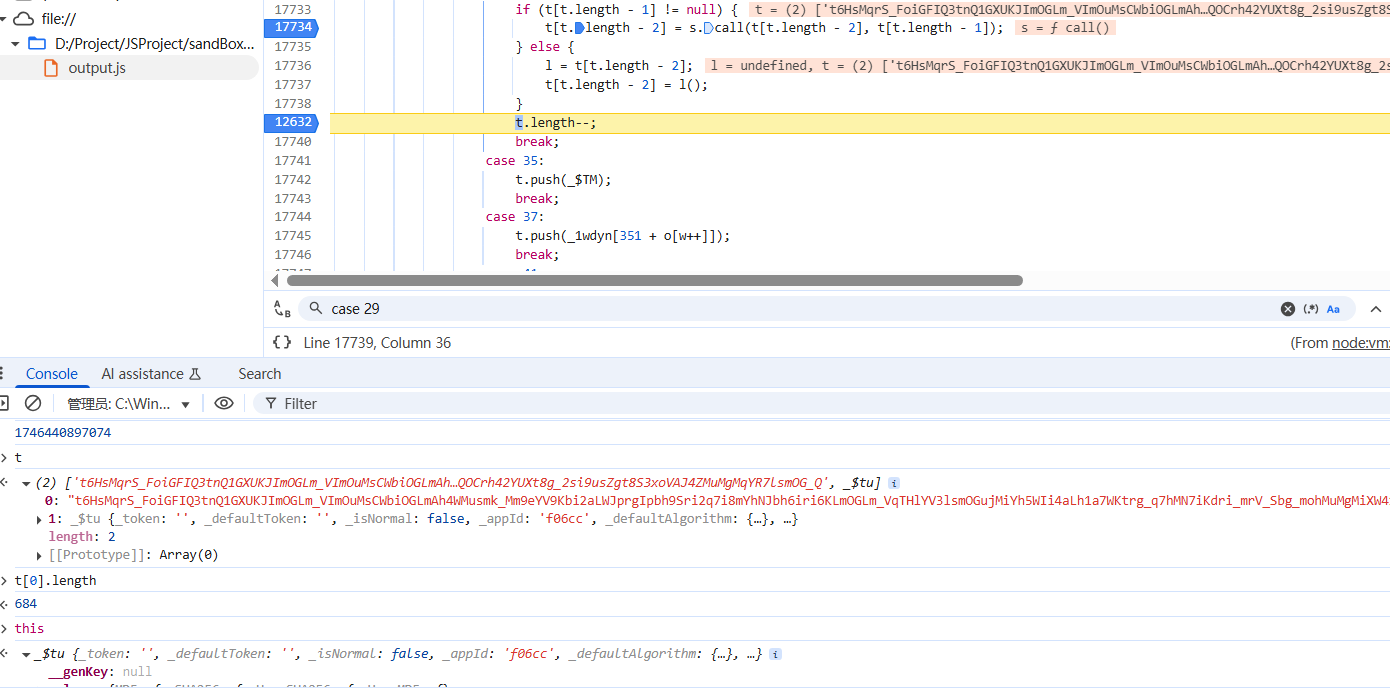
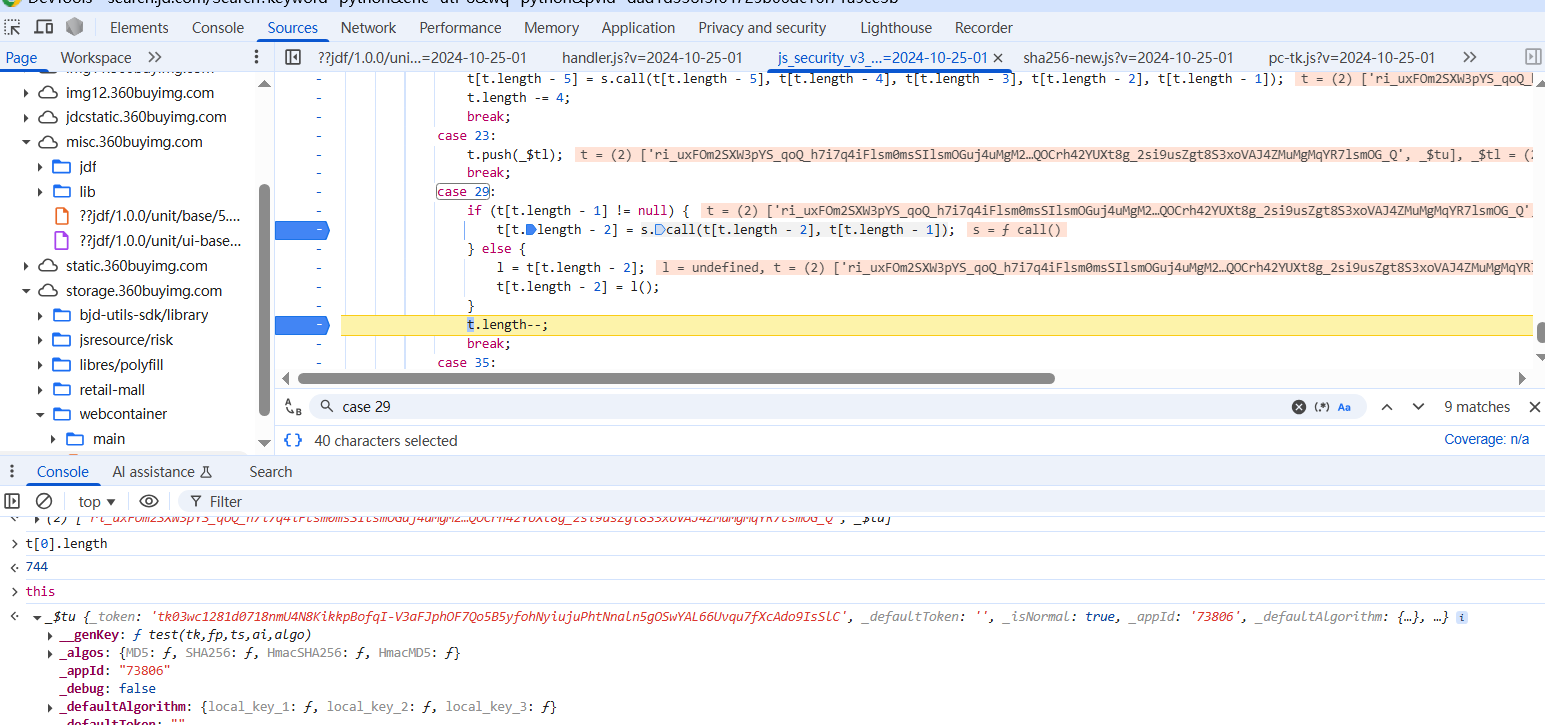
也就是在这里s.call(t[t.length - 2], t[t.length - 1]),调用函数的时候出现了区别,断点打在这里,跟进到函数中,这种方法当然是可以的,但是我使用的是另一种方法,可以看到,在出现问题的这步函数执行完毕之后,this的_token就应该被赋值了,但是模拟的代码中并没有被赋值
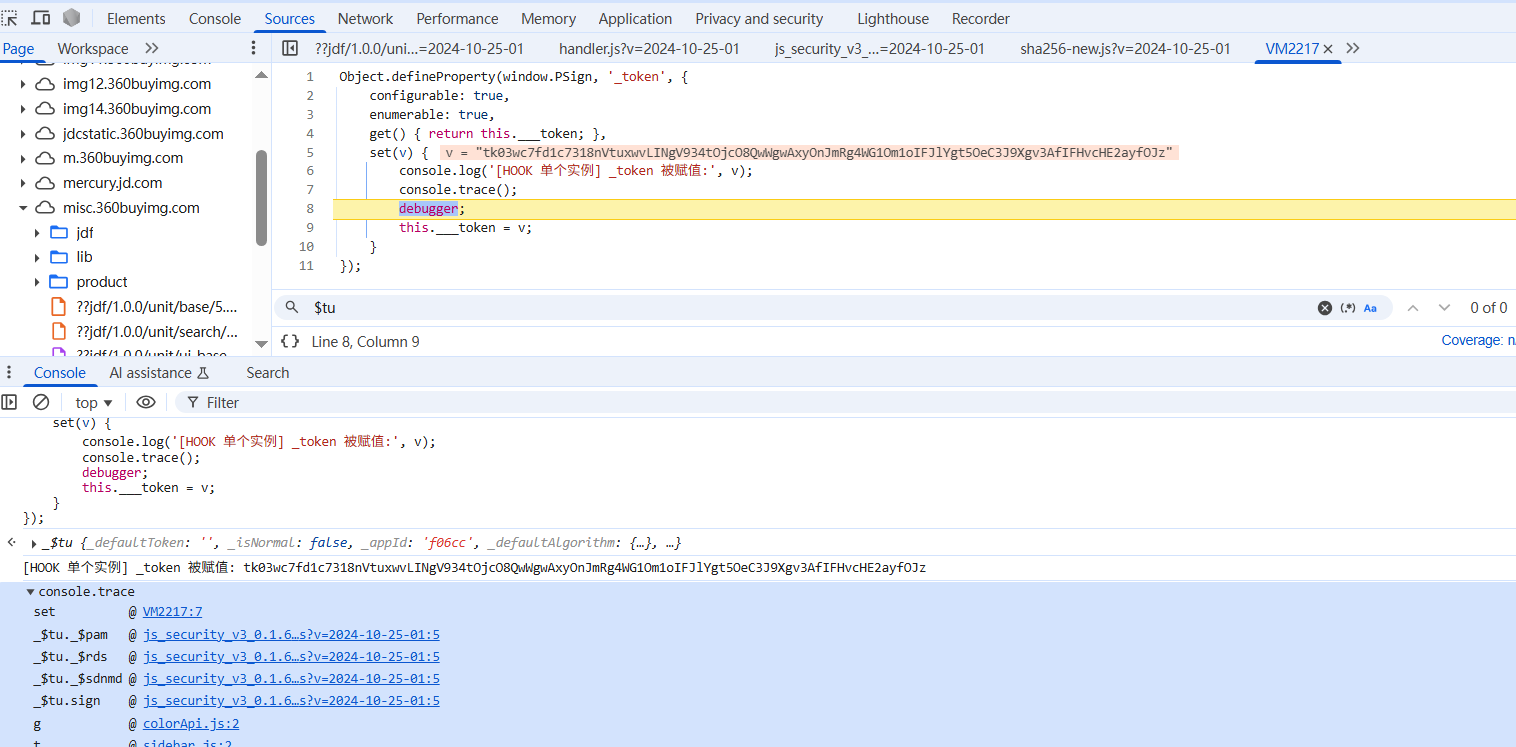
可以hook this实例的_token属性什么时候被修改,如果修改,就断下来并打印堆栈,这里要注意的是,this是_$tu的实例,不是_$tu对象
1
2
3
4
5
6
7
8
9
10
11
12
13
14
15
16
17
18
19
20
21
22
23
24
25
26
var ParamsSign = function ( ... function _$tu ( var g0 = tV , _$tO = arguments .length > -0x1ebd + 0x1fe1 + -0x4 * 0x49 && void (0x1cd3 + 0x3 * -0x7f + 0x2 * -0xdab ) !== arguments [0x7be + -0xef * -0x21 + -0x268d ] ? arguments [0xa50 + 0x14e2 + -0xf2 * 0x21 ] : {}; this ._token = '' , this ._defaultToken = '' , this ._isNormal = !(0x1 * -0x2a1 + -0x2 * -0x5f3 + 0x2 * -0x4a2 ), this ._appId = '' , this ._defaultAlgorithm = { 'local_key_1' : _$T2, 'local_key_2' : _$Tp, 'local_key_3' : _$Td }, this ._algos = { 'MD5' : _$T2, 'SHA256' : _$Tp, 'HmacSHA256' : _$Td, 'HmacMD5' : _$Tx } ... } return _$tu.prototype _$icg = {} ... }
这里_token属性是被赋值给this实例的,不是在原型上,也不在对象上,所以尝试去hook对象或者原型都是hook不到的
也就是说
1
2
3
4
5
6
function A ( this .a = 123 ; } console .log (Object .getOwnPropertyDescriptor (A, 'a' )); const obj = new A ();console .log (Object .getOwnPropertyDescriptor (obj, 'a' ));
想 hook 的其实是 this._token,而不是 _$tu._token,并且这个属性也没有定义在原型上,只挂在实例上
1
2
3
4
const obj = new _$tu ();console .log (obj.hasOwnProperty ('_token' )); console .log (_$tu.prototype hasOwnProperty ('_token' )); console .log ('_token' in obj);
两种hook的思路,第一种是在new实例之前,把属性定义在原型上,这样就算之后去this.xxx = aaa也会触发原型上的set/get方法,这种不好实现,第二种就是hook实例,因为这里在ParamSign函数中已经把实例赋值给全局了也就是window.PSign,直接hook实例就行
1
2
3
4
5
6
7
8
9
10
11
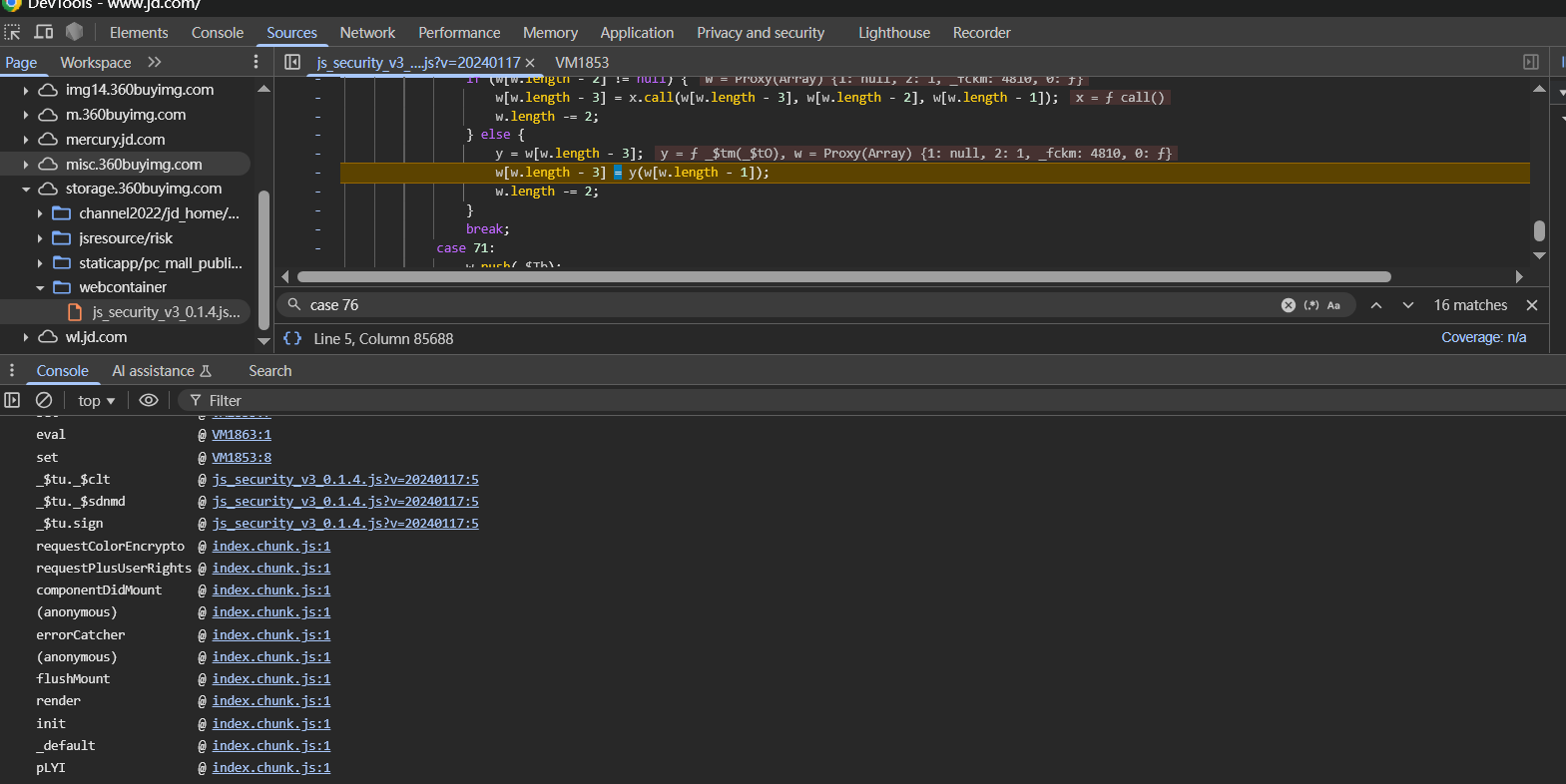
Object .defineProperty (window .PSign , '_token' , { configurable : true , enumerable : true , get (return this .___token ; }, set (v ) { console .log ('[HOOK 单个实例] _token 被赋值:' , v); console .trace (); debugger ; this .___token = v; } });
从而定位到函数堆栈,发现在这里对_token进行操作的
1 2 3 4 5 6 7 8 9 10 11 12 13 14 15 16 17 18 19 20 21 22 _$tu.prototype _$rds = function ( var g8 = tV, _$tO, _$te, _$tl = this ; _$Tu (this ._debug , _$j.keKoA ), this ._fingerprint = _$TQ.get (this ._version , this ._appId ), _$Tu (this ._debug , g8 (0x1fa ).concat (this ._fingerprint )); var _$tP = _$TN.get (this ._fingerprint , this ._appId ) , _$tf = (null === _$tP ? void (-0x109a + 0x9e4 + -0x1 * -0x6b6 ) : _$tP.tk ) || '' , _$tw = (null === _$tP ? void (-0x16a6 + -0x1345 + 0x29eb ) : _$tP.algo ) || '' , _$tB = this ._$pam (_$tf, _$tw); _$j.bJPOJ (_$Tu, this ._debug , _$j.bBsZC (_$ut, _$tO = _$ut (_$te = g8 (0x299 ).concat (_$tB, g8 (0x34e ))).call (_$te, _$tf, g8 (0x349 ))).call (_$tO, _$tw)), _$tB ? _$Tu (this ._debug , g8 (0x322 )) : (_$j.kjsgN (setTimeout , function ( var g9 = g8 , _$tG = { 'oQACw' : g9 (0x2d2 ) }; _$tl._$rgo ().catch (function (_$tc ) { _$Tu (_$tl._debug , _$tG.oQACw .concat (_$tc)); }); }, -0x2d7 * -0x1 + 0x194b + 0x115 * -0x1a ), _$j.LEfzE (_$Tu, this ._debug , g8 (0x239 ))); } ...
继续两边对比着单步跟函数,发现区别就在于_$tw = (null === _$tP ? void (-0x16a6 + -0x1345 + 0x29eb) : _$tP.algo) || ''这一句,在模拟的代码中_$tP是null,没有值,也就是_$TN.get()函数出了问题
1
2
3
4
5
6
7
8
9
10
11
12
13
14
15
16
17
18
var _$TN = { 'get' : function (_$tO, _$te ) { var _$tl = _$To.get (_$TF.STORAGE_KEY_TK ) , _$tP = _$j.kEfKY (_$Tf, _$T7 (_$tl) ? _$tl : {}, [_$tO, _$te]); if (!_$T7 (_$tP)) return null ; var _$tf = _$tP.v || '' , _$tw = null ; try { _$tw = JSON .parse (_$Tz.stringify (_$Tb.parse (_$tf))); } catch (_$tB) { return null ; } return _$Tv ({ 'e' : _$tP.e , 't' : _$tP.t }) ? _$tw : null ; },
调试发现,_$tw就是token没错,但是这里在返回的时候直接return null,根本原因是_$Tv({ 'e': _$tP.e,'t': _$tP.t})这个函数执行有误,返回的是false,跟进这个函数
1
2
3
function _$Tv (_$tO ) { return !(!_$tO || !_$tO.t || !_$tO.e || -0x2177 * -0x1 + 0xf79 * 0x1 + 0x48 * -0xae === _$tO.e || _$j.ZAQpr (Date .now () - _$tO.t , _$j.uatyd (0x1dd6 + -0x29 * -0xe + 0x1 * -0x1c2c , _$tO.e )) || Date .now () - _$tO.t < 0xa09 + -0x195b + 0x4a * 0x35 ); }
解混淆之后的代码如下,省略了不必要的判断,网页中返回的是false,而我们的代码中返回的是true,就是这个判断导致token无法被赋值
1 Date .now () - _$tO.t >= 1000 * _$tO.e
那么就是_$tO.t的值出错了,调试可以发现在网页中这里的值始终是1746689549622,而在模拟的代码中返回1746440897074
继续往回分析,这里的t的属性值是什么时候出错的呢?单步调试可以发现是在这里就出错了
1
2
3
4
var _$TN = { 'get' : function (_$tO, _$te ) { var _$tl = _$To.get (_$TF.STORAGE_KEY_TK ) , _$tP = _$j.kEfKY (_$Tf, _$T7 (_$tl) ? _$tl : {}, [_$tO, _$te]);
出问题在
1 _$tP = _$j.kEfKY (_$Tf, _$T7 (_$tl) ? _$tl : {}, [_$tO, _$te])
这段代码计算的_$tP出错了,导致前面_$Tv({ 'e': _$tP.e,'t': _$tP.t})的执行出错了混淆定义在
1
2
3
'kEfKY' : function (_$tM, _$ts, _$tO ) { return _$tM (_$ts, _$tO); },
也就是_$Tf(_$T7(_$tl) ? _$tl : {},[_$tO, _$te]),两个参数经过调试都没有问题,问题出在这个_$Tf函数内部,需要跟进去
1
2
3
4
5
6
function _$Tf (_$tO, _$te ) { for (var _$tl = _$te.length , _$tP = 0x22f * 0x2 + -0x1 * 0x1407 + 0xfa9 ; null != _$tO && _$j.Rzqdz (_$tP, _$tl); ) { _$tO = _$tO[_$te[_$tP++]]; } return _$tP && _$j.jEKLa (_$tP, _$tl) ? _$tO : void (0x1 * -0x1807 + 0x793 + 0x9c * 0x1b ); }
就是在这个函数执行之后,_$tO的t属性的赋值产生了差别
解混淆看一下
1
2
3
4
5
6
function _$Tf (_$tO, _$te ) { for (var _$tl = 2 , _$tP = 0 ; 1 && (_$tP < _$tl); ) { _$tO = _$tO[_$te[_$tP++]]; } return _$tP && (_$tP === _$tl) ? _$tO : undefined ; }
其实就是一个数组的取值,可以等价成这种
1
2
3
4
5
6
7
function getNestedValue (obj, keys ) { let result = obj; for (let i = 0 ; i < keys.length ; i++) { result = result[keys[i]]; } return result; }
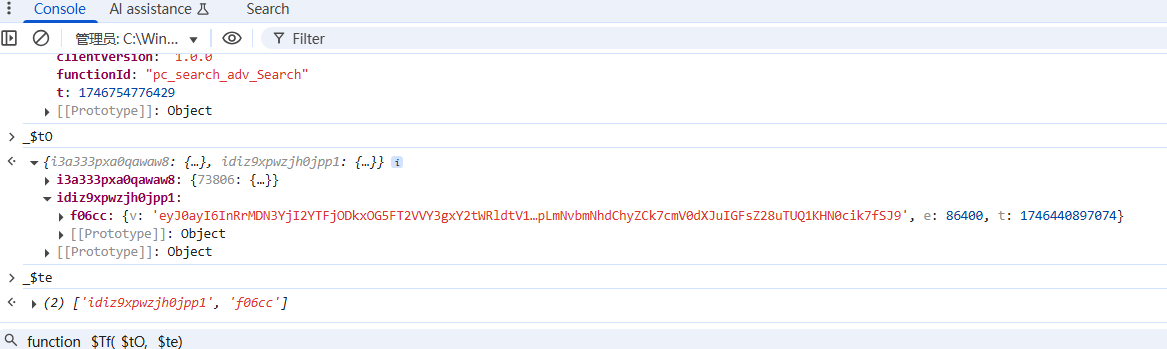
比如_$tO的值如下
1
2
3
{i3a333pxa0qawaw8: {…}, idiz9xpwzjh0jpp1: {…}} i3a333pxa0qawaw8: {73806: {…}} idiz9xpwzjh0jpp1: {f06cc: {…}}
_$te的值如下
1
2
_$te (2) ['idiz9xpwzjh0jpp1', 'f06cc']
第一次循环,取出来的是_$tO数组的_$tO['idiz9xpwzjh0jpp1']也就是{f06cc: {…}},然后把{f06cc: {…}}赋值给_$tO,第二次循环取出来的是_$tO['f06cc'],也就是f06cc的值,此时就发现,在模拟代码中的f06cc的值一直是错误的7074,并且这里v的值也不对,全局搜索可以知道这是localStorage里面存储的字段值,这个值在模拟代码中是固定值
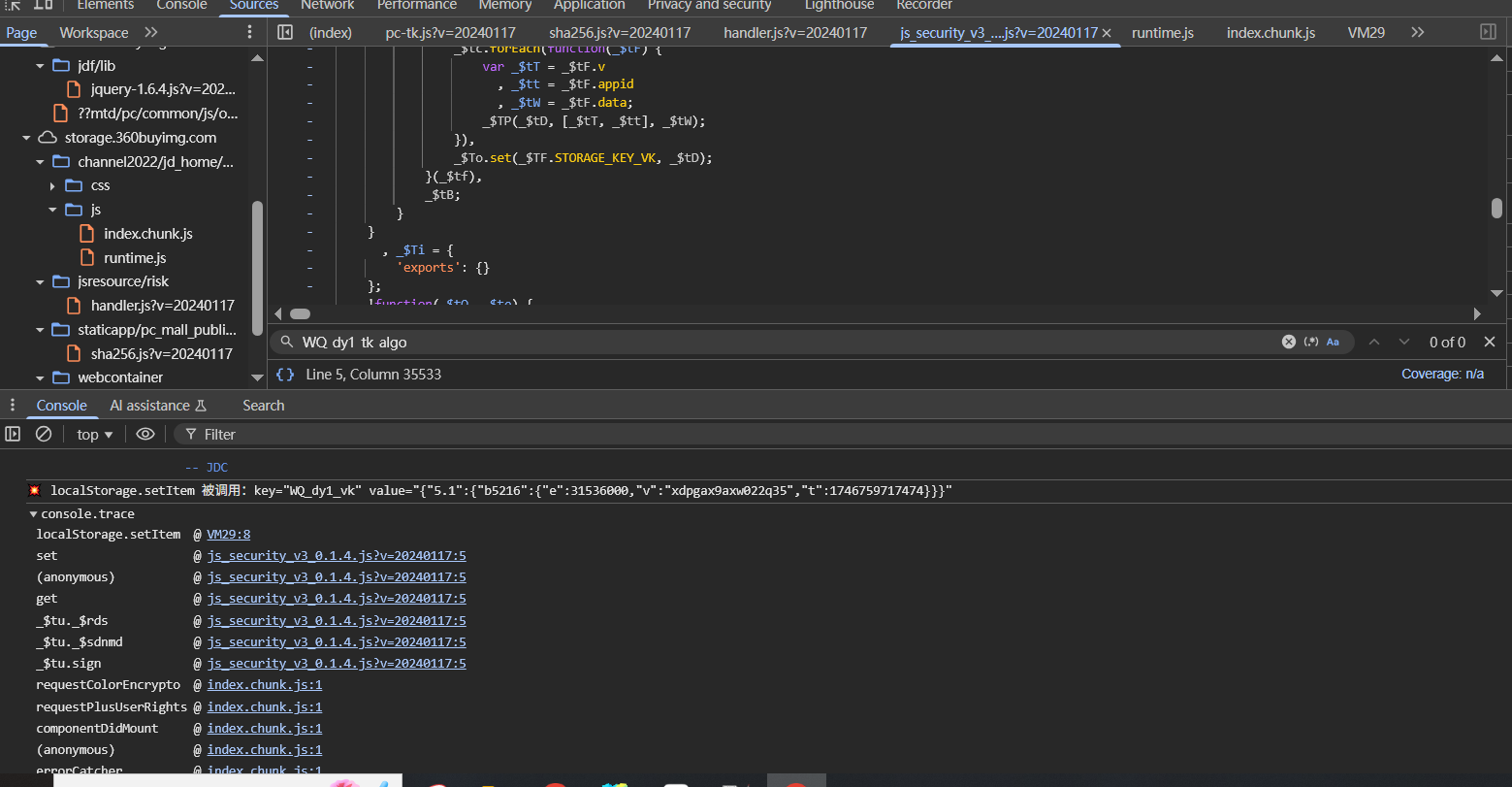
调试网页发现每次这两个字段的值都是变化的,需要找到localStorage的字段在哪里被赋值
在Event Listener中打Script加载断点,然后执行hook代码,目标是hook这四个属性什么时候被赋值
1 2 3 4 5 6 7 8 9 10 11 12 13 14 15 16 17 18 19 20 21 22 (function ( const targetKeys = ['WQ_dy1_tk_algo' , 'WQ_dy1_vk' , 'WQ_gather_wgl1' , 'WQ_gather_cv1' ]; const originalSetItem = localStorage .setItem ; localStorage .setItem = function (key, value ) { if (targetKeys.includes (key)) { console .log (`监控到localStorage.setItem 被调用:key="${key} " value="${value} "` ); console .trace (); debugger ; } return originalSetItem.apply (this , arguments ); }; const originalDefineProperty = Object .defineProperty ; Object .defineProperty (localStorage , 'setItem' , { value : localStorage .setItem , configurable : true , writable : true }); console .log ('%c[HOOK] localStorage.setItem 监控已启用' , 'color: green; font-weight: bold;' ); })();
注意这种hook方式不能hook到类似a.b = c这种赋值,不过网页不会这样赋值,因为这种赋值方式在页面刷新之后就没了
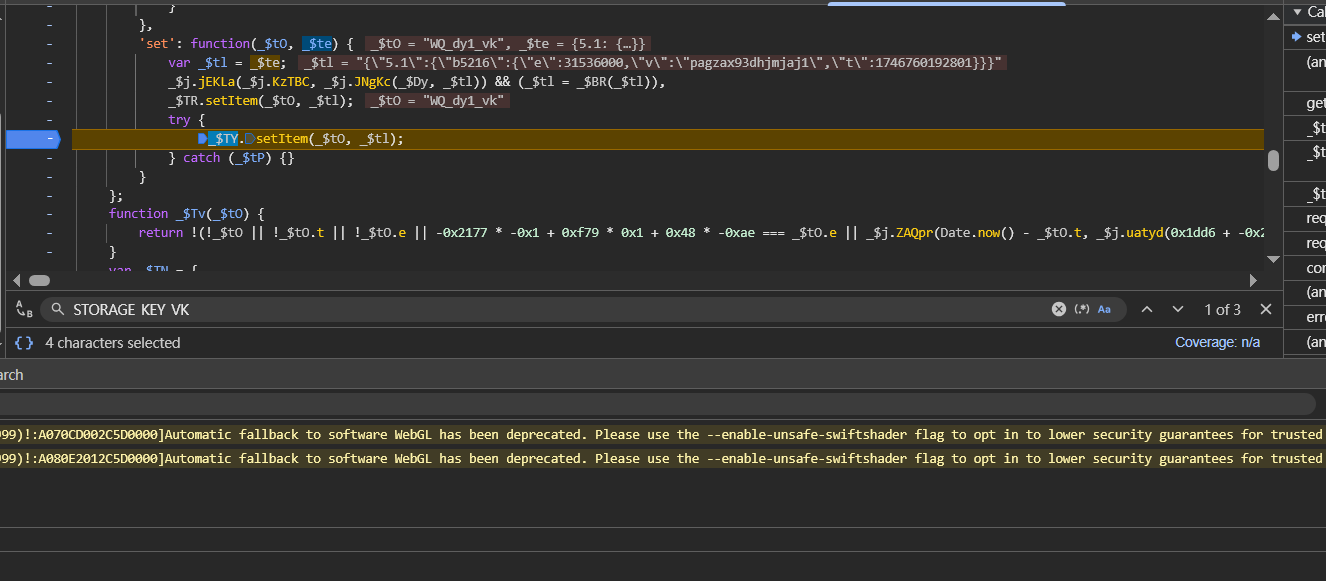
成功hook到赋值,在set方法里打下断点跟一下
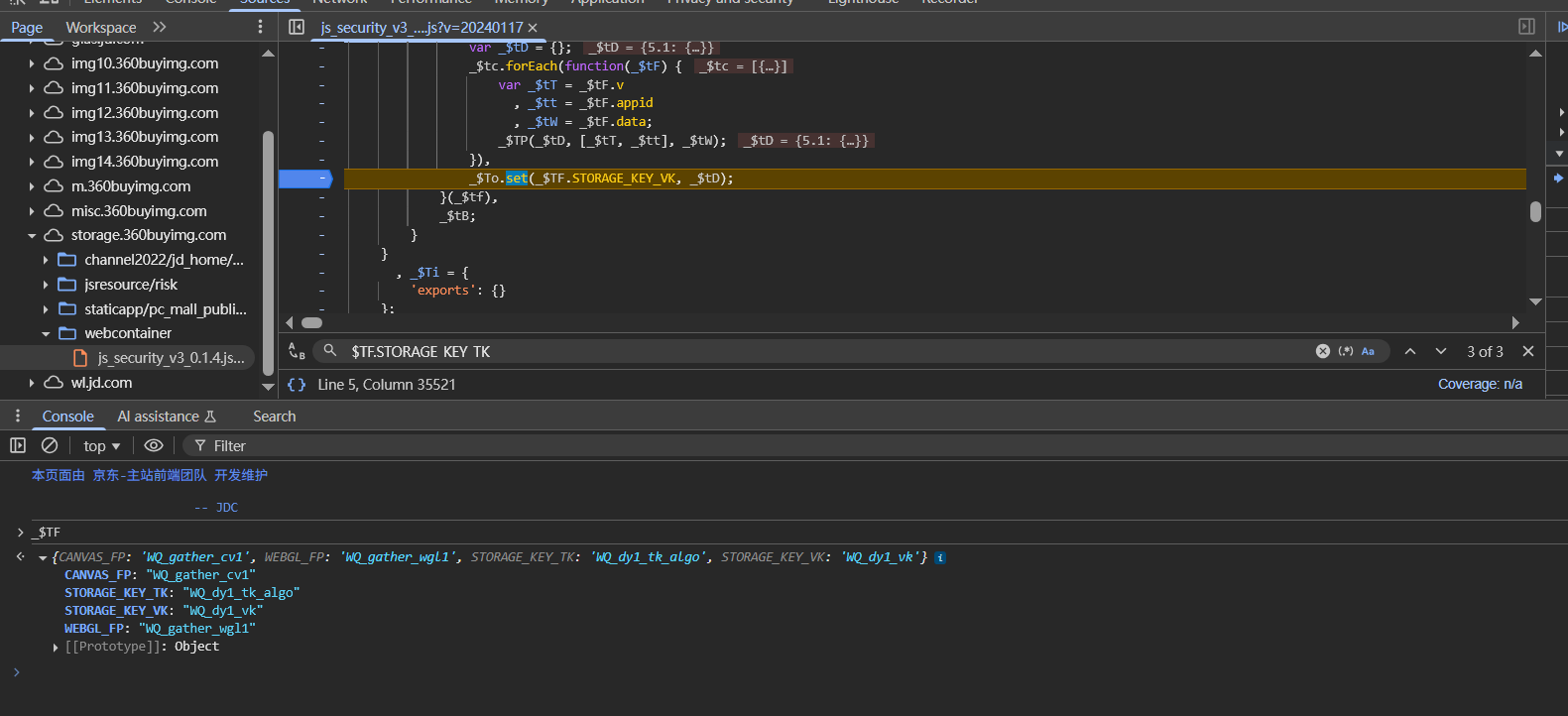
断下来之后可以发现WQ_dy1_vk是在_$To.set(_$TF.STORAGE_KEY_VK, _$tD);进行赋值的,这也解释了为什么搜索字符串是搜不到的,因为字符串都加密了,并且值是_$te传入的,这里_$TF是个数组,存的都是需要的字段
在跟踪参数赋值的时候要注意,在登录之后,就hook不到了,想要hook参数的生成,要在登录的时候,页面加载之前就hook下来,或者不用登录,直接访问主页的时候也能hook到
那么就带来一个问题,既然代码能自己生成这四个自定义的字段值,能不能在userVar.js中不给赋值呢?发现不赋值的话,两个代码走的流程就不一样了,node的模拟代码在某一步会直接跑飞了
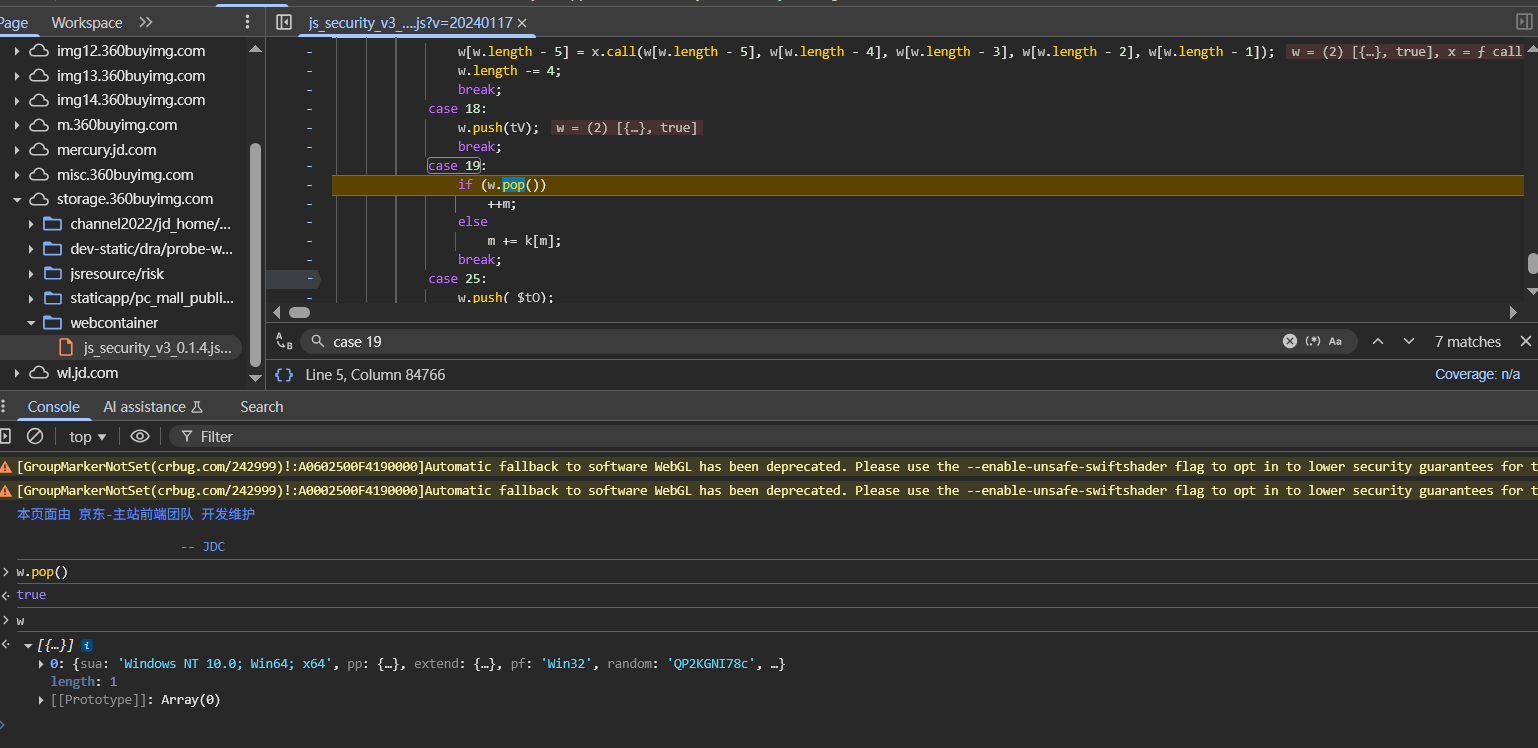
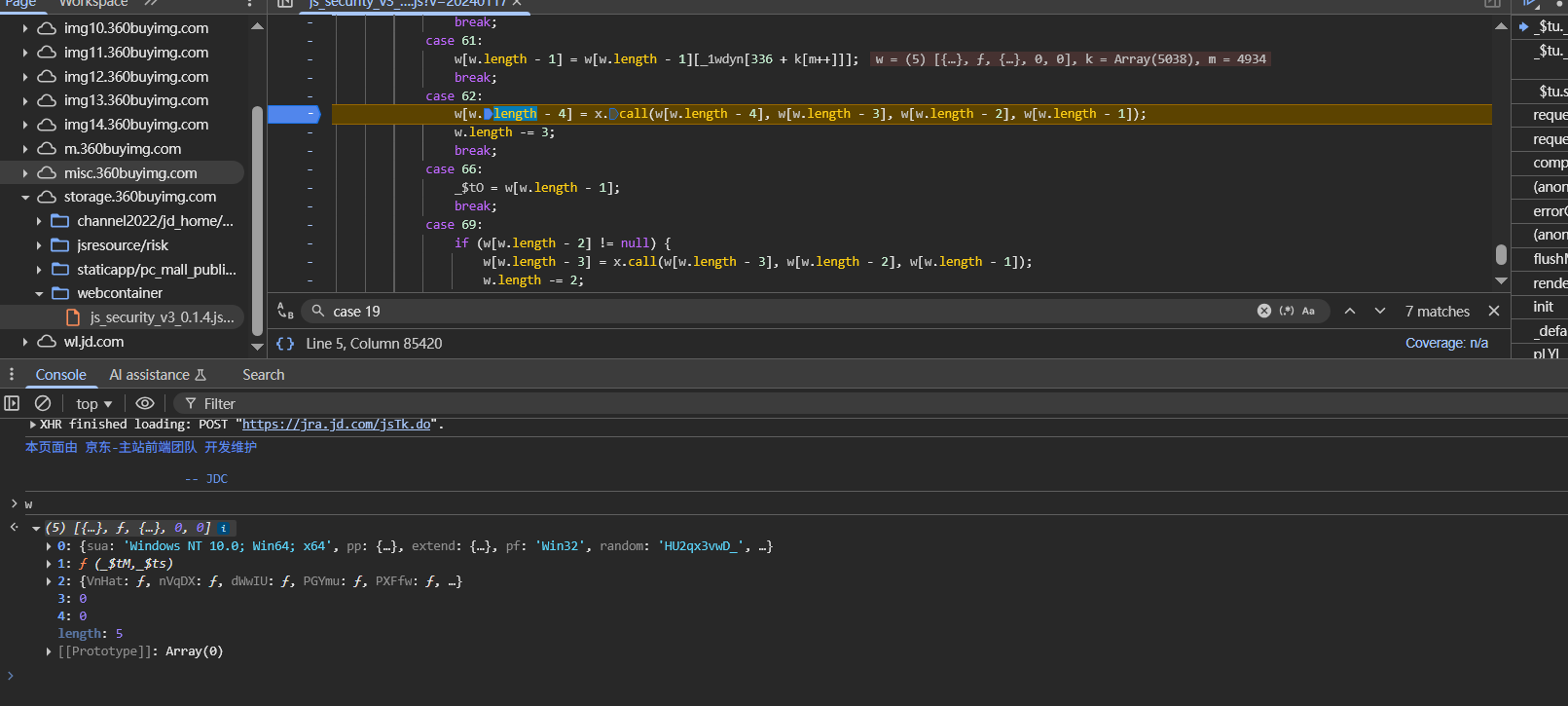
第一个想到的还是通过监控case的执行流,看到底是那一步出了问题,断点下载switch开始的地方,然后下hook代码,监控到在case 19处两者开始出现差异
node模拟的代码对于w.pop()返回的是false,而网页返回的是true,根本原因是执行到这里的时候w数组的值不同
1 2 3 4 5 6 7 w (2 ) [{…}, true ] w (2 ) [{…}, false ]
往上找,根据hook脚本的输出可以知道前一个case是case 62,在这里下断点,可以看到执行到case 62的时候,w的数组在两边的值是一样的
当执行完w[w.length - 4] = x.call(w[w.length - 4], w[w.length - 3], w[w.length - 2], w[w.length - 1]);这句之后,w的值出现了区别,也就是问题出在这里
1 w[w.length - 4] = x.call(w[w.length - 4], w[w.length - 3], w[w.length - 2], w[w.length - 1]);
w[w.length - 4]存储的是w[1]也就是ƒ(_$tM, _$ts),函数是一样的,那问题应该出在参数上面
问题在于w[4]的值,网页中是0,而模拟代码中是undefined,所以还得往上看case块,也就是case 61这里,也就是这一句
1 2 3 w[w.length - 1 ] = w[w.length - 1 ][_1wdyn[336 + k[m++]]]; w[4 ] = w[4 ][_1wdyn[336 + k[m++]]]
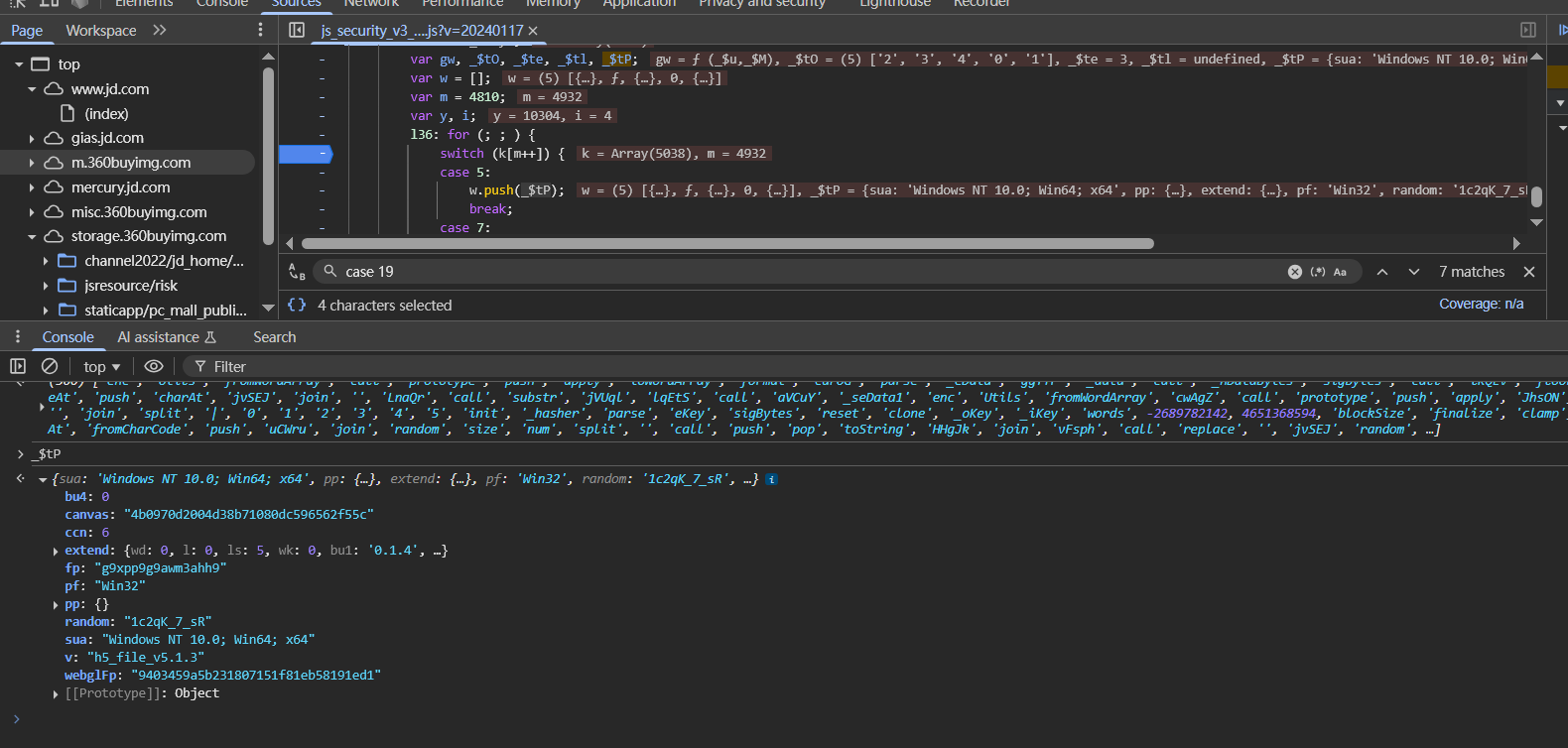
_1wdyn是个数组,结合调试可以知道,这里就是获取w数组的bu4属性,而这个属性在模拟代码中并没有这个字段,分析可知是上面_$tP的值出了问题
在switch开始的时候下断点,断下来之后执行window._param = _$tP;,在这样不能hook到,因为不能hook未被赋值的对象,也就是undefined的对象hook不到,只能一步步跟,因为发现_$tP的值是在case 76处通过_$tP = w[w.length - 1];被赋值的,也就是需要hook w数组,当数组中的某个位置的元素(任意位置都行)被赋值成一个对象的时候,并且这个对象存在bu4属性的时候,断下来,打印堆栈,在switch开始处添加hook代码
1 2 3 4 5 6 7 8 9 10 11 12 13 14 15 16 w = new Proxy (w, { set (target, prop, value, receiver ) { if (!isNaN (prop)) { if (typeof value === 'object' && value !== null && 'bu4' in value) { console .log (`[HOOK] w[${prop} ] 被赋值了对象,且有 bu4 属性:` , value); console .trace (); debugger ; } } target[prop] = value; return true ; } });
也就是说,要分析这里的y函数,通过调试发现是在function _$tm(_$tO)中的如下部分进行的bu4字段赋值
1
2
3
4
5
6
7
8
_$tJ (_$tO, aX (0x32e ), function (_$tP ) { var aH = aX, _$tf, _$tw, _$tB, _$tG, _$tc, _$tD, _$tF = 0x108b + -0xa76 + 0x207 * -0x3 , _$tT = !!window .location && !!window .location .host , _$tt = _$tT && -(0x979 + 0x1a5c + -0x4 * 0x8f5 ) !== _$M7 (_$tf = window .location .host ).call (_$tf, _$j.WQKLa ) || _$tT && -(-0x8 * 0x3d + 0x18bd + 0x4 * -0x5b5 ) !== _$M7 (_$tw = window .location .host ).call (_$tw, aH (0x31b )), _$tW = !!document .body && !!document .body .innerHTML ; _$tt && _$tW && -(-0x4 * 0x44f + -0x217d + -0x1 * -0x32ba ) !== _$M7 (_$tB = document .body .innerHTML ).call (_$tB, aH (0x24e )) && (_$tF |= -0x11fd + -0xa * 0x1 + 0x241 * 0x8 ), _$tt && _$tW && -(0x17 * -0x76 + 0x3 * -0x42b + -0x1ed * -0xc ) !== _$M7 (_$tG = document .body .innerHTML ).call (_$tG, aH (0x249 )) && (_$tF |= -0x1f9a + 0x11db + 0xdc1 ), _$tW && -(0xb37 + -0x236e * -0x1 + 0xf8c * -0x3 ) !== _$M7 (_$tc = document .body .innerHTML ).call (_$tc, aH (0x287 )) && -(-0x15d3 + -0x49 * -0x3e + -0x76 * -0x9 ) !== _$M7 (_$tD = document .body .innerHTML ).call (_$tD, aH (0x1d8 )) && (_$tF |= 0x2 * -0xbf9 + 0x6d1 + -0x1 * -0x1125 ); var _$ta = document .documentElement ; return _$ta && _$ta.getAttribute (['di' , aH (0x28e ), aH (0x31f )].join ('' )) && (_$tF |= 0x23 * -0x86 + -0x71d + -0x198f * -0x1 ), _$tF;
发现是document.body出错了,在模拟代码中返回的是字符串,而不是Object
1 2 3 sandBox.envFuncs .Document_body_get =function ( return '<body></body>' }
也就是说上面那种补环境的方法是错误的,修改了下补环境的代码,结果还是长度不对
1 2 3 4 5 6 7 8 9 sandBox.envFuncs .Document_body_get =function ( for (const index in sandBox.tags ){ if (sandBox.tags [index].toString ()==='[object HTMLBodyElement]' ){ return sandBox.tags [index] } } console .log (`{sandBox.envFuncs.Document_body_get | 未找到document.body` ) return undefined }
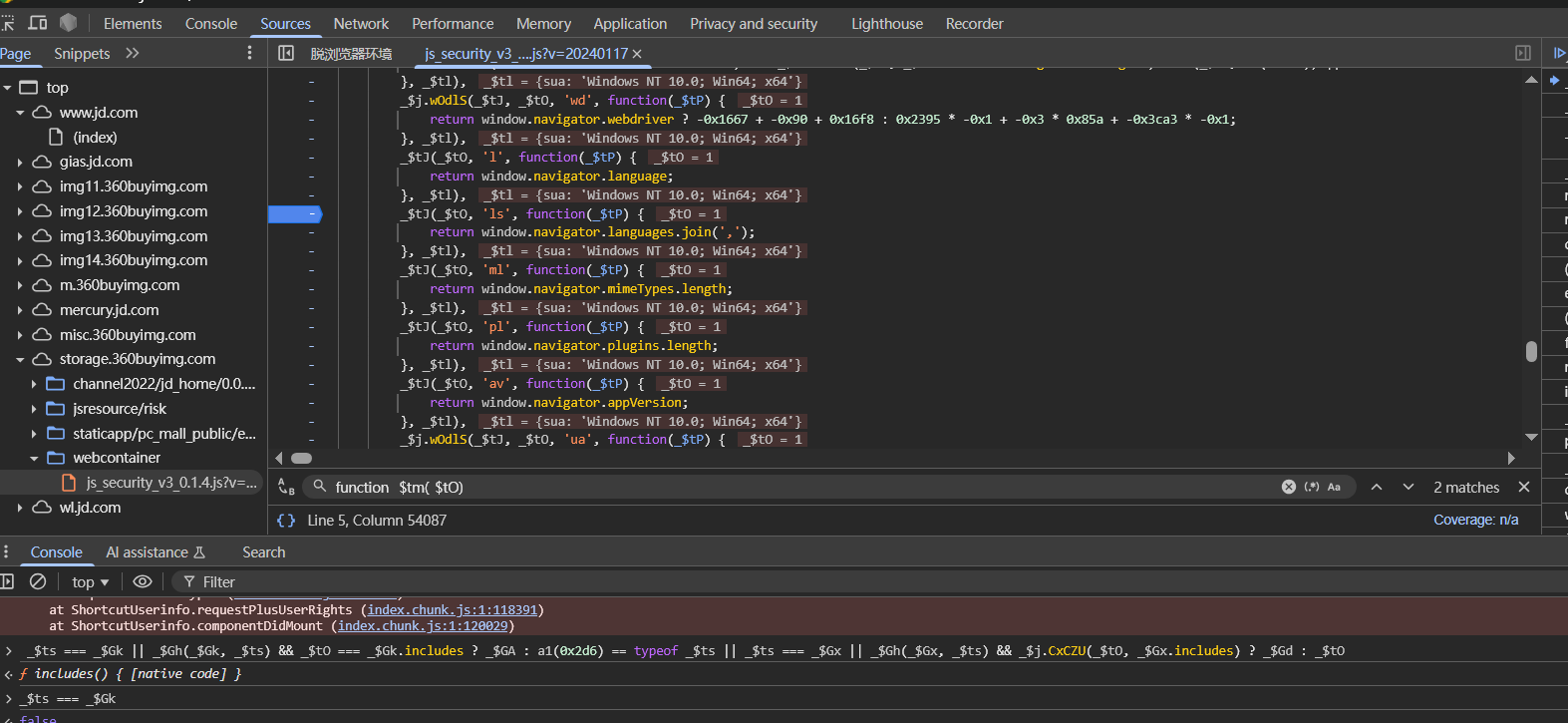
还得分析代码,分析function _$tm(_$tO)函数,首先可以发现代码中有很多return的逻辑
这个return的逻辑可以简单看下
1
2
3
4
5
6
7
8
9
10
11
12
13
_$tJ (_$tO, 'l' , function (_$tP ) { return window .navigator .language ; }, _$tl),; function _$tJ (_$tO, _$te, _$tl, _$tP ) { if (1 === _$tO && _$tj.includes (_$te) || 0 === _$tO) try { _$tP[_$te] = _$tl (); } catch (_$tf) {} } var _$tj = ['pp' , tV (0x34d ), tV (0x2ce ), 'v' , _$j.jMfgK , 'pf' , tV (0x21b ), tV (0x1f9 ), _$j.kgIBT , tV (0x32e )];
也就是说,上面代码简单来说就是判断_$tj数组中是否有'l'字符串,有的话就调用window.navigator.language并赋值给_$tl
所以大部分这种return是不用看的,还是要看上面那段对bu4属性赋值的代码,解混淆之后大概如下
1
2
3
4
5
6
7
8
9
10
11
12
13
_$tJ (_$tO, aX (0x32e ), function (_$tP ) { var aH = aX, _$tf, _$tw, _$tB, _$tG, _$tc, _$tD; var _$tF = 0 ; var _$tT = !!window .location && !!window .location .host ; var _$tt = true && -(1 ) !== (-1 ) || _$tT && -(1 ) !== (-1 ); var _$tW = !!document .body && !!document .body .innerHTML ; _$tt && _$tW && -(1 ) !== (-1 ) && (_$tF |= 1 ), _$tt && _$tW && -(1 ) !== (-1 ) && (_$tF |= 2 ), _$tW && -(1 ) !== (-1 ) && -(1 ) !== (-1 ) && (_$tF |= 4 ); var _$ta = document .documentElement ; return _$ta && _$ta.getAttribute ('dianshangji_tabid' ) && (_$tF |= 32 ), _$tF; }, _$tl);
根本原因就在getAttribute这里,_$ta是被模拟了环境的documentElement,return语句的意思是如果 _$ta 存在 且 _$ta. ('dianshangji_tabid') 为真,就把 _$tF |= 32,最后返回 _$tF。
1 2 3 4 5 6 7 8 9 sandBox.envFuncs .Document_documentElement_get =function ( for (const index in sandBox.tags ){ if (sandBox.tags [index].toString ()==='[object HTMLHtmlElement]' ){ return sandBox.tags [index] } } console .log (`{sandBox.envFuncs.Document_documentElement_get | 未找到document.documentElement` ) return undefined }
而documentElement.getAttribute其实并没有实现,调用的是原型链上的Element_getAttribute
1 2 3 4 5 6 7 8 9 10 11 12 13 sandBox.envFuncs .Element_getAttribute =function (name ) { console .log (`{Element_getAttribute| get name ${name} }` ) return sandBox.getProtoAttribute .call (this ,name) } sandBox.getProtoAttribute =function (key ) { if (this [sandBox.flags .protoFlag ]){ return this [sandBox.flags .protoFlag ][key] } return `getProtoAttribute->${key} 未定义` }
所以在模拟的代码里,会直接返回字符串,也就是类似能获取到值,所以模拟的代码中上面的return,修改完之后可以成功过了
其实这里可以不用管这四个字段的赋值,从网页中获取然后固定下来就行了,从利用的角度考虑,分析到这里就可以了,包括WQ_dy1_tk_algo属性还和XMLHTTPrequest请求有关,直接固定下来就可以了
后面分析针对评论接口的访问,其实也差不多,加密都是基本上一样的
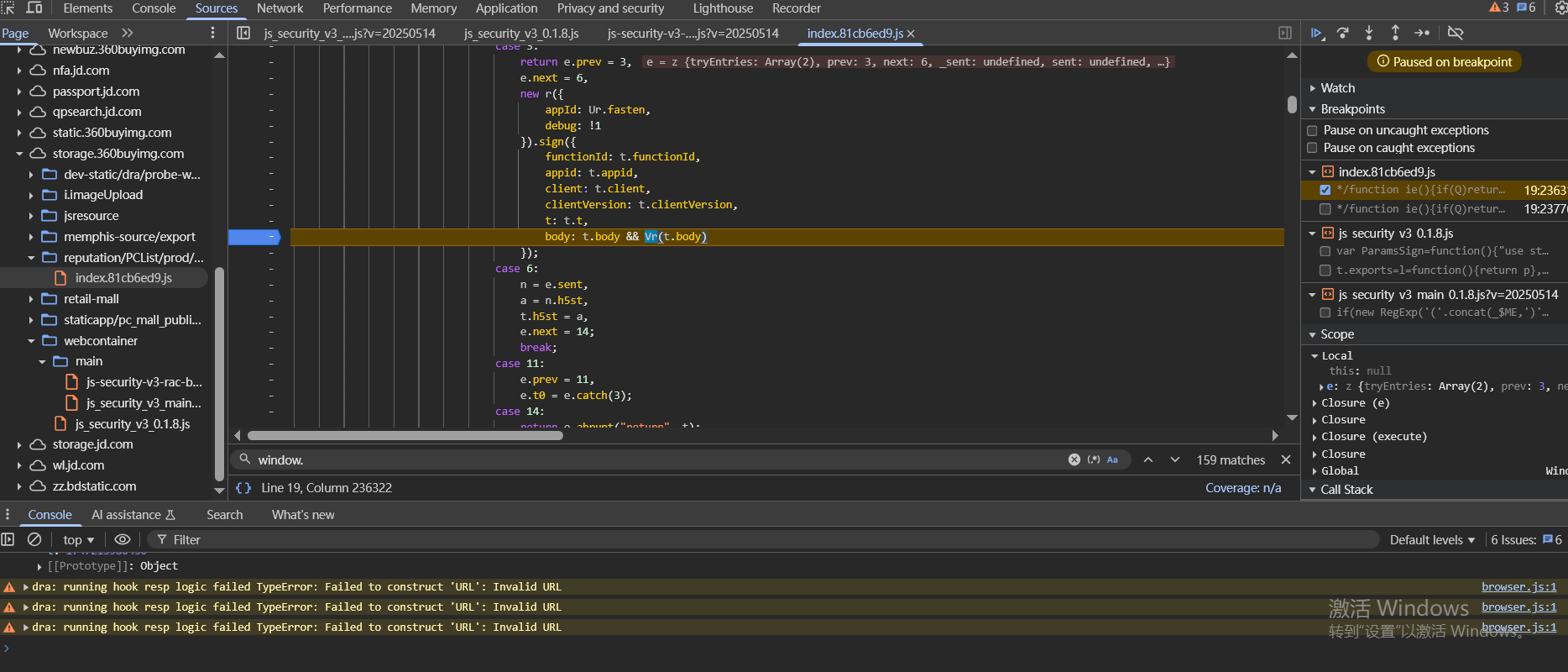
加密函数如下
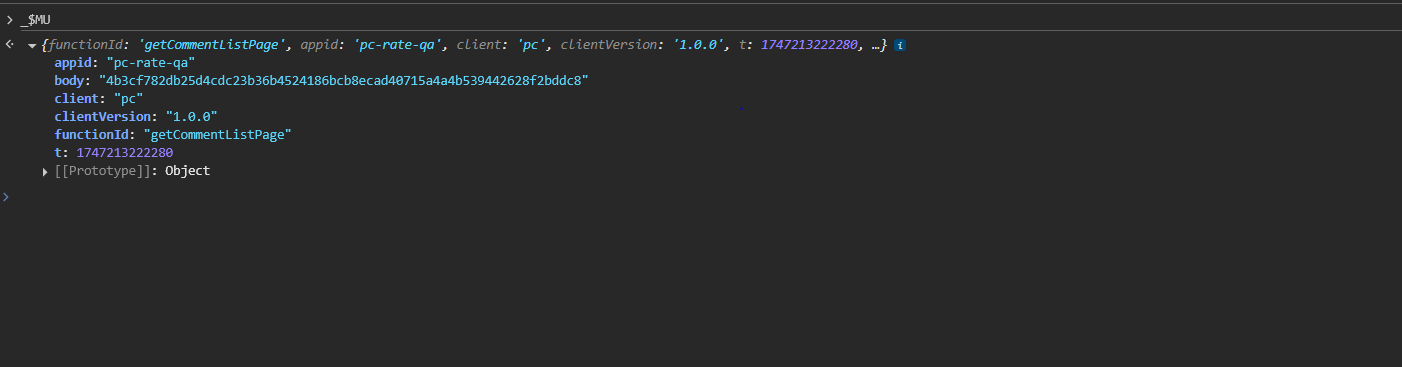
参数如下
需要分析这里的body是哪里来的
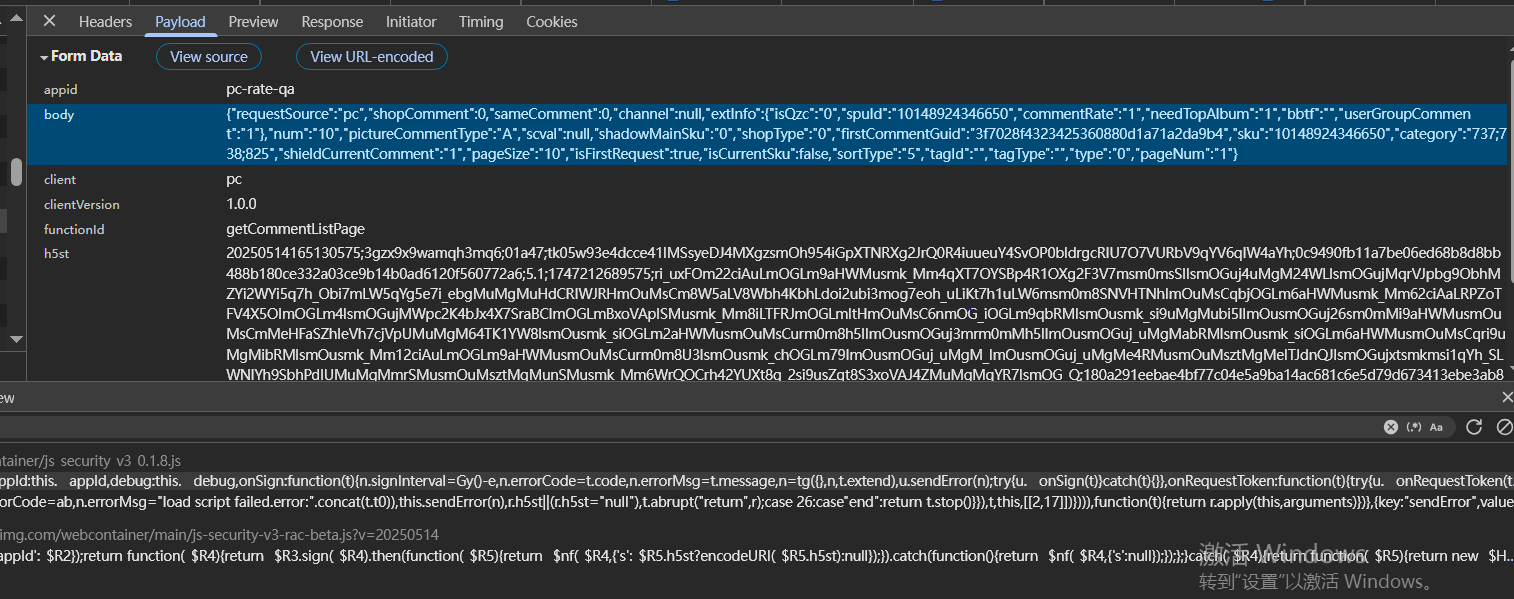
同时根据请求的body参数
1 {"requestSource":"pc","shopComment":0,"sameComment":0,"channel":null,"extInfo":{"isQzc":"0","spuId":"10148924346650","commentRate":"1","needTopAlbum":"1","bbtf":"","userGroupComment":"1"},"num":"10","pictureCommentType":"A","scval":null,"shadowMainSku":"0","shopType":"0","firstCommentGuid":"3f7028f4323425360880d1a71a2da9b4","sku":"10148924346650","category":"737;738;825","shieldCurrentComment":"1","pageSize":"10","isFirstRequest":true,"isCurrentSku":false,"sortType":"5","tagId":"","tagType":"","type":"0","pageNum":"1"}
找到对body参数的加密处,也是SHA256
现在处理加密结果长度不一样的问题,hook原型上的所有函数
1 2 3 4 5 6 7 8 9 10 11 12 13 14 15 16 17 (function ( const proto = _$vq.prototype for (const key of Object .getOwnPropertyNames (proto)) { const original = proto[key]; if (typeof original === 'function' && key !== 'constructor' ) { proto[key] = function (...args ) { console .log (`[HOOKED] _$MH.prototype.${key} ` ); console .log (' Arguments:' , args); const result = original.apply (this , args); console .log (' Return value:' , result); return result; }; } } })();
hook之后可以发现是clt函数里的参数变了,这就涉及到检测点了
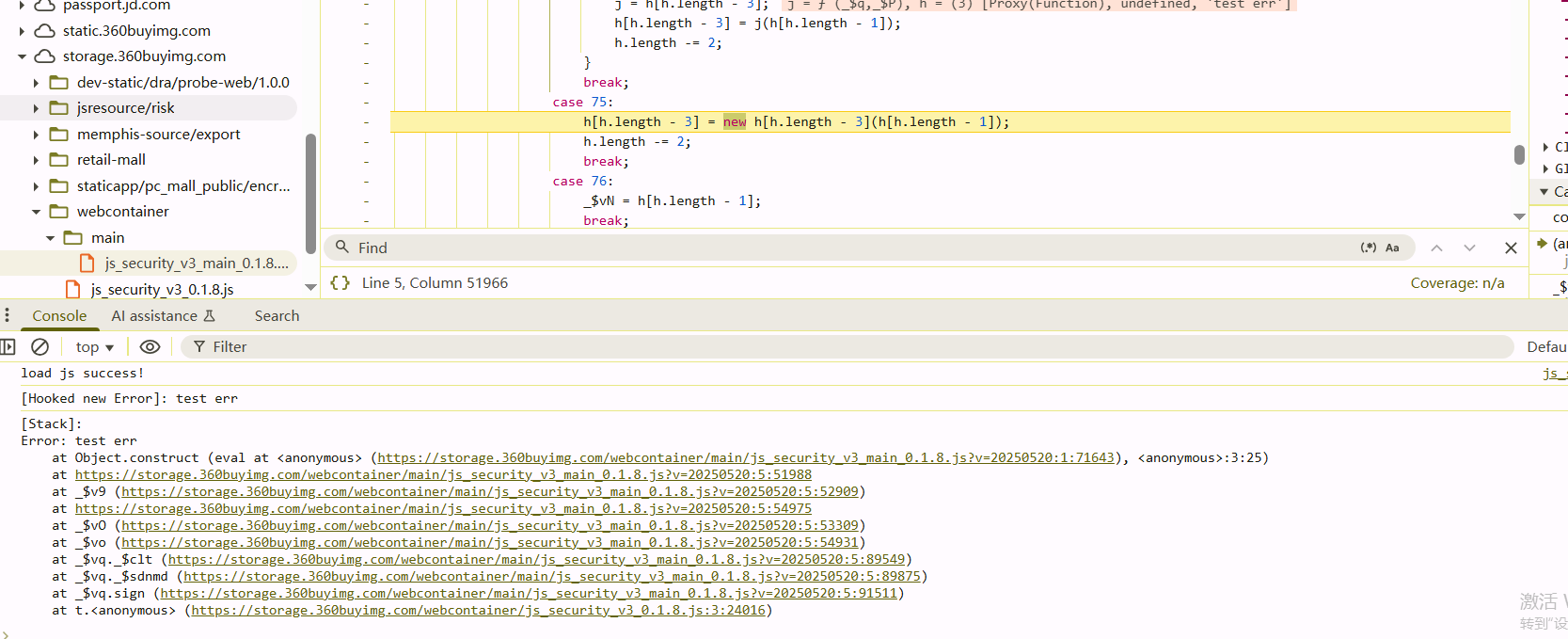
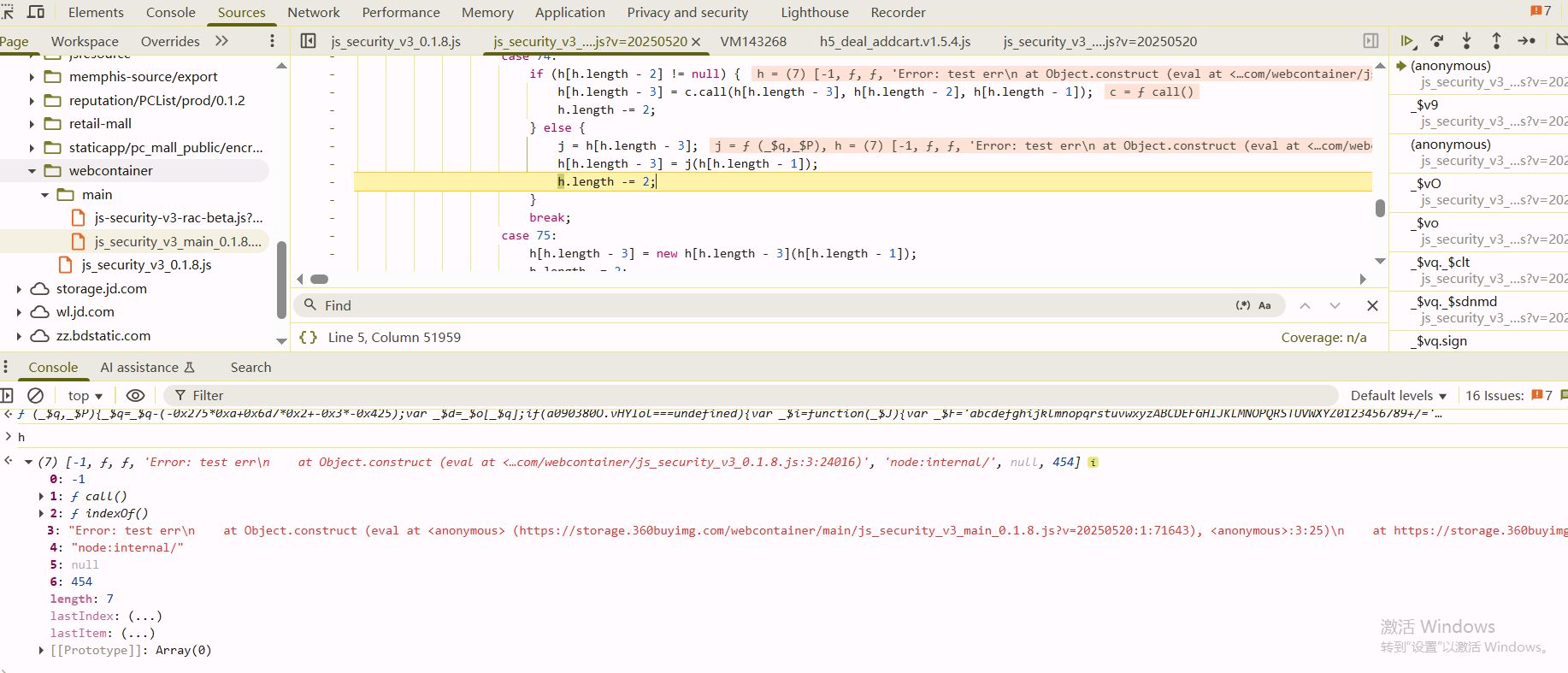
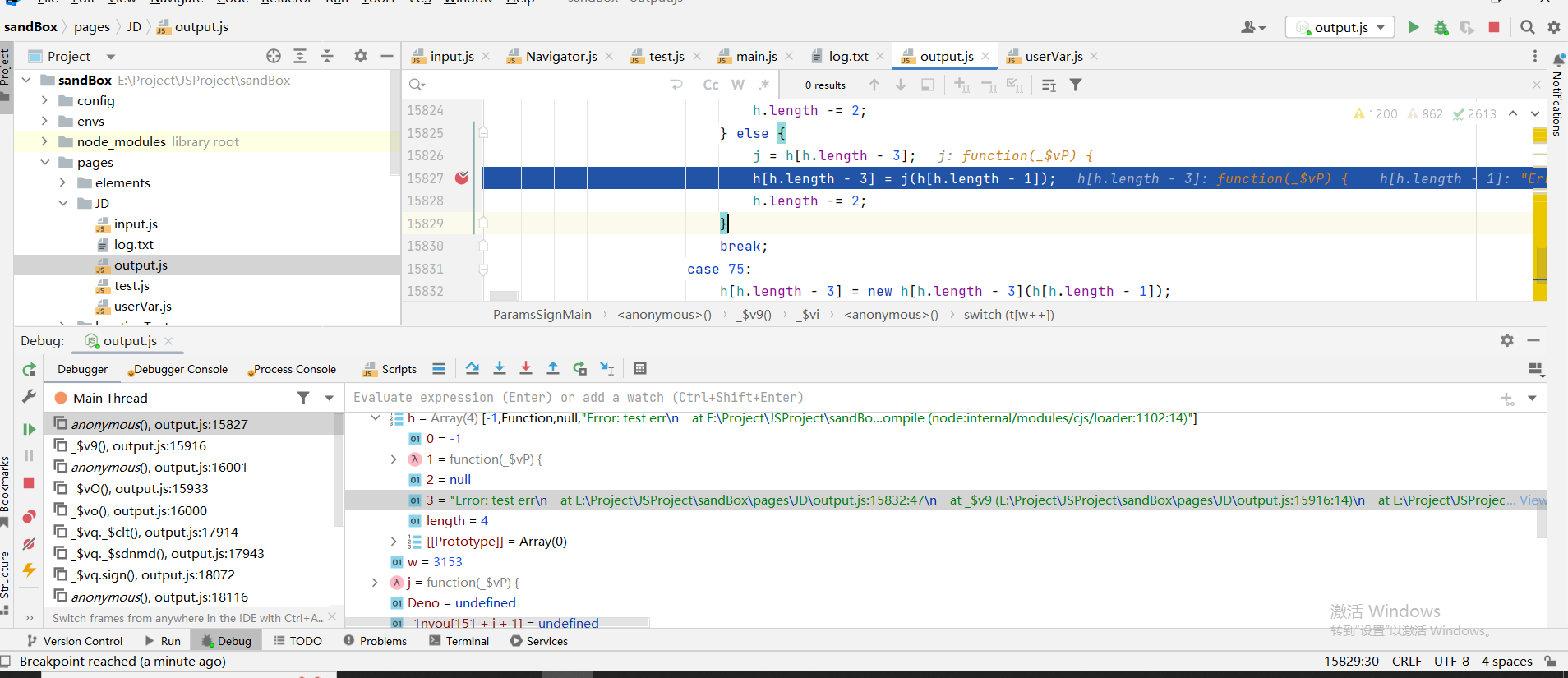
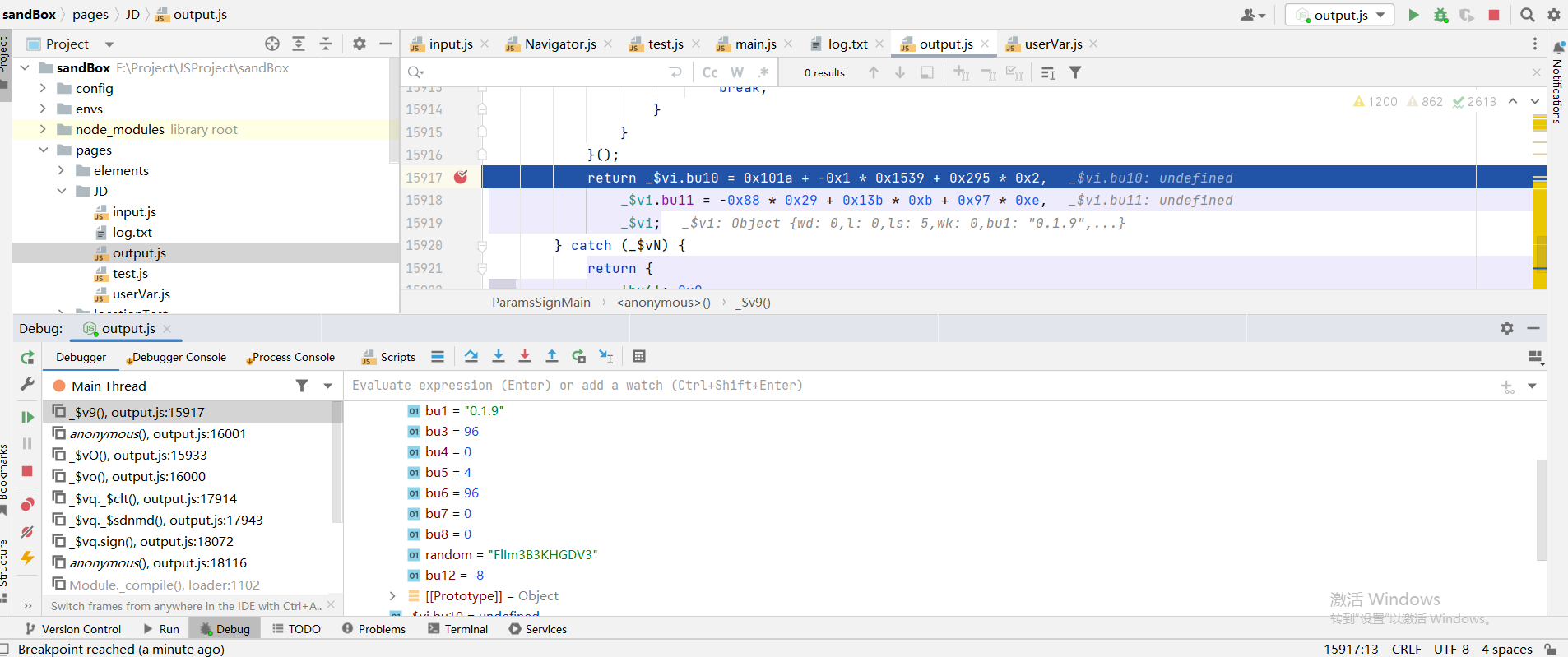
检测点 报错堆栈检测 在function _$v9()函数中,代码会new Error()操作,然后对比报错信息,是否有"node:internal/"
在本地node环境中的报错信息会有node关键字符串,最终影响bu5的参数值
过掉的方法是在node中加入堆栈报错的过滤
1
2
3
4
5
6
7
Error .prepareStackTrace = function (error, structuredStackTrace ) { return `${error.name} : ${error.message} \n` + structuredStackTrace .filter (callSite =>getFileName ()?.startsWith ("node:" )) .map (callSite =>` at ${callSite.toString()} ` ) .join ('\n' ); };
在node中,如果访问 error.stack,引擎内部会调用Error.prepareStackTrace(error, structuredStackTrace),在这里面把报错信息给过滤掉
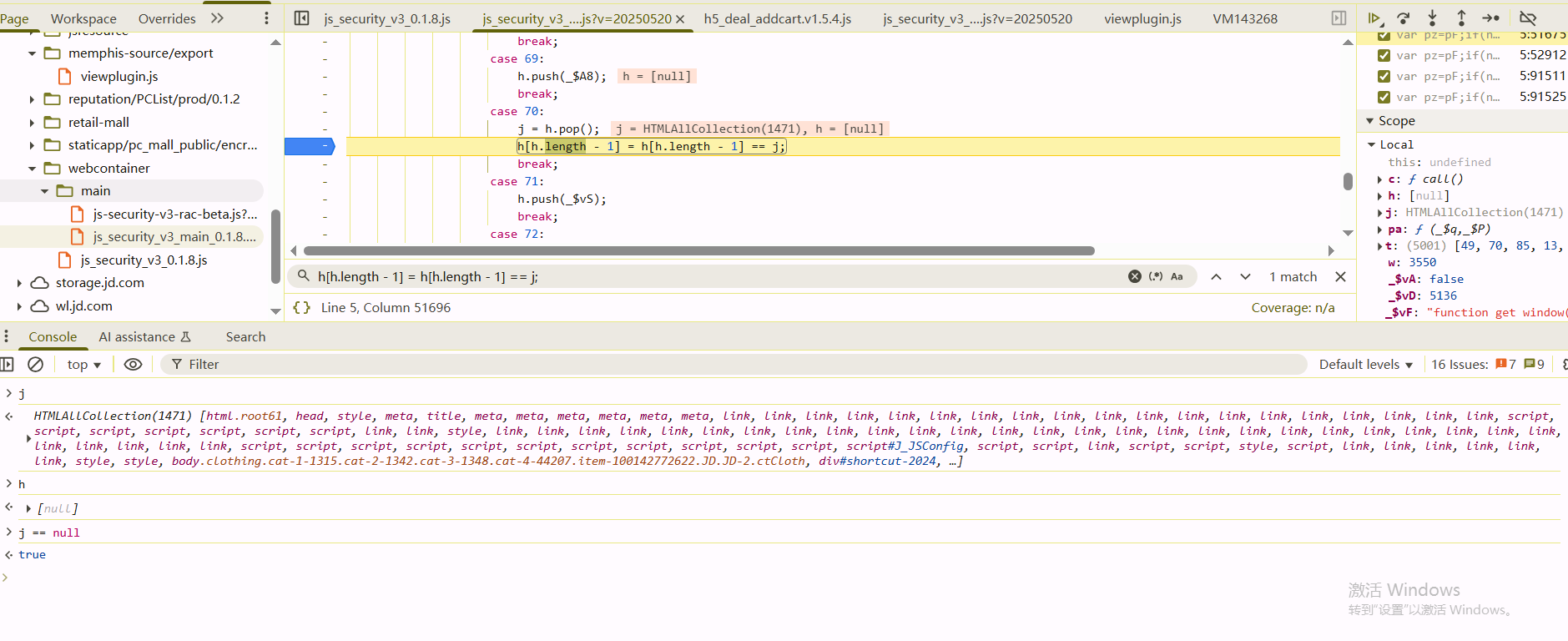
HTMLAllCollection检测 在某个循环中会判断HTMLAllCollection的实例是否为null,在浏览器中返回的是true,这里直接加上判断给强制赋值就行了
1
2
3
4
5
6
7
8
case 70: j = h.pop(); if (j.toString() == "[object HTMLAllCollection]" && h[h.length - 1] == null){ h[h.length - 1] = true; break; } h[h.length - 1] = h[h.length - 1] == j; break;
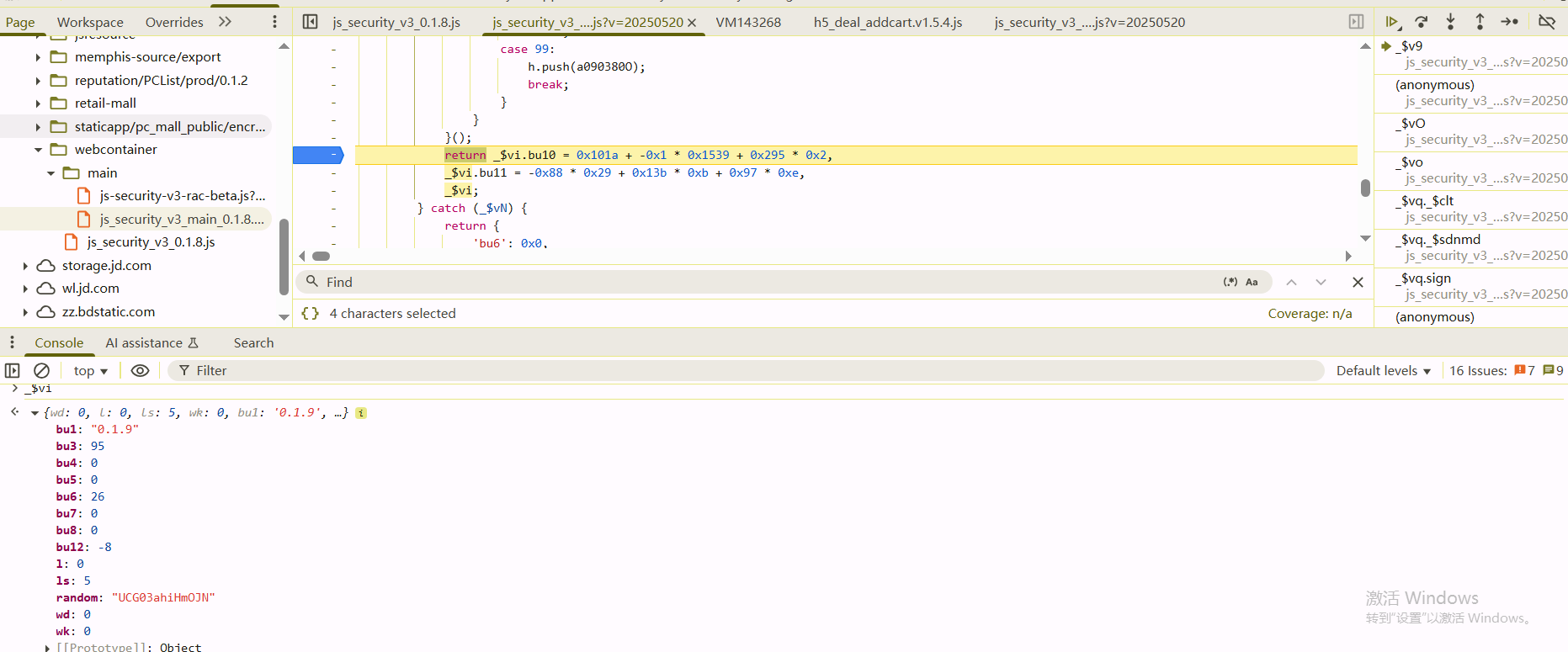
此外还有一些window.toString()的检测,这种在沙箱代码中直接就过掉了,检测的关键就是上面的_$v9()函数,该函数的返回值_$vi有几个值需要注意下,如果说后面的版本更新之后,检测点大概率也是在这个函数内部
1
2
3
4
5
6
7
8
9
10
11
12
13
14
15
{ "wd": 0, "l": 0, "ls": 5, "wk": 0, "bu1": "0.1.9", // 不用管,参数 "bu3": 96, //childElement数目 "bu4": 0, "bu5": 0, "bu6": 26, // 和bu3一样 "bu7": 0, "bu8": 0, "random": "cg5G3pRaa0Wgp", "bu12": -8 }