请求携带了x-zse-93、x-zse-96、x-zst-81三个参数,依次进行分析
x-zse-93是固定的,不再说了
x-zse-96参数
关键代码的定位这里不再赘述,之前说过,这里要注意的是,这里参数生成只能在页面加载的时候断下来,打断点之后如果第二次刷新网页,前一个js断不下来,因为每次页面刷新都会重新打包webpack
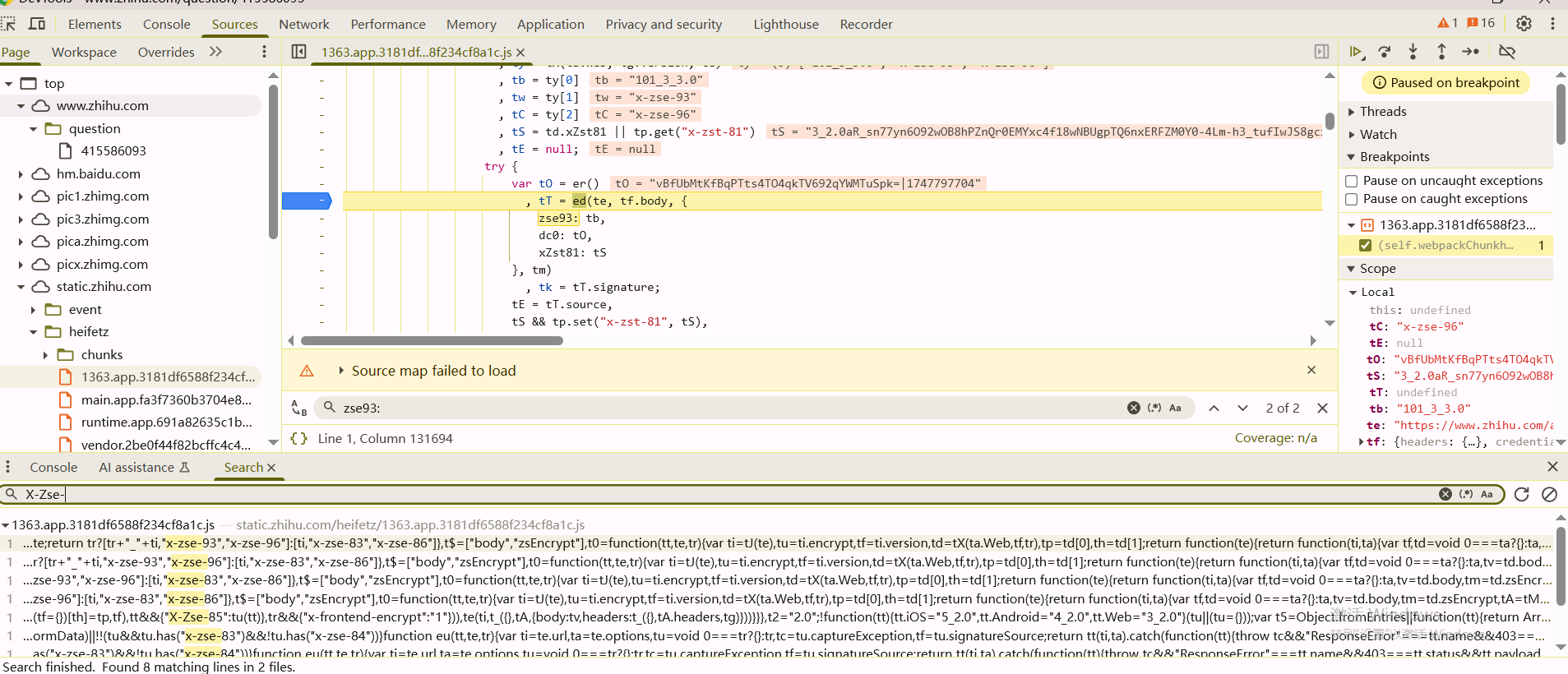
调试可以发现tc就是X-Zse-96,在tp.set(tC, t2 + "_" + tk)这里对X-Zse-96的属性值进行设置,要分析t2和tk
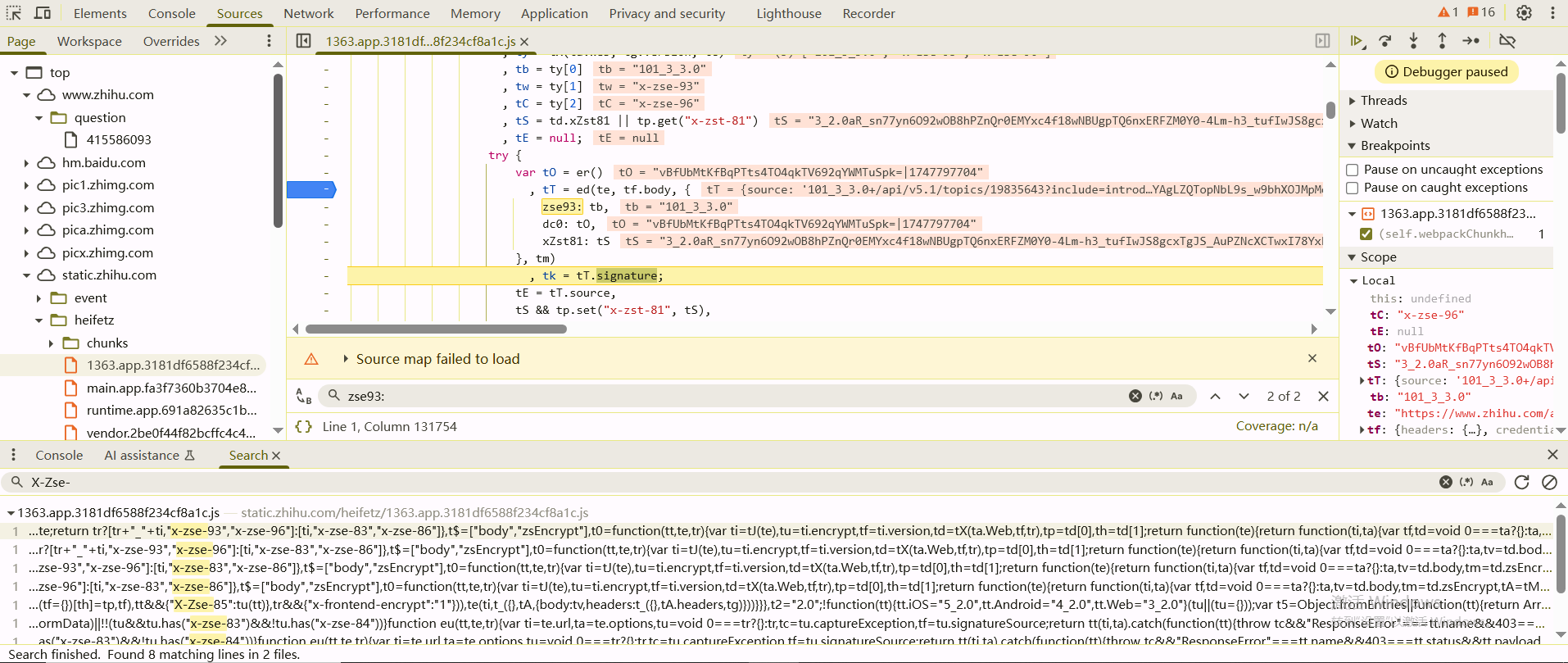
tk的值是tk = tT.signature;来的,t2的值就是"2.0",tT的值是通过ed()函数生成的
1 | var tO = er() |
现在看这几个参数
te是传入的接口url,比如现在要访问https://www.zhihu.com/api/v4/answers/3515979336/relationship?desktop=true,那么te就是/api/v4/answers/3515979336/relationship?desktop=true
tf.body是undefined
tb是'101_3_3.0'
tO是er()函数生成的,er()函数如下,从当前网页的 document.cookie 中提取名为 d_c0 的 Cookie 值,也就是cookie固定的话,tO也是固定的
1 | t9 = RegExp("d_c0=([^;]+)") |
tS是null
tm也是undefined
那么基本上这个参数的生成就是和一个接口的url有关系
1 | tT = ed(te //te是接口url |
进入到ed函数
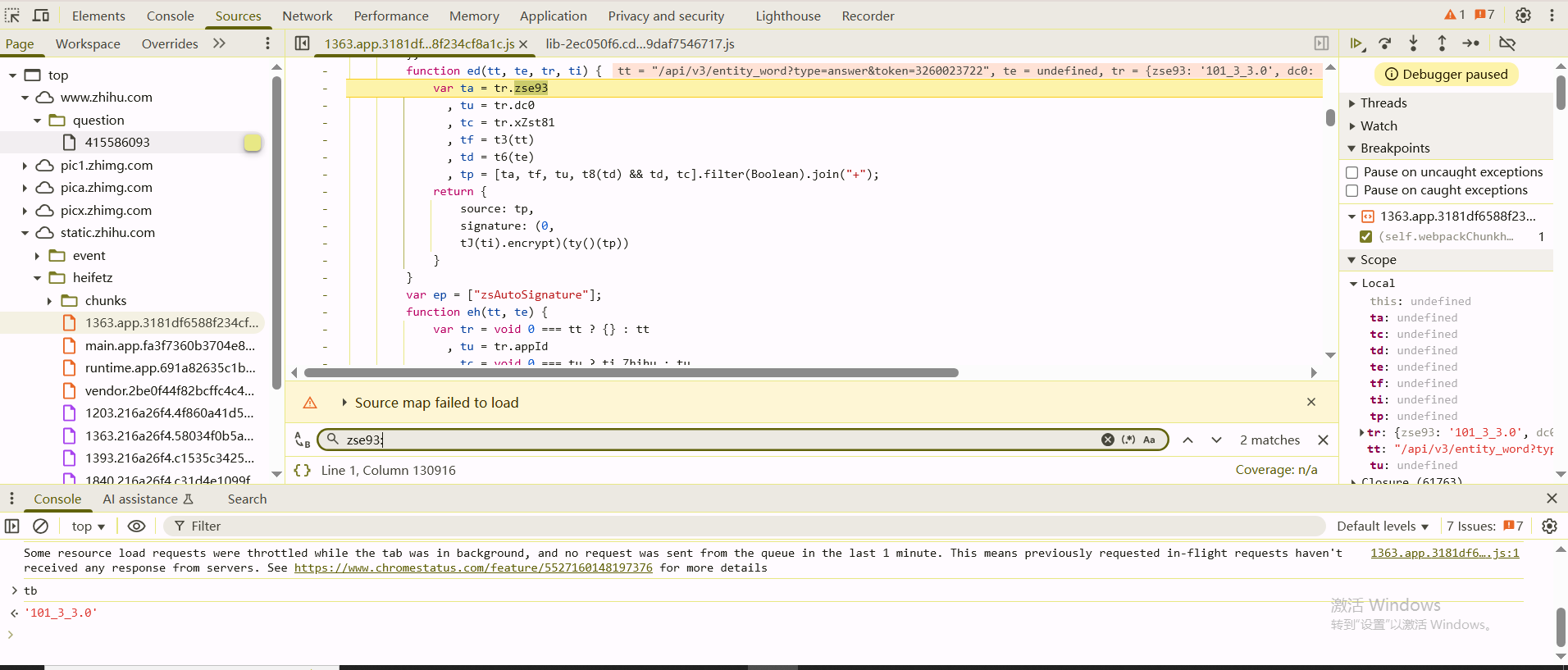
前面几个取值就不说了,这个t3函数和t6函数看一下,t3函数就是把接口转了个字符串,t6函数在null == tt判断为真之后直接返回""
1 | t3 = function(tt) { |
这里tp = [ta, tf, tu, t8(td) && td, tc].filter(Boolean).join("+"),t8函数如下
1 | t8 = function(tt, te) { |
所以tp的值实际上就是ta+tf+tu的字符串,也就是这种形式
1 | 101_3_3.0+/api/v3/entity_wordtype=answer&token=3260023722+vBfUbMtKfBqPTts4TO4qkTV692qYWMTuSpk=|1747797704 |
然后对tp进行加密
1 | return { |
ty()函数如下
1 | tT = function(tt, te, tr) { |
后面其实不用看了,加密的函数都在这个里面,扣代码就可以了,这个在前面也说过了
补环境的话,只保留用到的两个模块1514和74185,然后刚开始的时候会hook不到属性调用,结果和浏览器还不一样,这里需要找到代码里的try,把try给去掉,强制让代码报错,不然检测点都不会报错也不会hook到
x-zst-81参数
全局搜索"x-zst-81",把断点下在这里,当代码执行到这里的时候,发现在访问'/api/v4/me?include=is_realname'接口的时候,此时tS = td.xZst81 || tp.get("x-zst-81")获取不到值

发现堆栈上的函数,赋值是在这里q.xZst81处进行赋值的,往上可以看到q的声明的位置
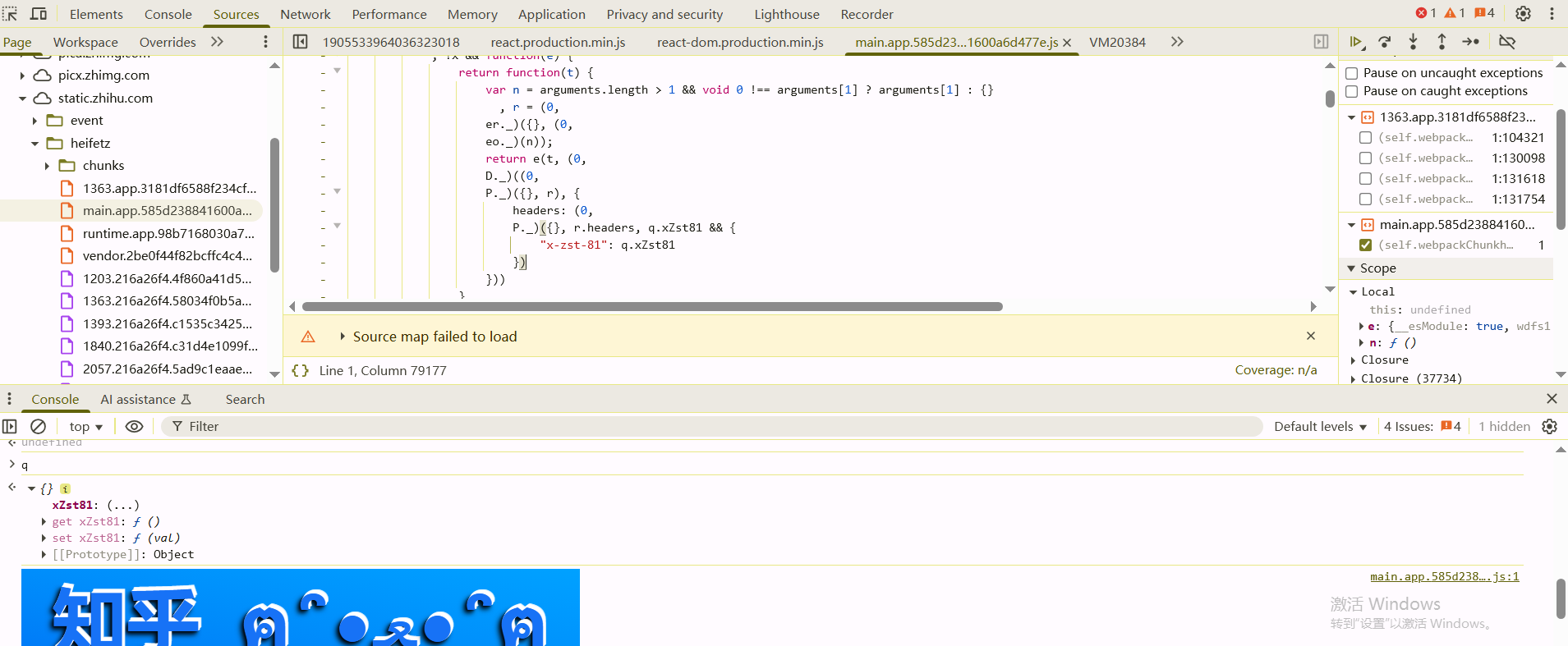
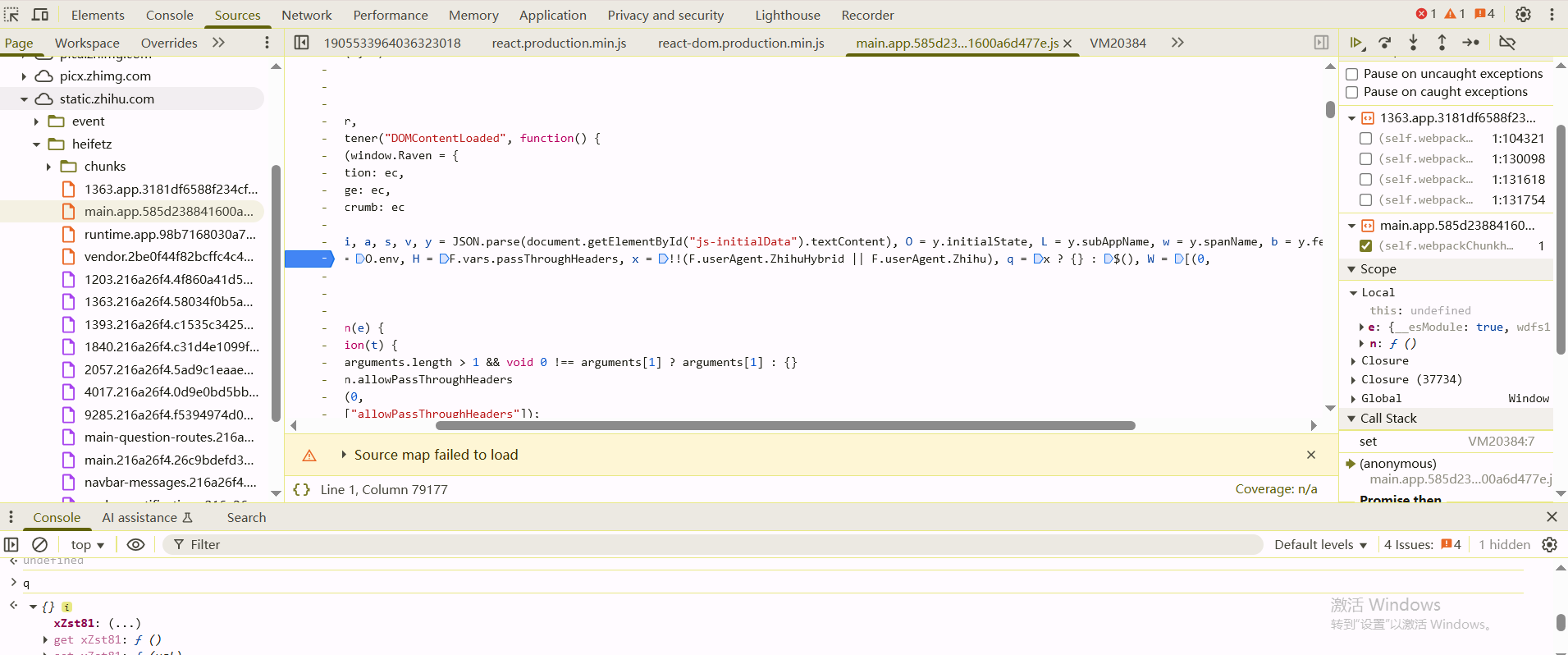
在q = x ? {} : $()处断下来,等待q初始化完成之后,hook q的xZst81属性,当set的时候断下来
1 | (function() { |
触发hook的时候,发现赋值是在t.xZst81 = n()这里
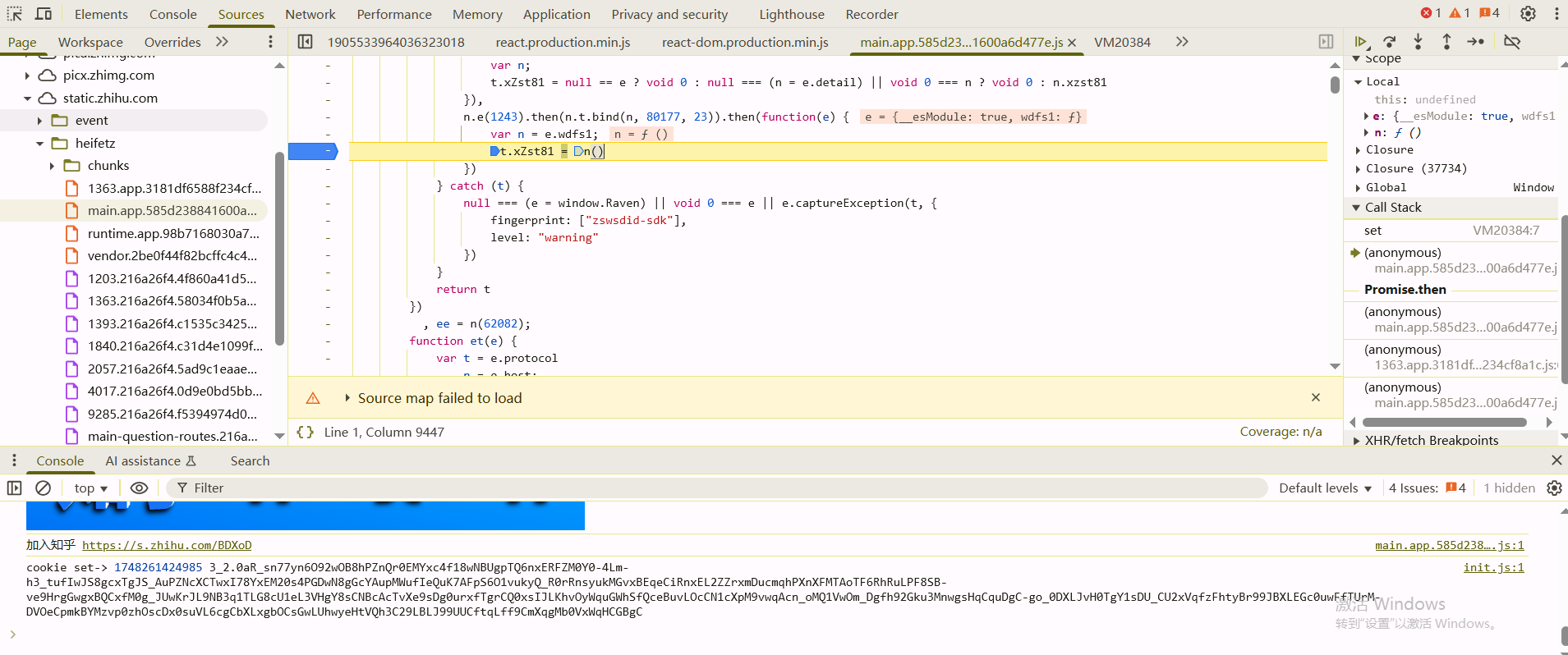
跟进去之后,发现最终走的是 函数,这个函数在后面被导出了
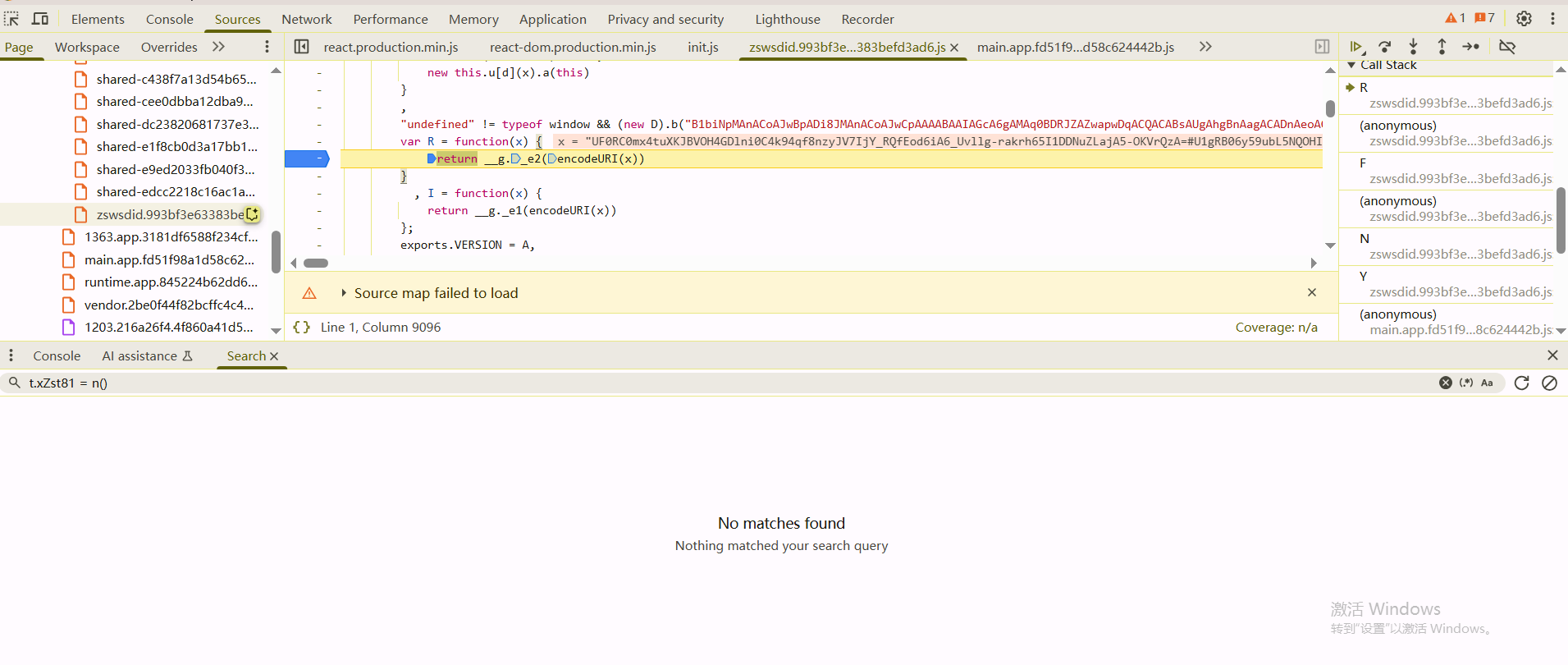
然后就是找到分发器,调用函数就行了,这里测试的时候是手动指定的参数
1 | var result = window.encParam(85773)['default']('VVwVCk3s9ryDmTxICCcXaE1TeDYVrpv948xaPWuUne3A9VwxQpu0juWbO0UOq6Xlutszos2HJ1k3WnzFmE6Y82I=#V1wQA0t2lya8ukJGUrZw9XtzDT5INv9r0-smNj0K_nLz2SY9HT4JDtG-QkJXqaROL0ljxShHvMMKNXcdVTeA1mU=#DqbJJVsDOrm2HYmQmhhLgoaRLE9S5E4Qh0pX1gokPhi'); |
注意沙箱里的userAgent要和浏览器一致,不然加密结果的长度会不同
现在就是要跟这个入参是哪里生成的,找到入参生成的地方

关键就是这里的d、f、ei三个参数,d是localStorage的osa属性,f是从cookie中匹配的,ei是随机生成的
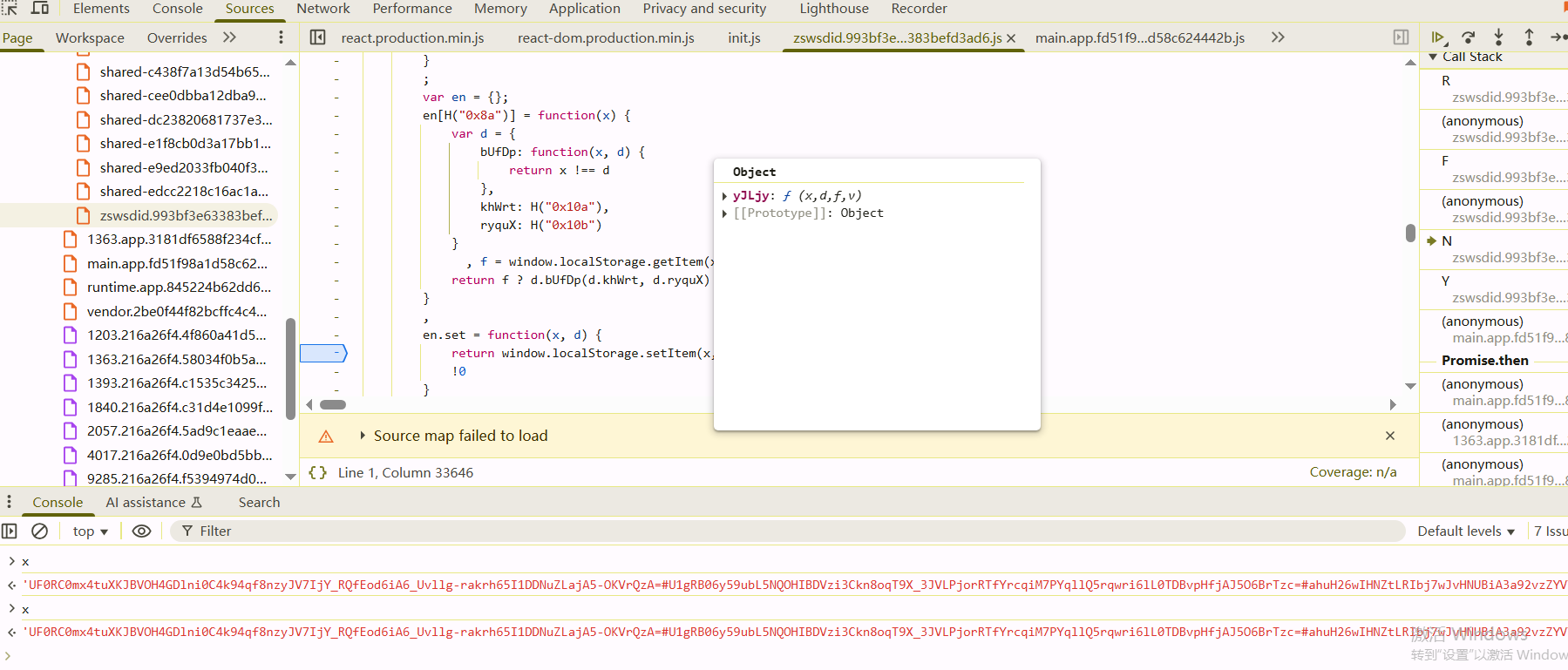
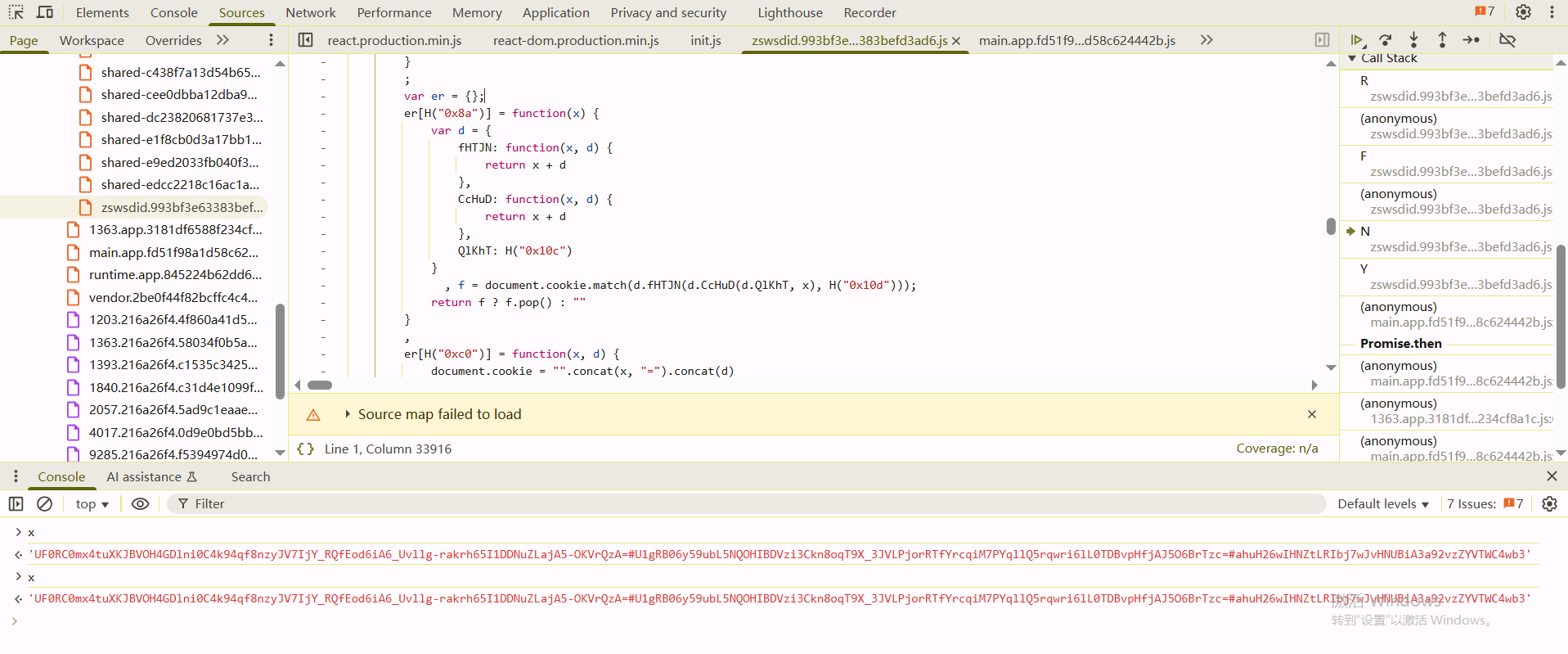
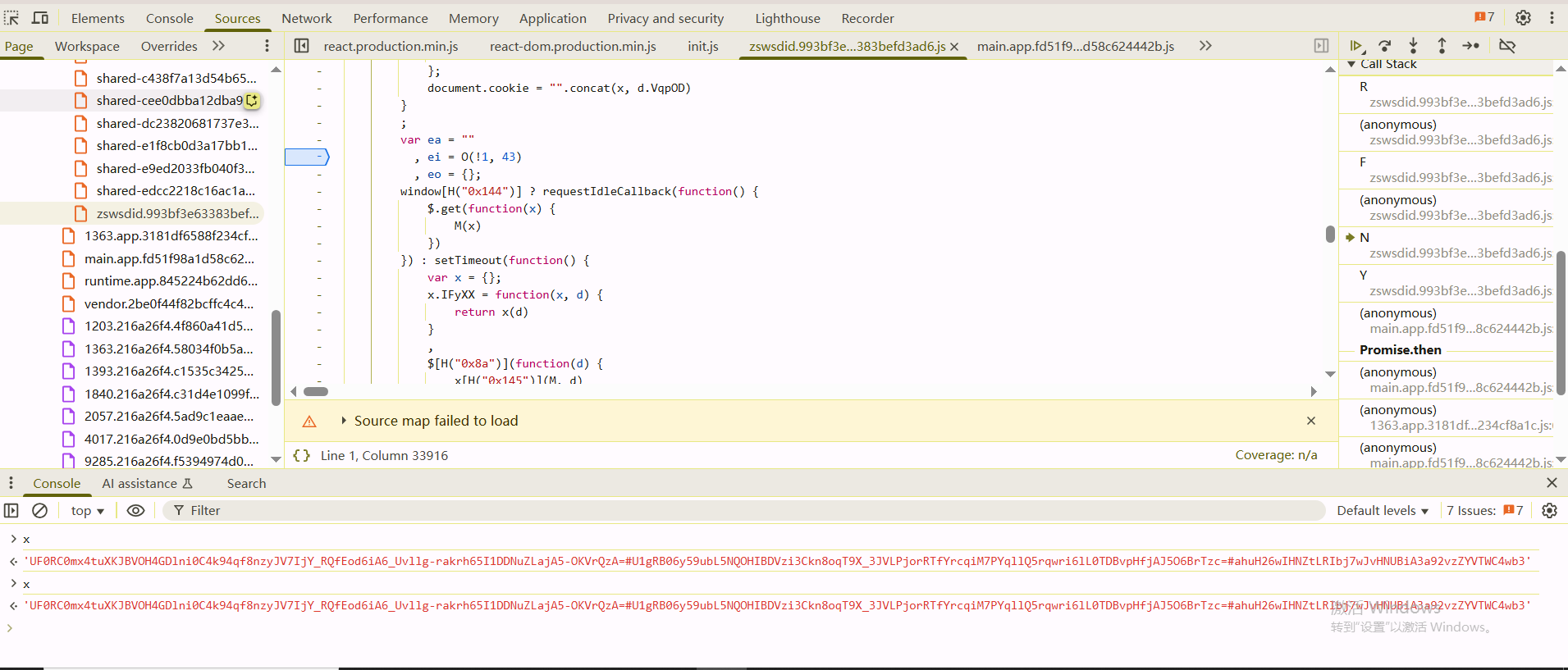
f和ei都简单,就是d需要跟一下生成过程,在页面加载之前先hook一下
1 | (function() { |
这里的v[0]是最终osa属性的值,也就是f是关键参数
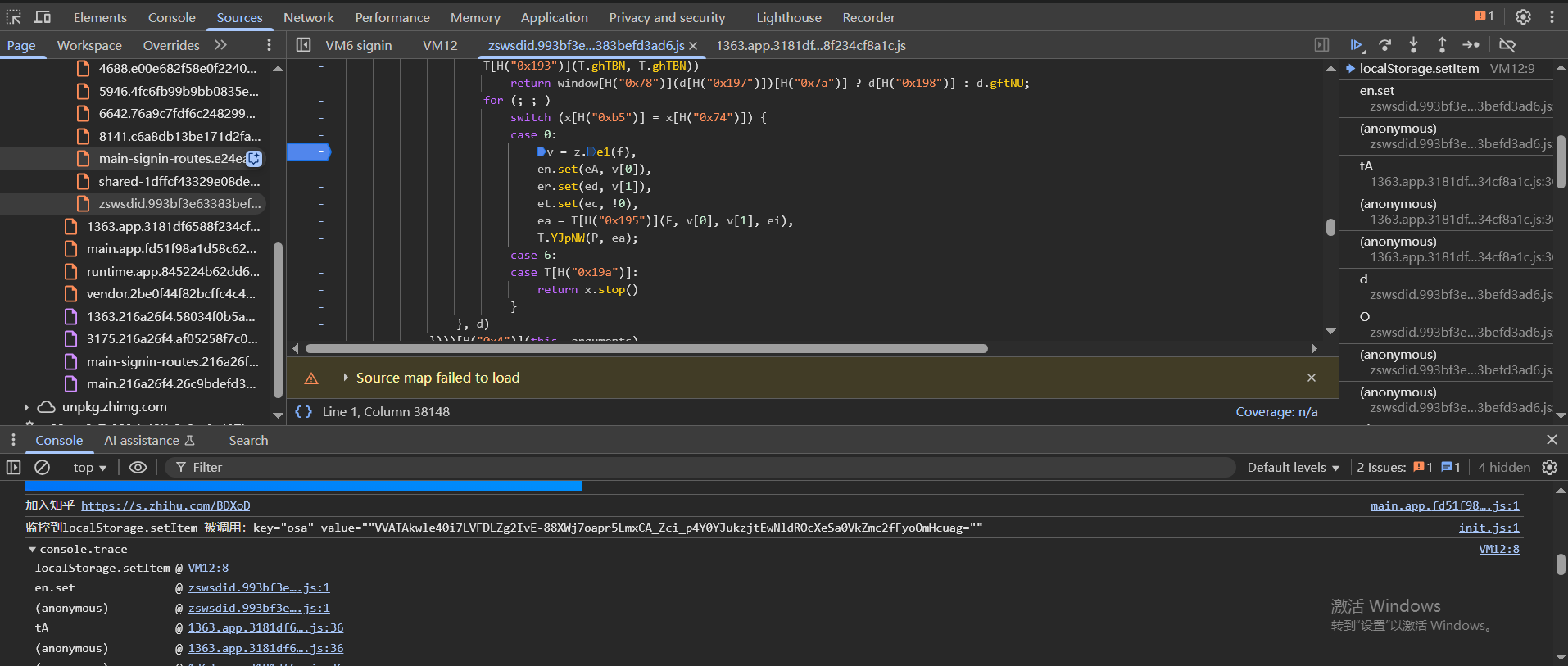
而f来自于x.HhADQ(X, J.mark(function d(f) {,这里的f是前面X函数返回的Promise
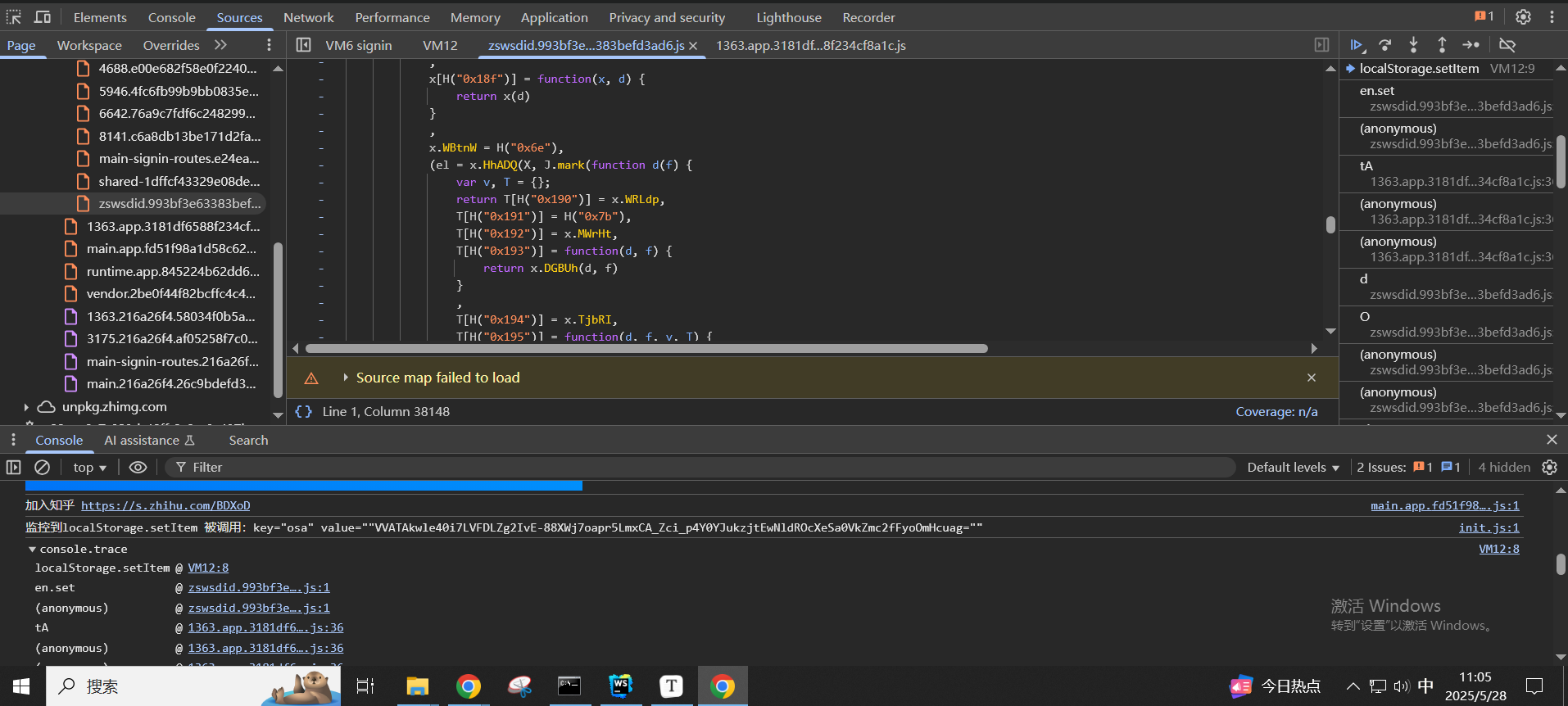
继续往上跟函数栈可以发现是在这里对nonce的字段值进行操作
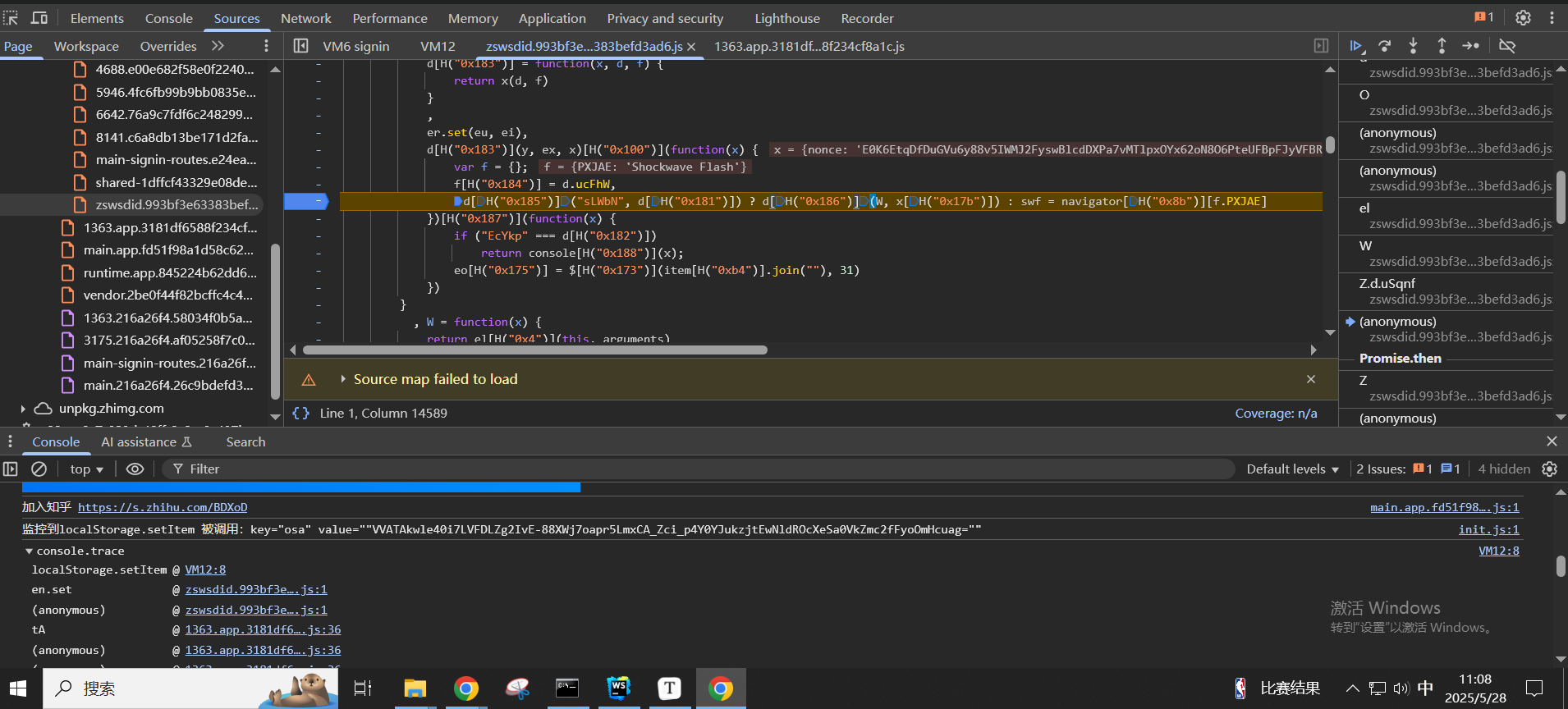
这段代码解混淆之后大概长这样,x的值是{nonce:'E0K6EtqDfDuGVu6y88v5IWMJ2FyswBlcdDXPa7vMTlpxOYx62oN8O6PteUFBpFJyVFBRD0tsngxY64me'}
1 | y(ex, x)['then'](function(x) { |
最终通过执行d[H("0x186")](W, x[H("0x17b")])也就是W(x['nonce']),W函数如下
1 | W = function(x) { |
现在就是要搞清楚nonce是哪里来的,其实可以通过看数据包来找,这里也可以通过分析代码,因为前面y(ex, x)['then'](function(x) {里x的值是nonce,那么x就是y(ex, x)这个Promise解析之后的结果,现在去看y函数
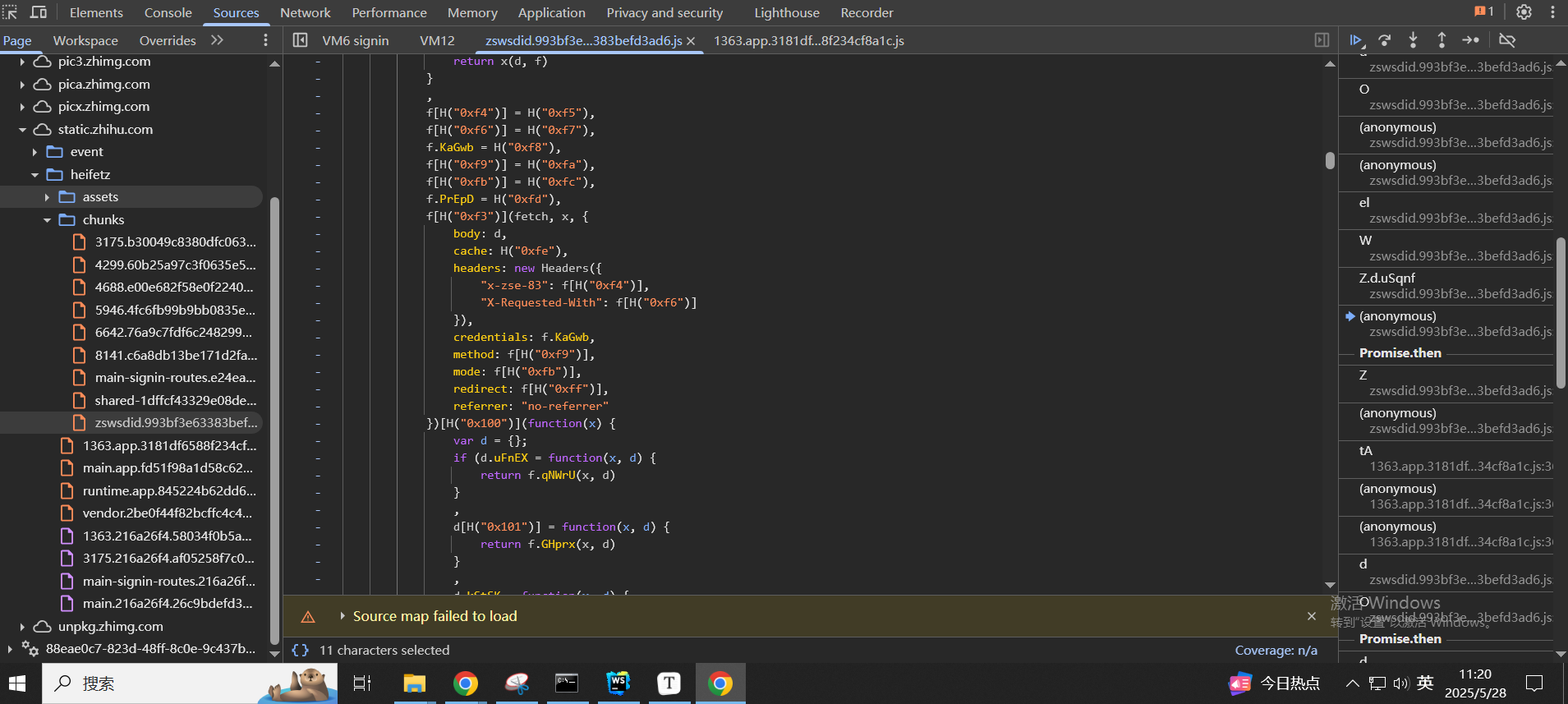
关键就在这里的fetch调用,fetch发起http请求,然后通过.then来处理http请求的返回,在.then方法里返回
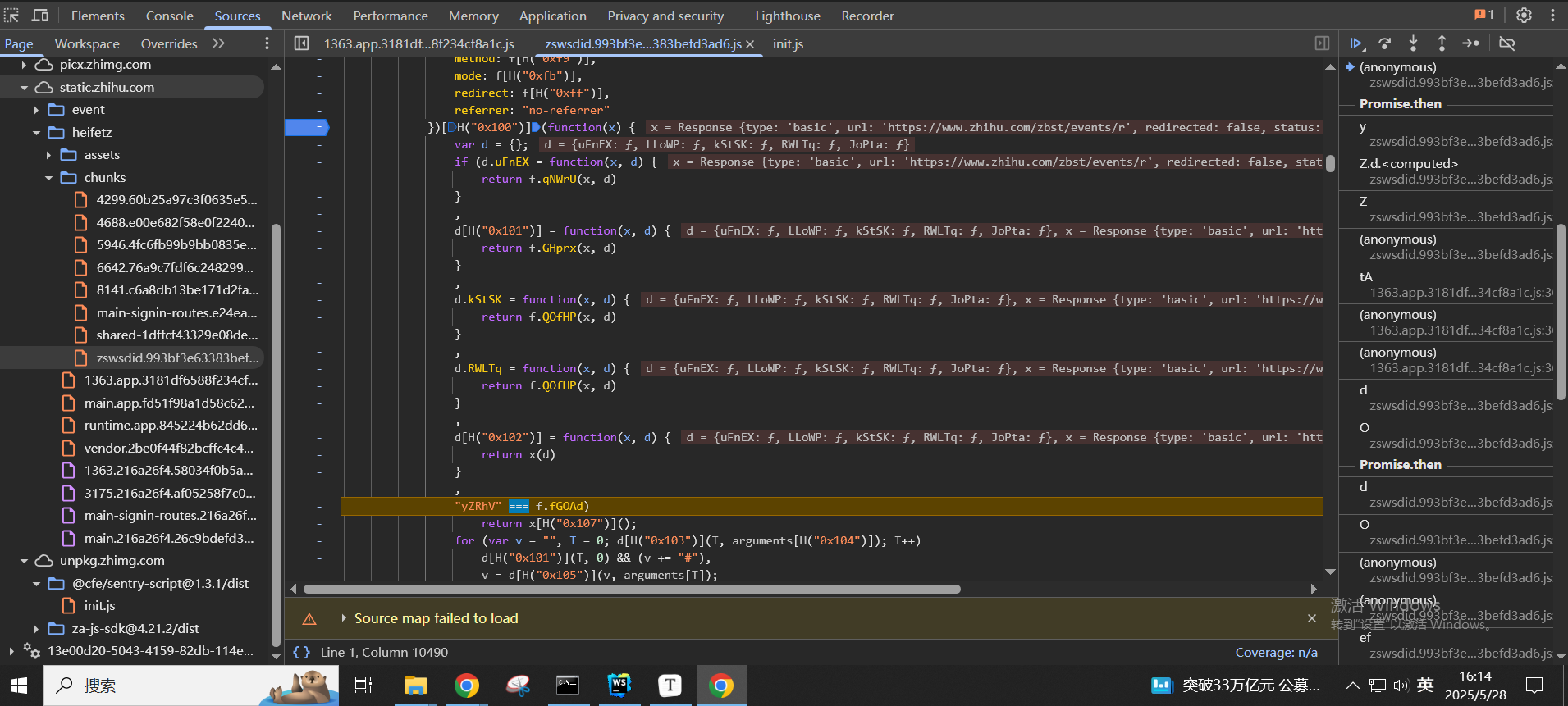
.then的方法里面会在return x[H("0x107")]();这里返回,解混淆之后发现返回的就是x.json(),x.json()也是一个Promise,作用是提取响应数据里面的body信息也就是nonce
也就是说,最终的加密就是把响应的nonce给提取出来,丢到这里面的z.e1去加密,z.e1就是return __g._e1(encodeURI(x))
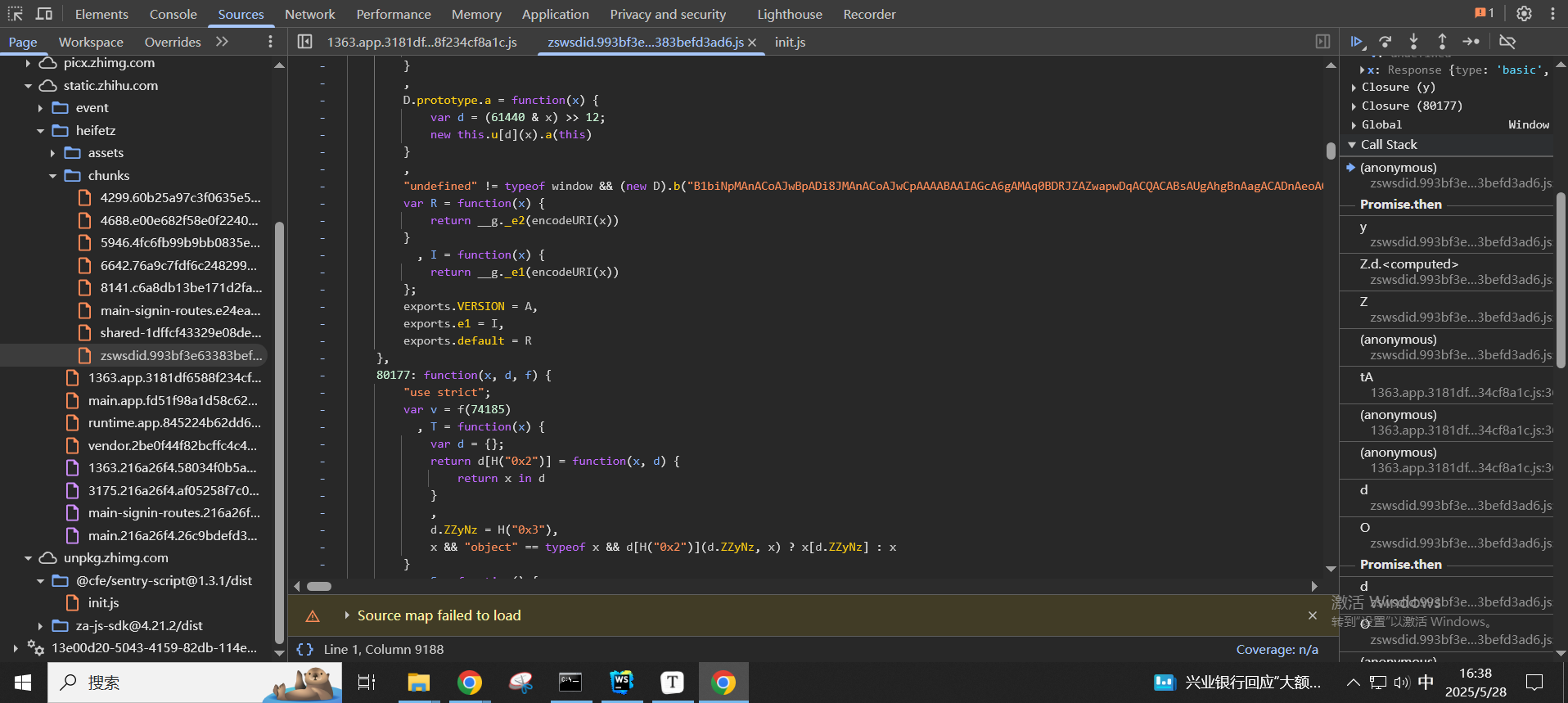
现在下一步就是要搞清楚,这个数据包是怎么构造的,如果知道了怎么构造数据包,我们自己发包就行了,或者可以写成固定值,也就是这里fetch里面的body: d的d是怎么来的
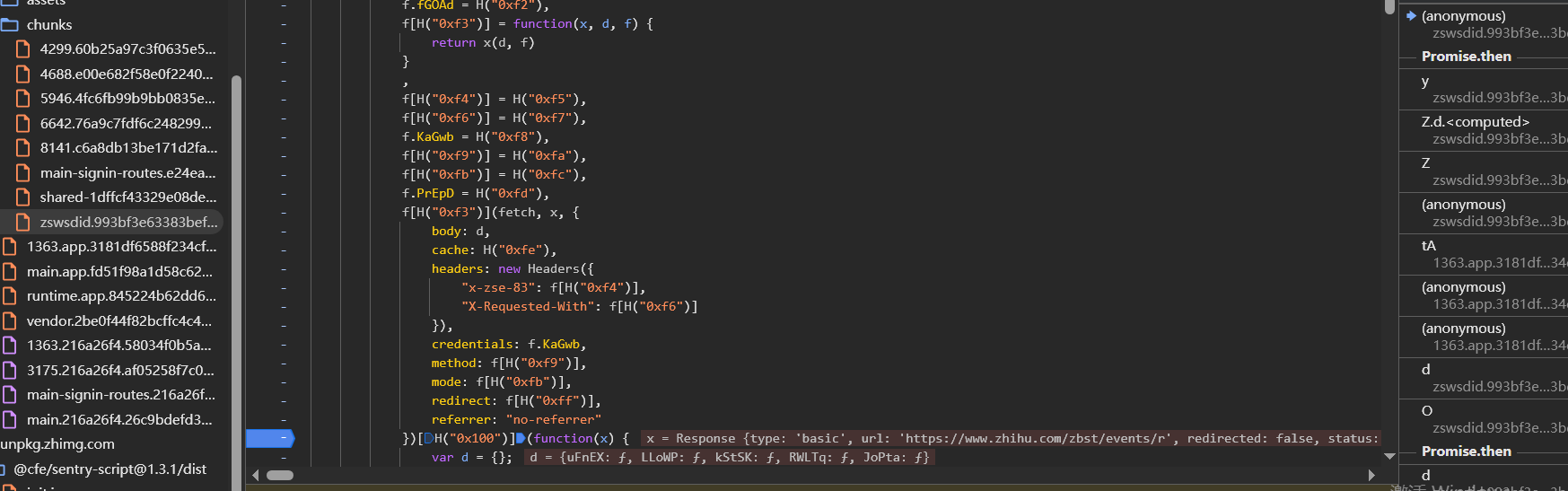
往上跟堆栈,可以发现其实是在这里的(0, d.t0)(d[H("0x17f")]);进行发起请求的的,在d.t0函数中完成HTTP请求的发起,d[H("0x17f")就是d[t11]
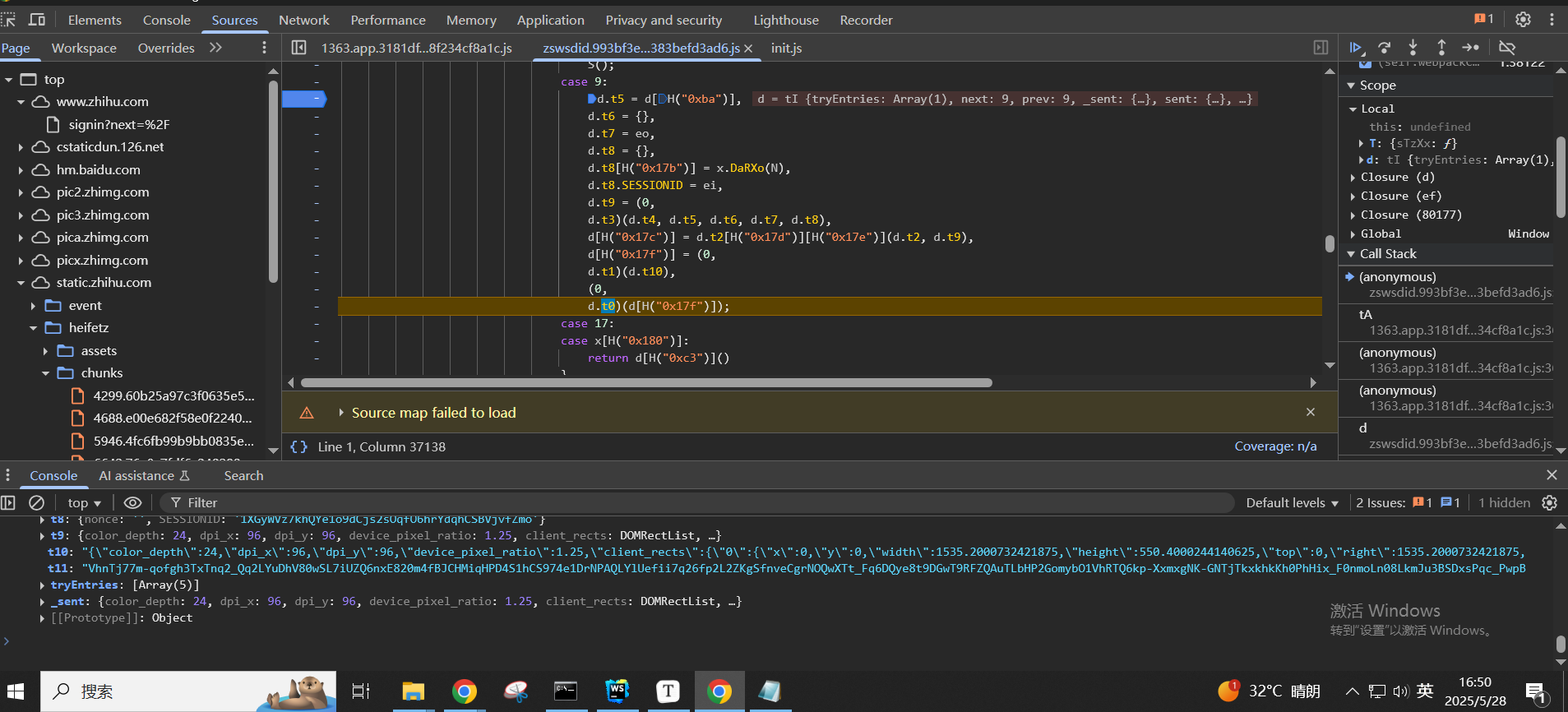
那么d[t11]是通过d[H("0x17f")] = (0,d.t1)(d.t10)来的,d.t1就是__g._e2(encodeURI(x))
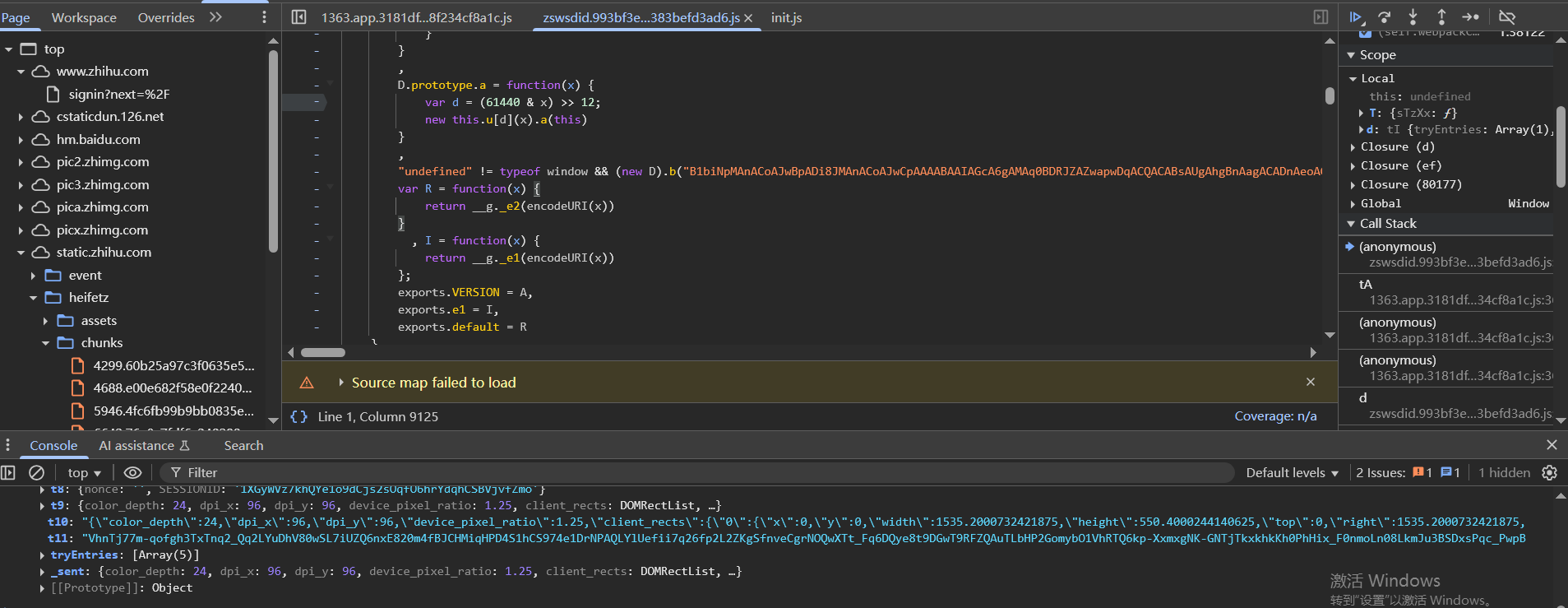
d.t10是通过d[H("0x17c")] = d.t2[H("0x17d")][H("0x17e")](d.t2, d.t9),也就是JSON.stringify(JSON,d.t9),可以看一下这里t10的值,两次生成t10的值,变化的只有created时间戳和SESSIONID
1 | "{"color_depth":24,"dpi_x":96,"dpi_y":96,"device_pixel_ratio":1.25,"client_rects":{"0":{"x":0,"y":0,"width":1535.2000732421875,"height":550.4000244140625,"top":0,"right":1535.2000732421875,"bottom":550.4000244140625,"left":0}},"inner_height":550,"max_touch_points":0,"outer_height":673,"screen_orientation":"landscape","screen_width":1535,"screen_height":711,"screen_vail_width":1535,"screen_vail_heigth":671,"language":"zh-CN","navigator_properties_num":83,"track":false,"flash_enabled":false,"js_enabled":true,"cookie_enabled":true,"touch_support":false,"vb_enable":false,"webrtc_enable":true,"battery":{"charging":true,"chargingTime":0,"dischargingTime":null,"level":1},"platform":"Win32","created":1748421920624,"connection_type":"wifi","user_agent":"Mozilla/5.0 (Windows NT 10.0; Win64; x64) AppleWebKit/537.36 (KHTML, like Gecko) Chrome/136.0.0.0 Safari/537.36","websocket_enable":true,"debug_enable":false,"memory":8,"plugins":[["PDF Viewer","Portable Document Format",[["application/pdf","pdf"],["text/pdf","pdf"]]],["Chrome PDF Viewer","Portable Document Format",[["application/pdf","pdf"],["text/pdf","pdf"]]],["Chromium PDF Viewer","Portable Document Format",[["application/pdf","pdf"],["text/pdf","pdf"]]],["Microsoft Edge PDF Viewer","Portable Document Format",[["application/pdf","pdf"],["text/pdf","pdf"]]],["WebKit built-in PDF","Portable Document Format",[["application/pdf","pdf"],["text/pdf","pdf"]]]],"canvas_fp":"aeda78bf0bb41f7e2b5a416fedf46ad3","webgl_fp":"ee9346e99cf88af0550d21316964259e","graphics":"Google Inc. (Google)~ANGLE (Google, Vulkan 1.3.0 (SwiftShader Device (Subzero) (0x0000C0DE)), SwiftShader driver)","adblock":false,"audio_fp":"001304bf682489f9e803b474ffa024ea","audio_enable":true,"nonce":"","SESSIONID":"1XGyWVz7khQYe1o9dCjs2sOqfO6hrYdqhCSBVjvfZmo"}" |
SESSIONID不是cookie的SESSIONID,是d.t8.SESSIONID = ei生成的,ei和上面的ei一样就行
可以使用如下去确定加密函数定位无误
1 | var result = window.encParam(85773)['default']('{"color_depth":24,......"audio_enable":true,"nonce":"","SESSIONID":"epOeH2YLwf71xLaLp829ZlEp8QsOzuPgrMaQVYbfrCj"}'); |
其他参数的确定
主要是评论url的参数
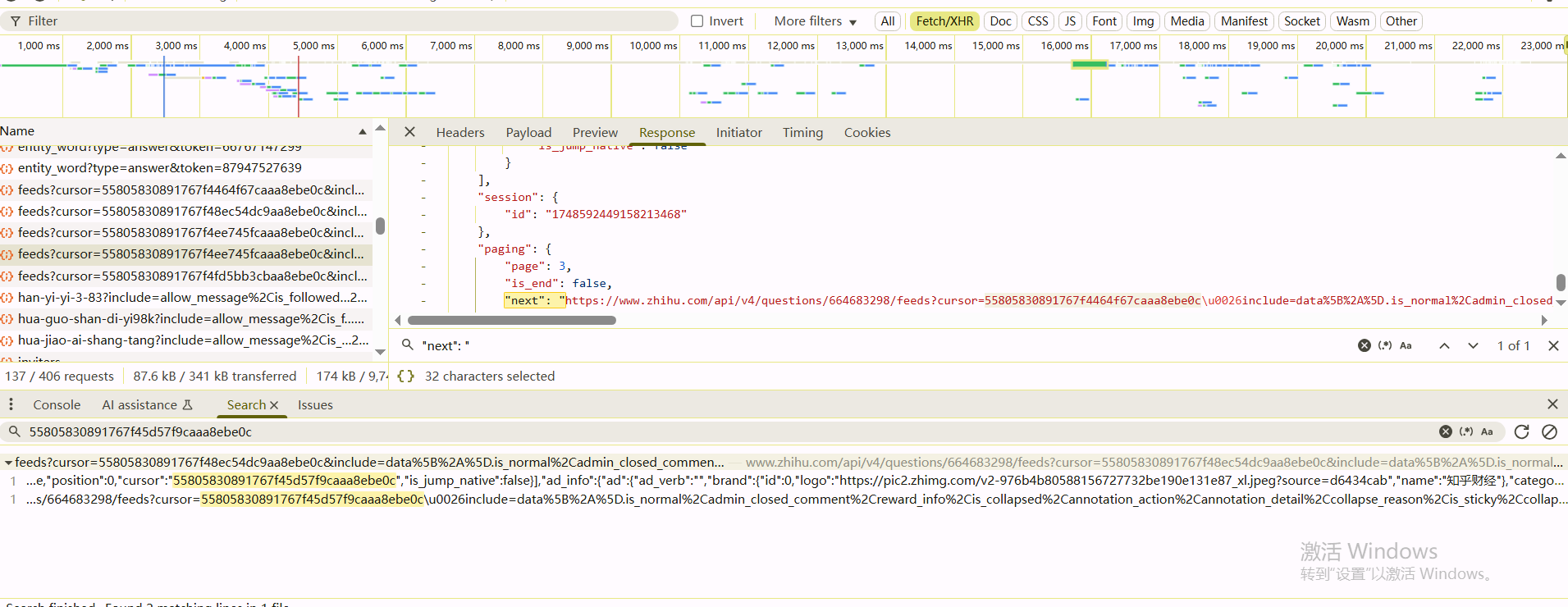
1 | https://www.zhihu.com/api/v4/questions/664683298/feeds?cursor=55805830891767f4ee745fcaaa8ebe0c&include=data%5B%2A%5D.is_normal%2Cadmin_closed_comment%2Creward_info%2Cis_collapsed%2Cannotation_action%2Cannotation_detail%2Ccollapse_reason%2Cis_sticky%2Ccollapsed_by%2Csuggest_edit%2Ccomment_count%2Ccan_comment%2Ccontent%2Ceditable_content%2Cattachment%2Cvoteup_count%2Creshipment_settings%2Ccomment_permission%2Ccreated_time%2Cupdated_time%2Creview_info%2Crelevant_info%2Cquestion%2Cexcerpt%2Cis_labeled%2Cpaid_info%2Cpaid_info_content%2Creaction_instruction%2Crelationship.is_authorized%2Cis_author%2Cvoting%2Cis_thanked%2Cis_nothelp%3Bdata%5B%2A%5D.author.follower_count%2Cvip_info%2Ckvip_info%2Cbadge%5B%2A%5D.topics%3Bdata%5B%2A%5D.settings.table_of_content.enabled&limit=5&offset=1&order=default&platform=desktop&session_id=1748592449158213468&ws_qiangzhisafe=0 |
解码之后
1 | https://www.zhihu.com/api/v4/questions/664683298/feeds?cursor=55805830891767f4fd5bb3cbaa8ebe0c&include=data[*].is_normal,admin_closed_comment,reward_info,is_collapsed,annotation_action,annotation_detail,collapse_reason,is_sticky,collapsed_by,suggest_edit,comment_count,can_comment,content,editable_content,attachment,voteup_count,reshipment_settings,comment_permission,created_time,updated_time,review_info,relevant_info,question,excerpt,is_labeled,paid_info,paid_info_content,reaction_instruction,relationship.is_authorized,is_author,voting,is_thanked,is_nothelp;data[*].author.follower_count,vip_info,kvip_info,badge[*].topics;data[*].settings.table_of_content.enabled&limit=5&offset=3&order=default&platform=desktop&session_id=1748592449158213468&ws_qiangzhisafe=0 |
cursor参数和sessionid都在页面里面有,拿到第一个请求之后,响应的json数据里的next字段会指向下一个请求的url